www.
Events and visitor registration
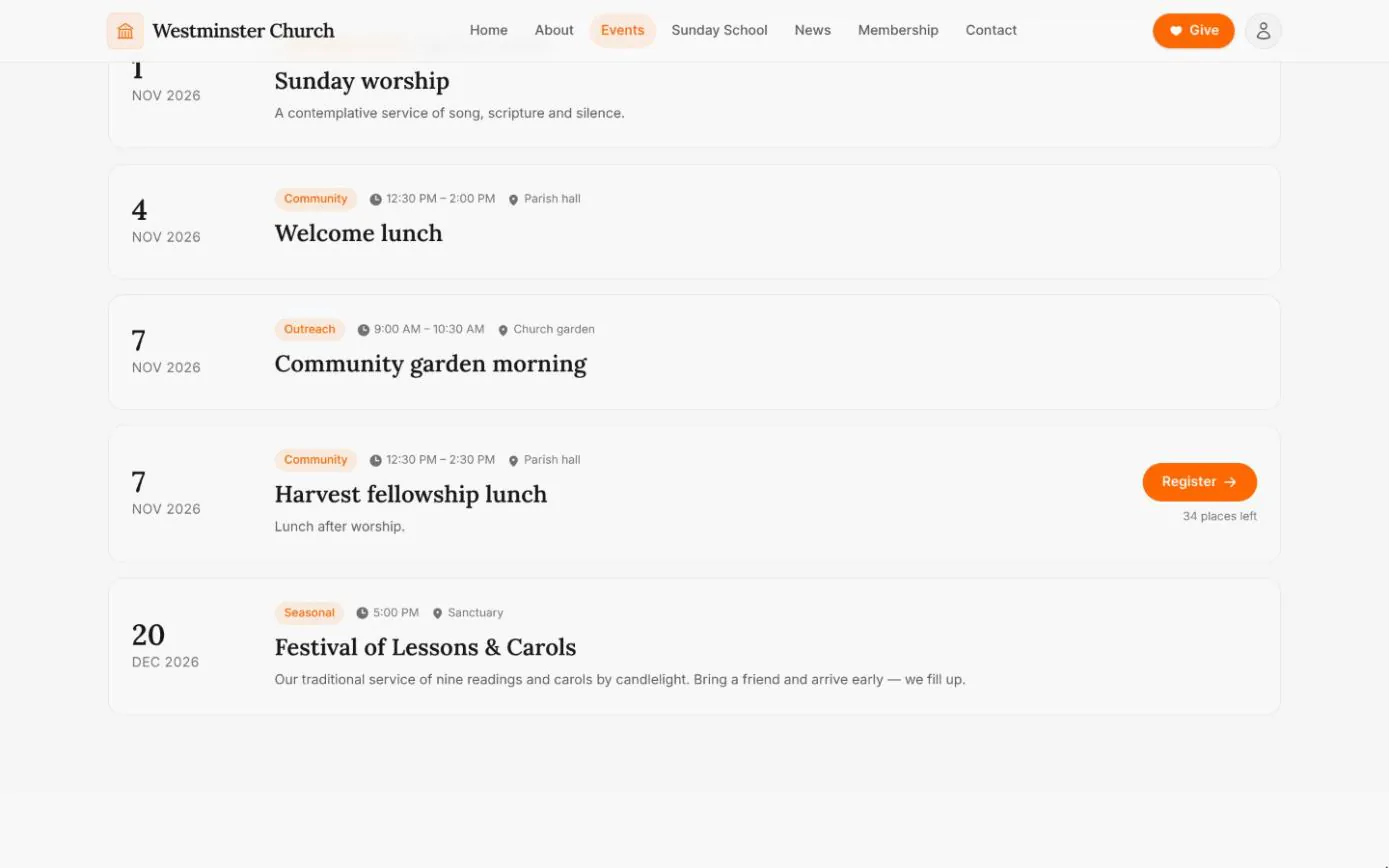
Your website's events page shows the weekly rhythm of services and meetings, then every upcoming gathering with its time, place and a line about it. It is read from the same calendar the office uses for attendance and the volunteer roster, so nothing has to be copied across.
When an event needs numbers, such as a harvest lunch or a retreat, staff open registration and a Register button appears beside it. Visitors sign up with an email address, bring guests by name and cancel from their own link if plans change.
In short
One calendar
Weekly services generate their own dates and one-off events sit alongside them. The website lists both.
Places counted for you
Set a capacity and the events page shows how many places are left, and stops taking registrations when the event is full.
Visitors welcome
No account is needed to register for an open event. Members-only events stay in the member app.
Church service times and a weekly calendar that stays current
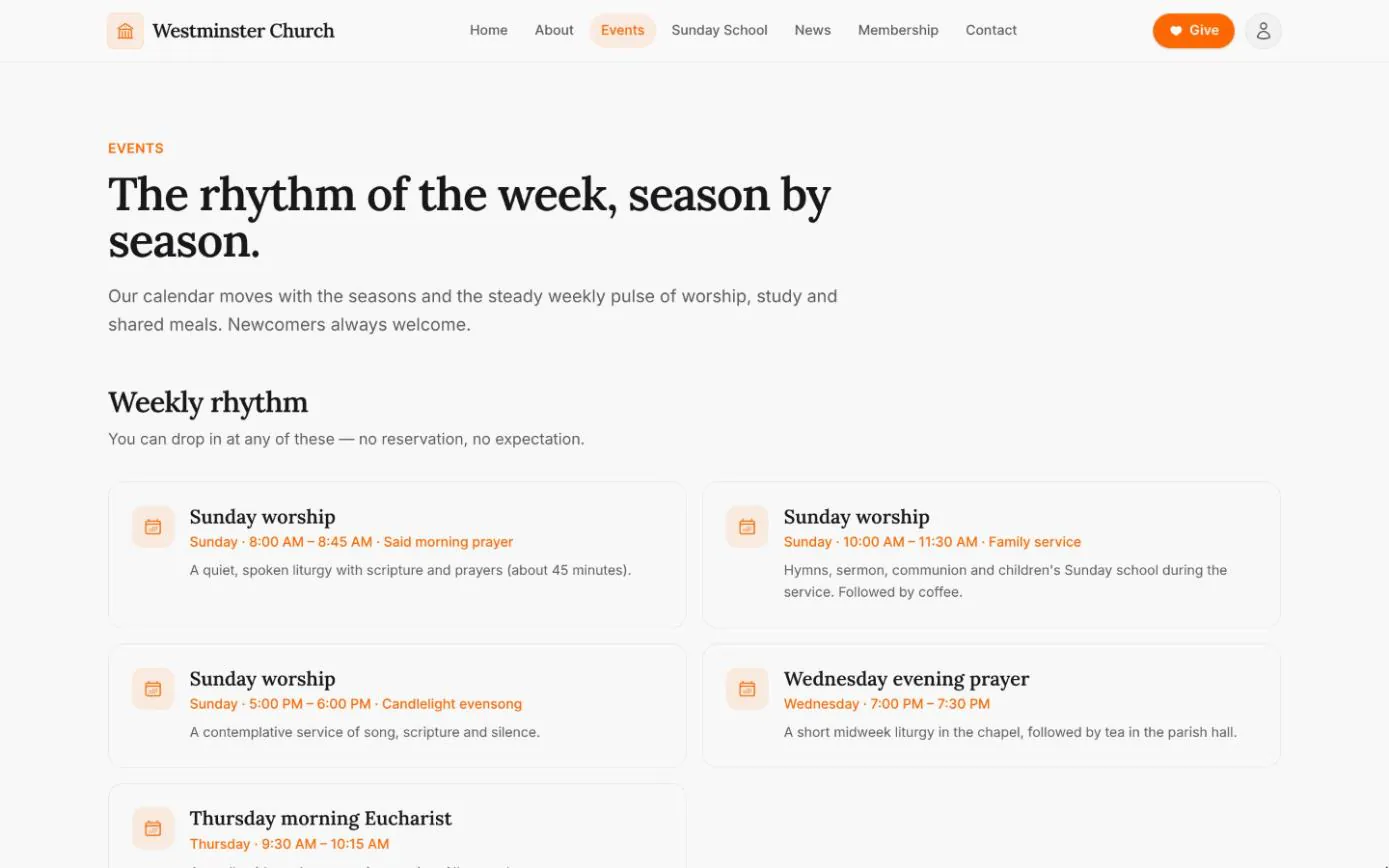
The top of the events page lists each regular gathering: the day, the time, a tag such as Family service and a line about what to expect. Staff set these up once as weekly gatherings in the staff console, and the dates for the weeks ahead are generated from them.
Upcoming gatherings follow in date order, from Sunday worship to a community garden morning or the carol service, each with its time, place and category.
- check Weekly services set once, with their dates generated ahead
- check One-off events with a tag, a place and a short description
- check Past events drop off the page by themselves
Online event sign-ups, open to visitors
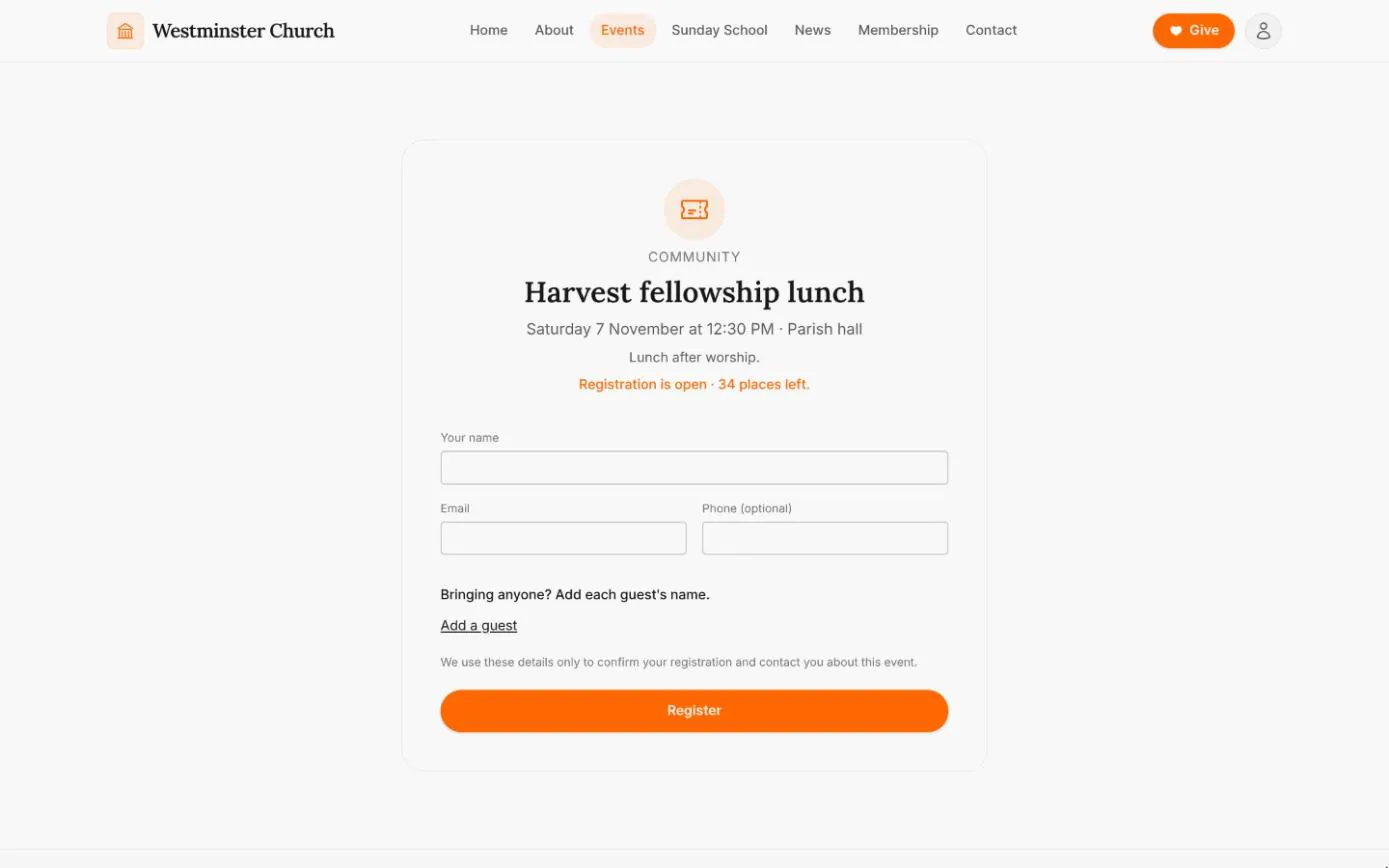
Register opens a short form: a name, an email, an optional phone number and the name of each guest, up to the number the event allows. The page shows whether registration is open and how many places are left, and never who else is coming.
The visitor is then emailed a confirmation with a personal link to view or cancel their place. Registering again with the same email sends that link again rather than booking twice.
- check Named guests, up to the limit the office sets
- check Opening the link changes nothing until the visitor presses Cancel
- check Signed-in members pointed to the member app to register their household
Event capacity, guest limits and the attendee list
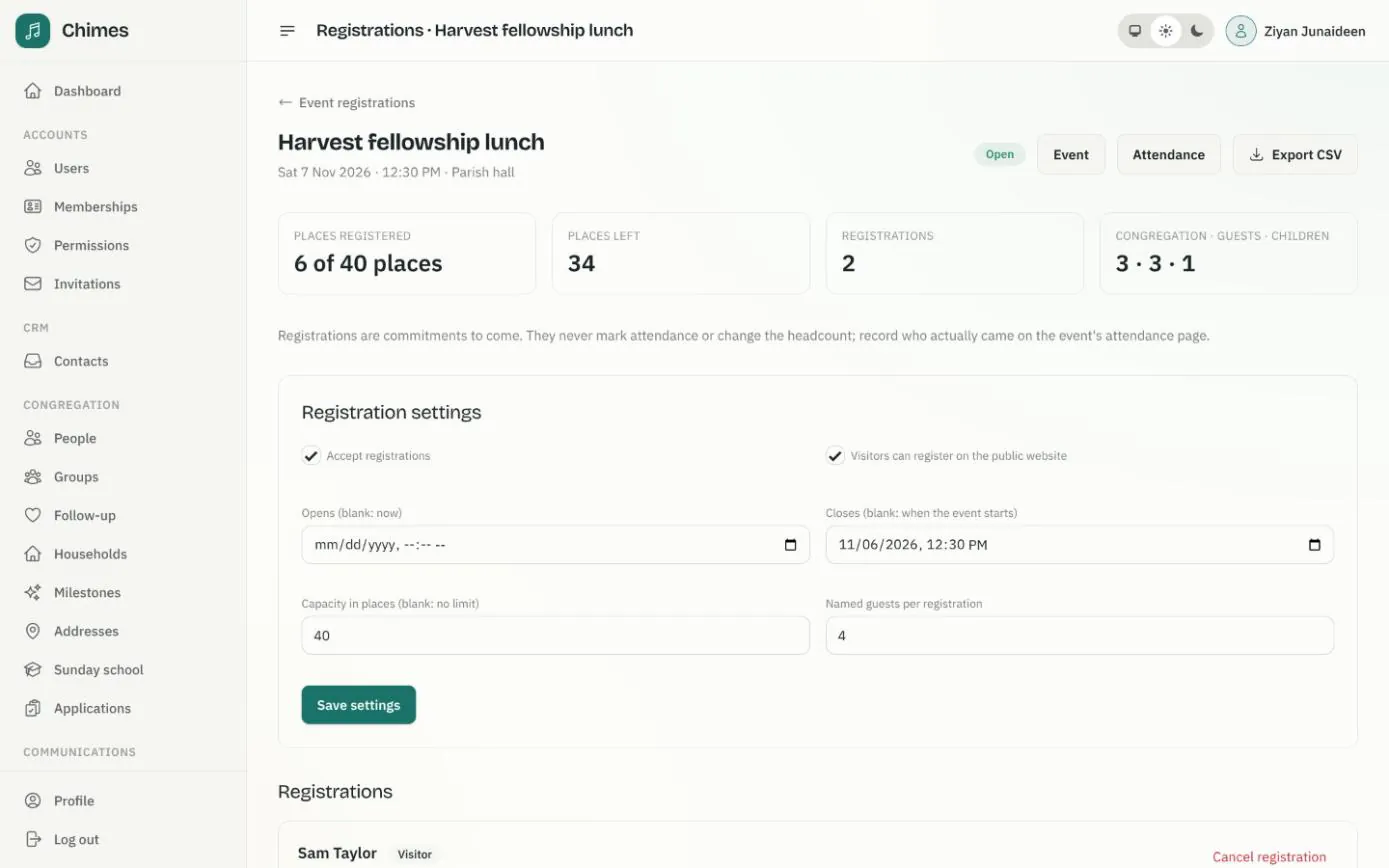
For each event, staff choose whether it takes registrations, whether visitors can register on the website, when registration opens and closes, the capacity in places and how many named guests each registration may bring.
The registrations page counts the places taken and left, splits them into congregation, guests and children, and exports the attendee list as CSV for whoever is catering. Registrations stay separate from attendance, which is still taken on the day.
- check Opening and closing times in the church's time zone
- check Members-only events, with visitors switched off
- check Cancelling a registration emails the person who made it
Related features
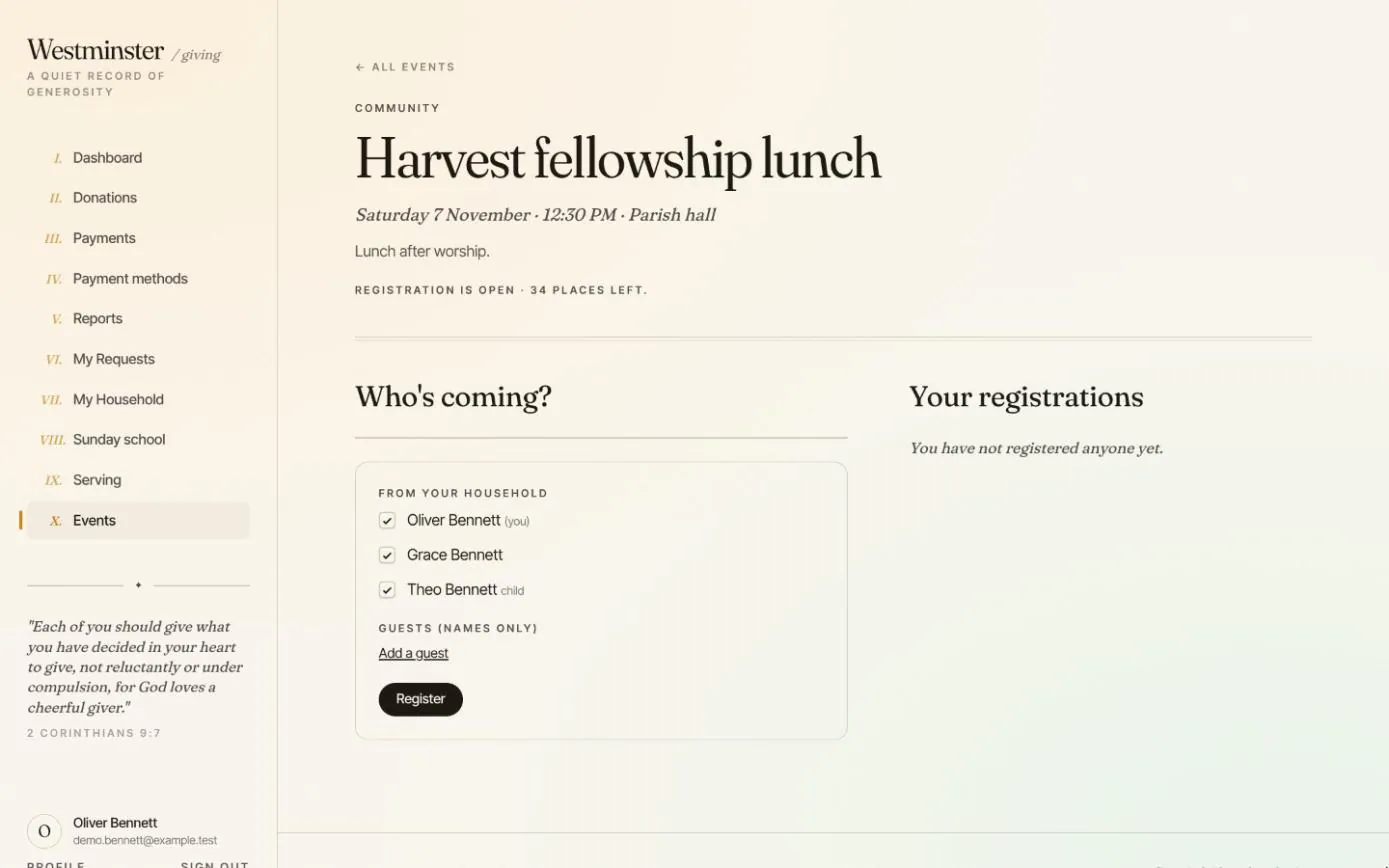
Events and serving
Members register their household and guests for church events, and accept or decline their places on the volunteer roster.
See the feature arrow_forward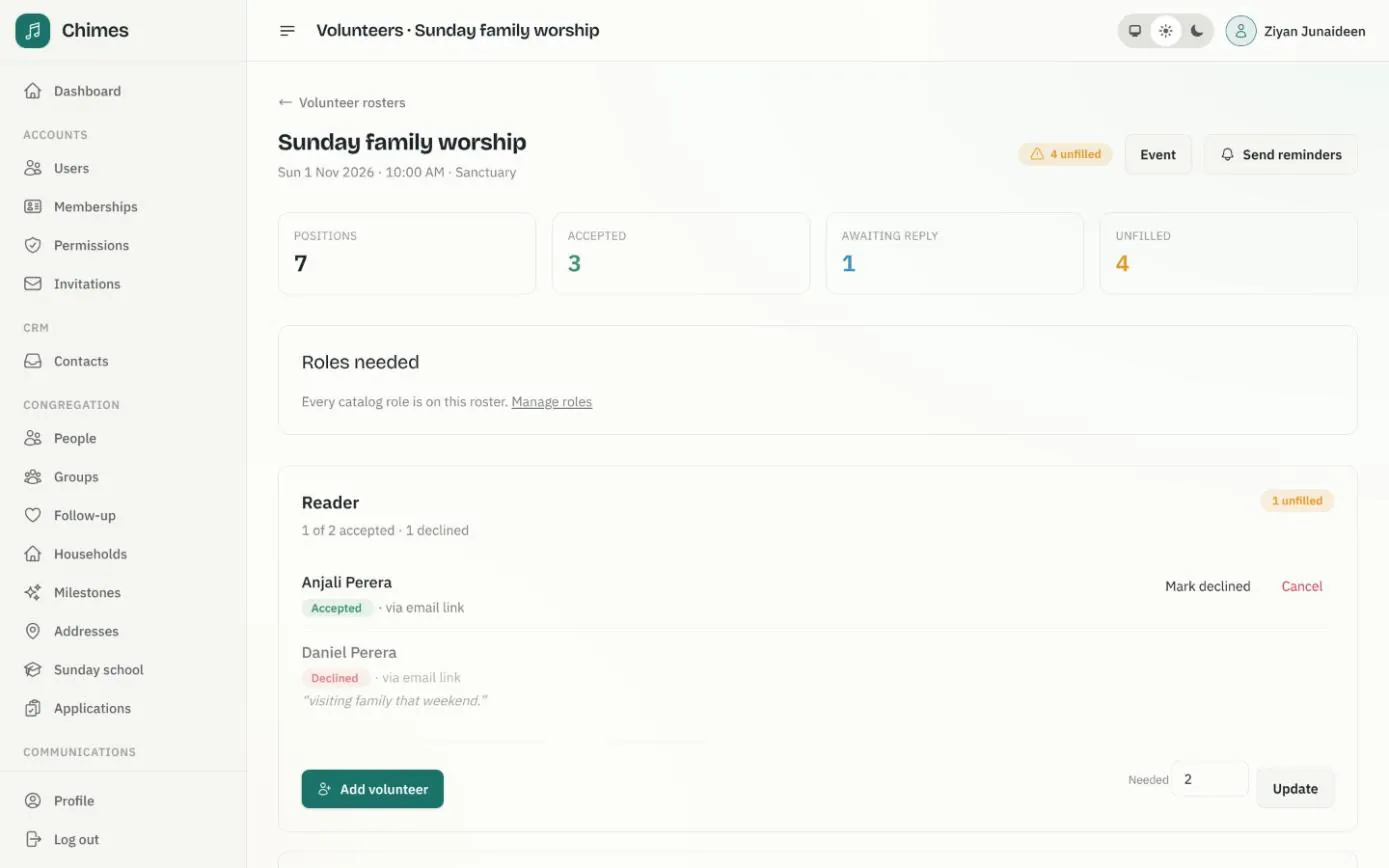
Volunteer rosters and event sign-ups
The roles each service needs, invitations answered by email or in the app, reminders, and event registration with capacity and guest limits.
See the feature arrow_forward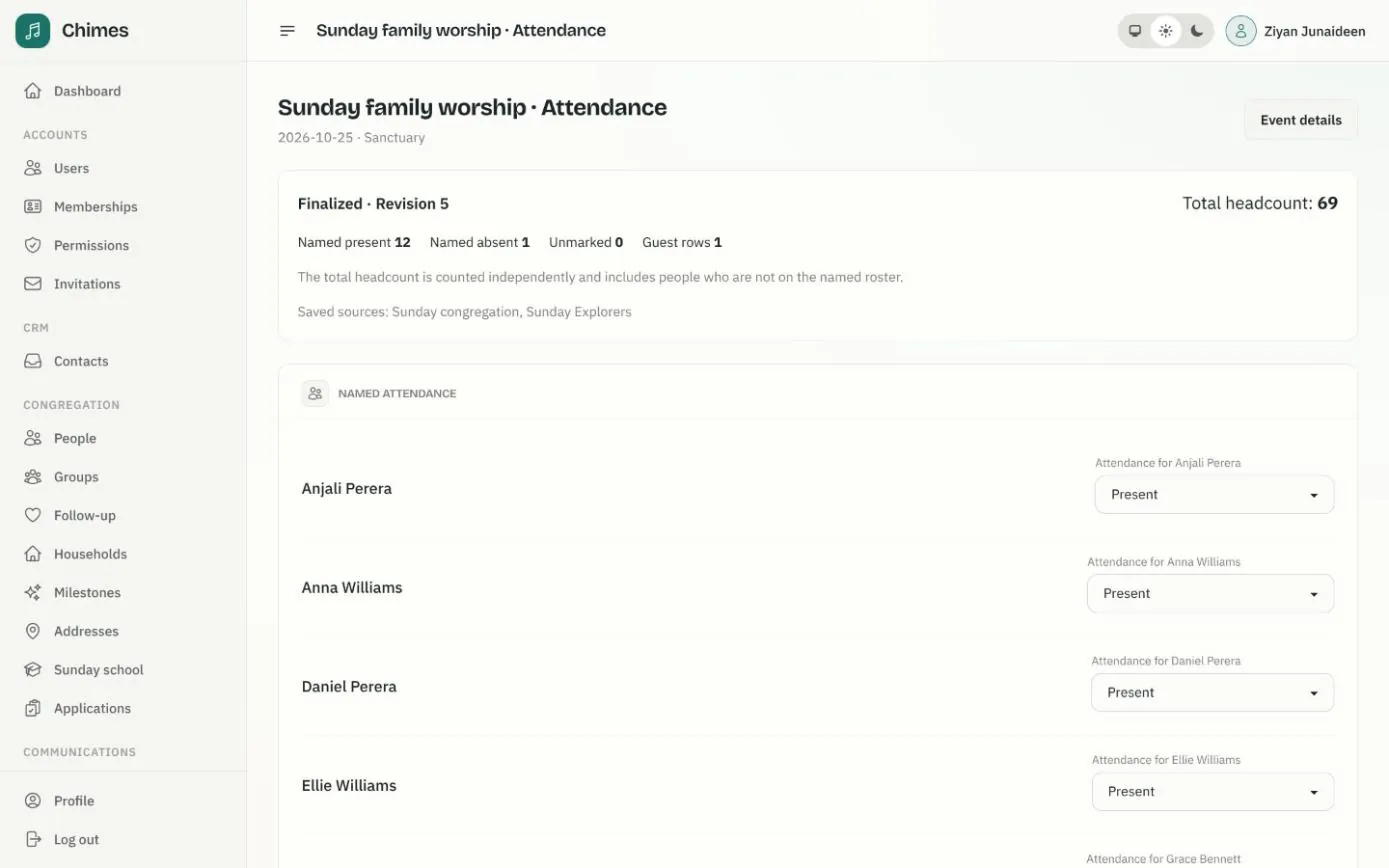
Gatherings and attendance
Weekly services that fill the calendar on their own, one-off events, and attendance registers with named marks, guests and a separate headcount.
See the feature arrow_forwardSee Chimes with your own congregation in mind.
Tell me how your church keeps its records today and where you would like Chimes hosted. I will come back with a deployment plan and a straight answer on what it will take.