admin.
Gatherings and attendance
Every congregation has a weekly rhythm: Sunday worship, a midweek prayer meeting, a Thursday Eucharist. Set each one up once and it appears on the calendar every week, with its next event created ahead of time, ready for volunteers, registrations and attendance. One-off events, from a welcome lunch to a community garden morning, sit in the same calendar.
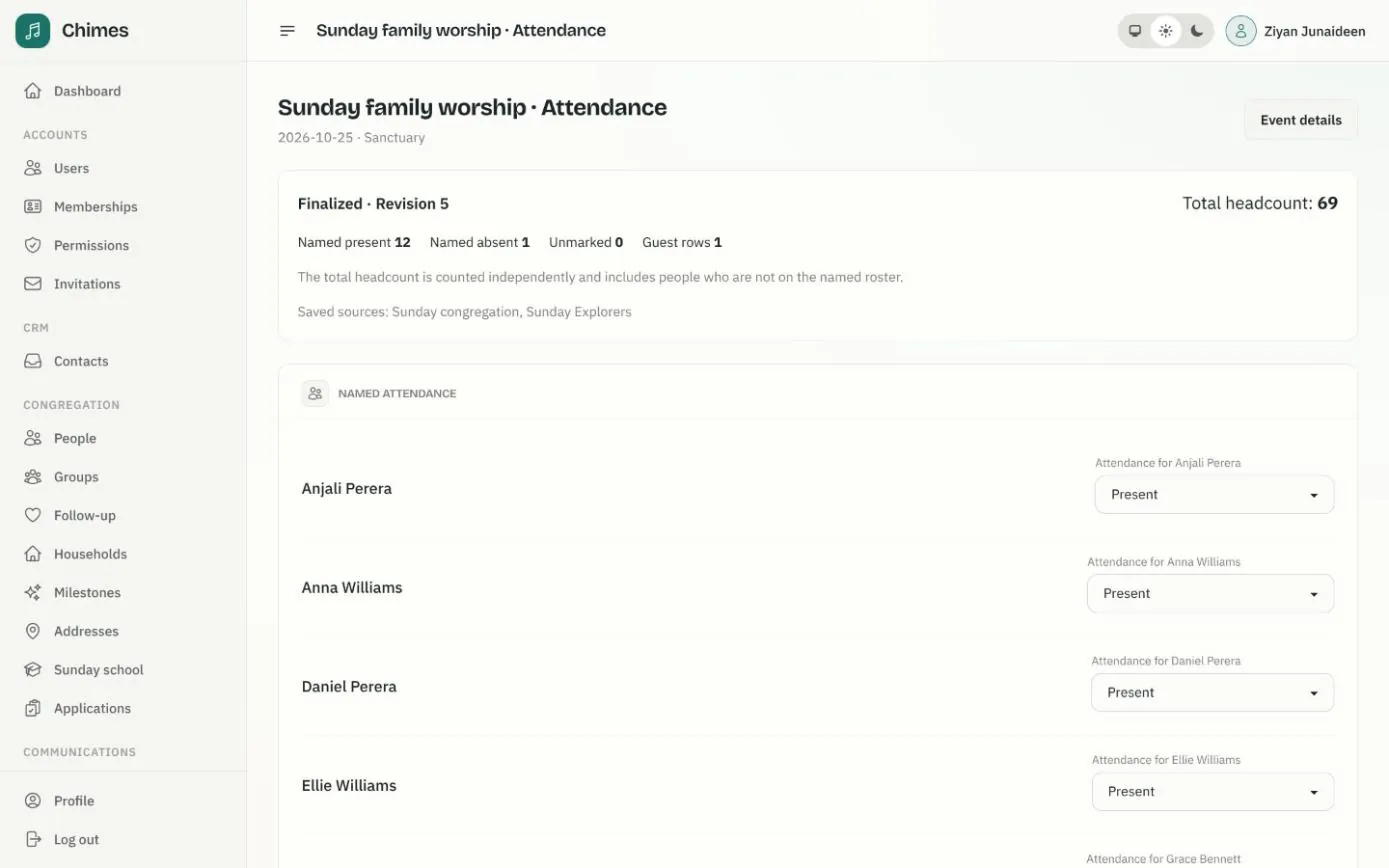
When the gathering happens, staff take a register of who came, add guests and record the total headcount, then finalize it so the figures stay as they were on the day.
In short
Set the week once
Each weekly gathering shows on the calendar every week and creates its next event ahead of time.
Names and numbers
Mark the people you know, add guests by name, and count the whole room as a separate total.
Any tradition
Gatherings carry your own names and tags, whether they are services, prayers, pujas or Iftar dinners.
A weekly service schedule that fills the calendar
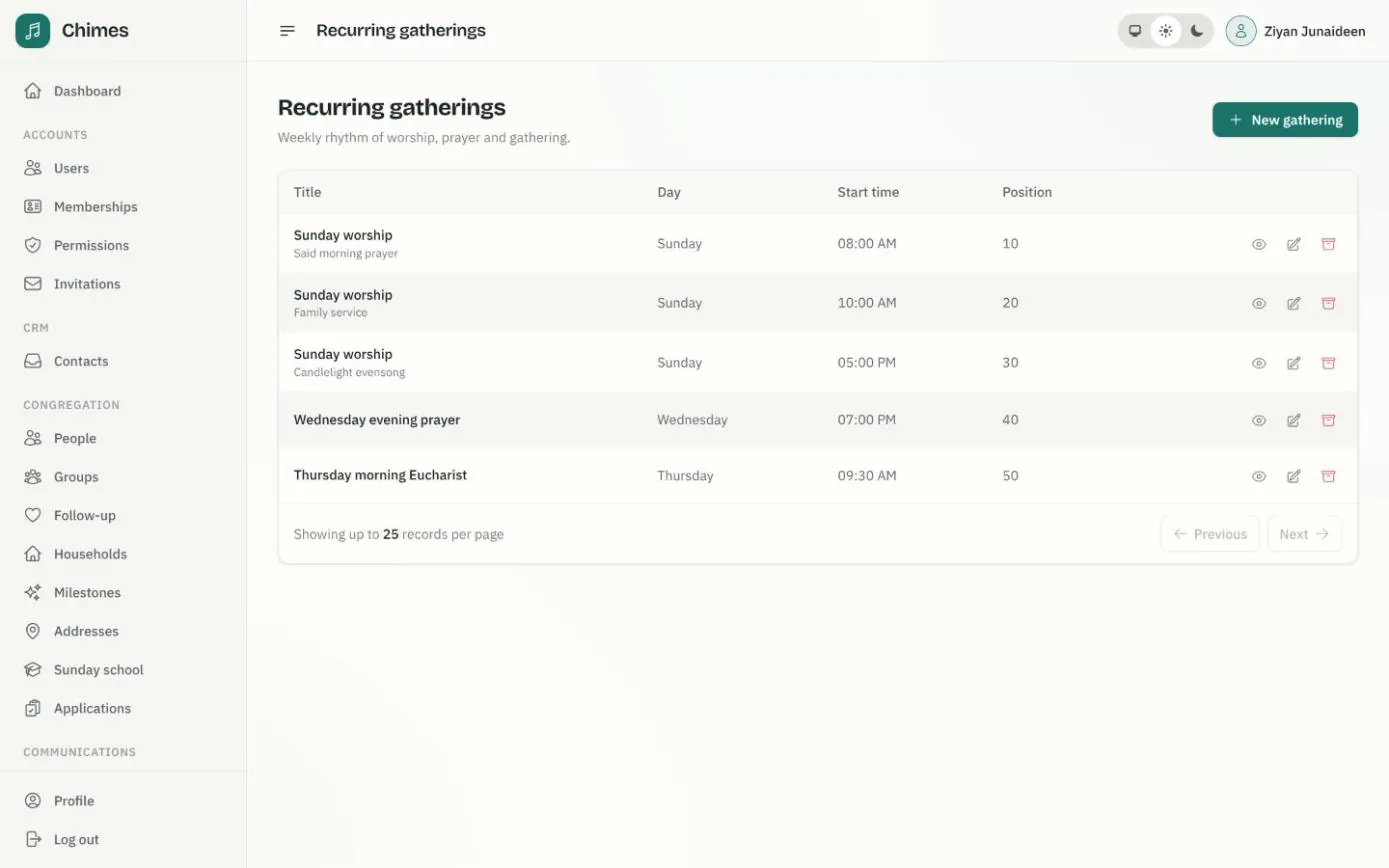
A recurring gathering has a title, a tag such as Family service, a location, a day of the week and its start and end times. It shows on the month's calendar every week, and Chimes creates each dated event before it happens, without anyone typing it in.
The same list appears on the events page of your website as the weekly rhythm of church life, in the order you choose.
- check Several services on the same day, each with its own tag
- check Choose how many days ahead each gathering's next event is created
- check Archive a gathering that has ended; its past events stay on file
One page for each church event
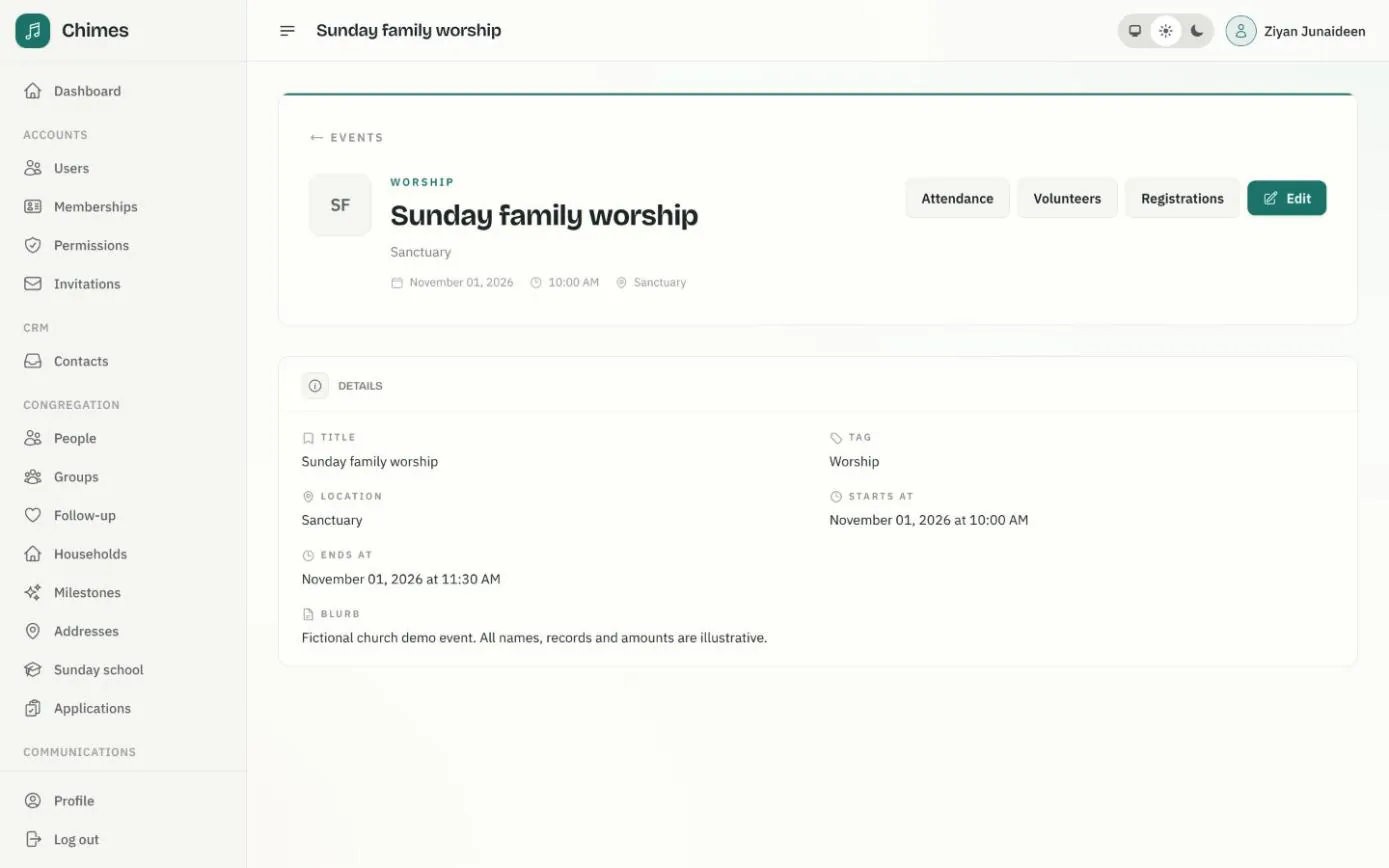
Every event, recurring or one-off, has its own page with its title, tag, location, start and end times and a short description. From there staff open its attendance register, its volunteer roster and its registrations.
Upcoming events appear on the staff dashboard and on your public website, so the calendar the office keeps is the one visitors see.
- check One-off events alongside the weekly services
- check Registrations kept separate from attendance
From the roster to a finalized register
A register starts from the people you expect: one or more ministry groups or Sunday school classes. Someone who is in two of them appears only once.
Viewing and managing registers are separate permissions, and every change is recorded in the audit log.
-
01
Open the event's attendance
Choose the groups or classes to draw names from, or none at all for a register of guests and a headcount.
-
02
Mark who came
Mark each person present or absent and save. The register keeps its sources and the date it was held.
-
03
Add guests
Visitors who aren't in the directory are added by name to this event's register.
-
04
Enter the headcount
Count everyone in the room. The total stands on its own: 80 counted with 60 named present stays 80.
-
05
Finalize
Once everyone is marked and a total is entered, finalize it. Later corrections need a reason, and a stale edit reloads the register rather than overwriting it.
The week ahead on the staff dashboard
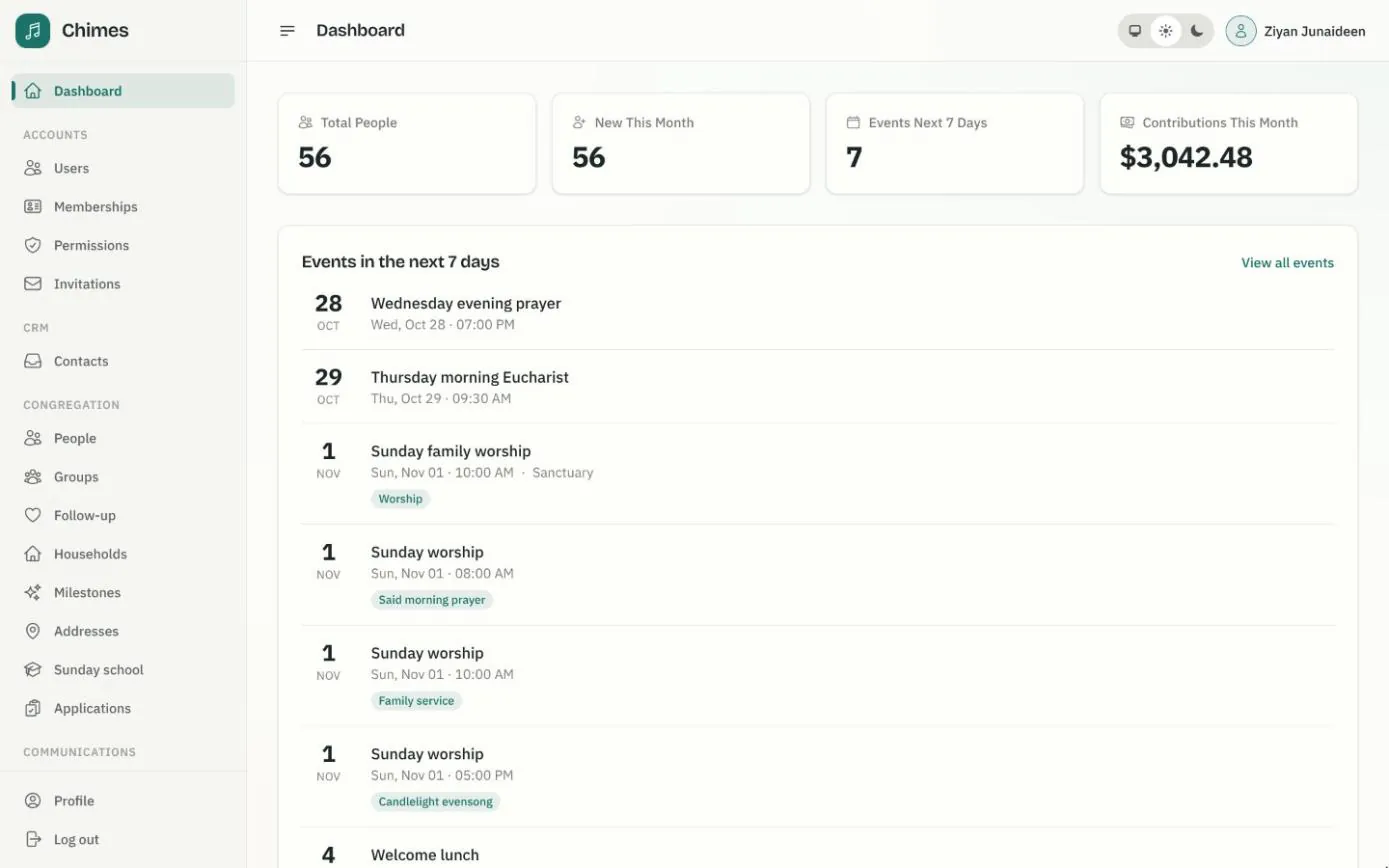
The first page staff see after signing in lists every gathering in the next seven days with its time, location and tag, beside the number of people in the directory, the people added this month and the contributions received so far this month.
Weekly services and one-off events share the list, so the office can see the whole week at a glance.
- check Events in the next seven days, in order
- check Contributions received so far this month
- check A link through to every event
Related features
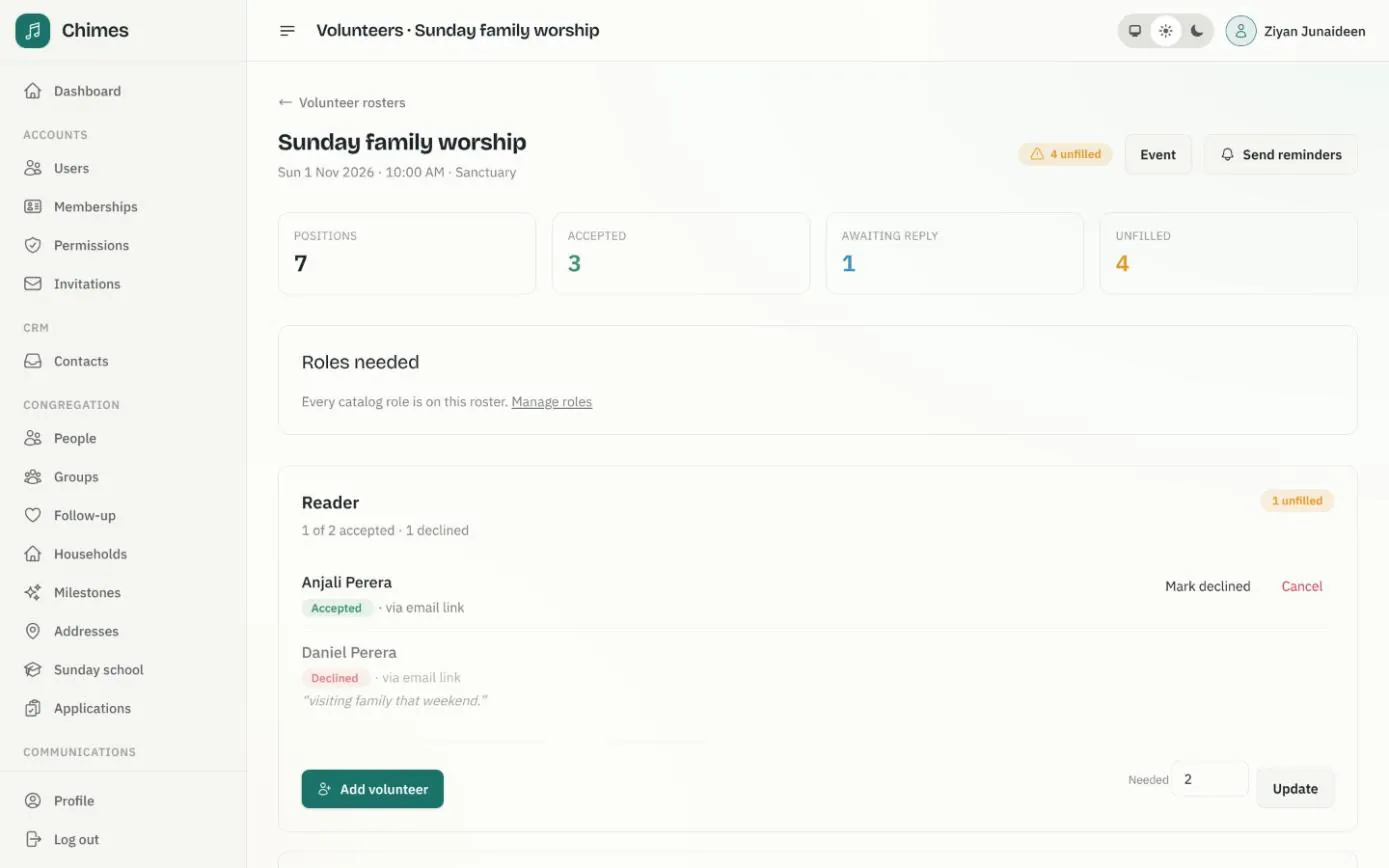
Volunteer rosters and event sign-ups
The roles each service needs, invitations answered by email or in the app, reminders, and event registration with capacity and guest limits.
See the feature arrow_forward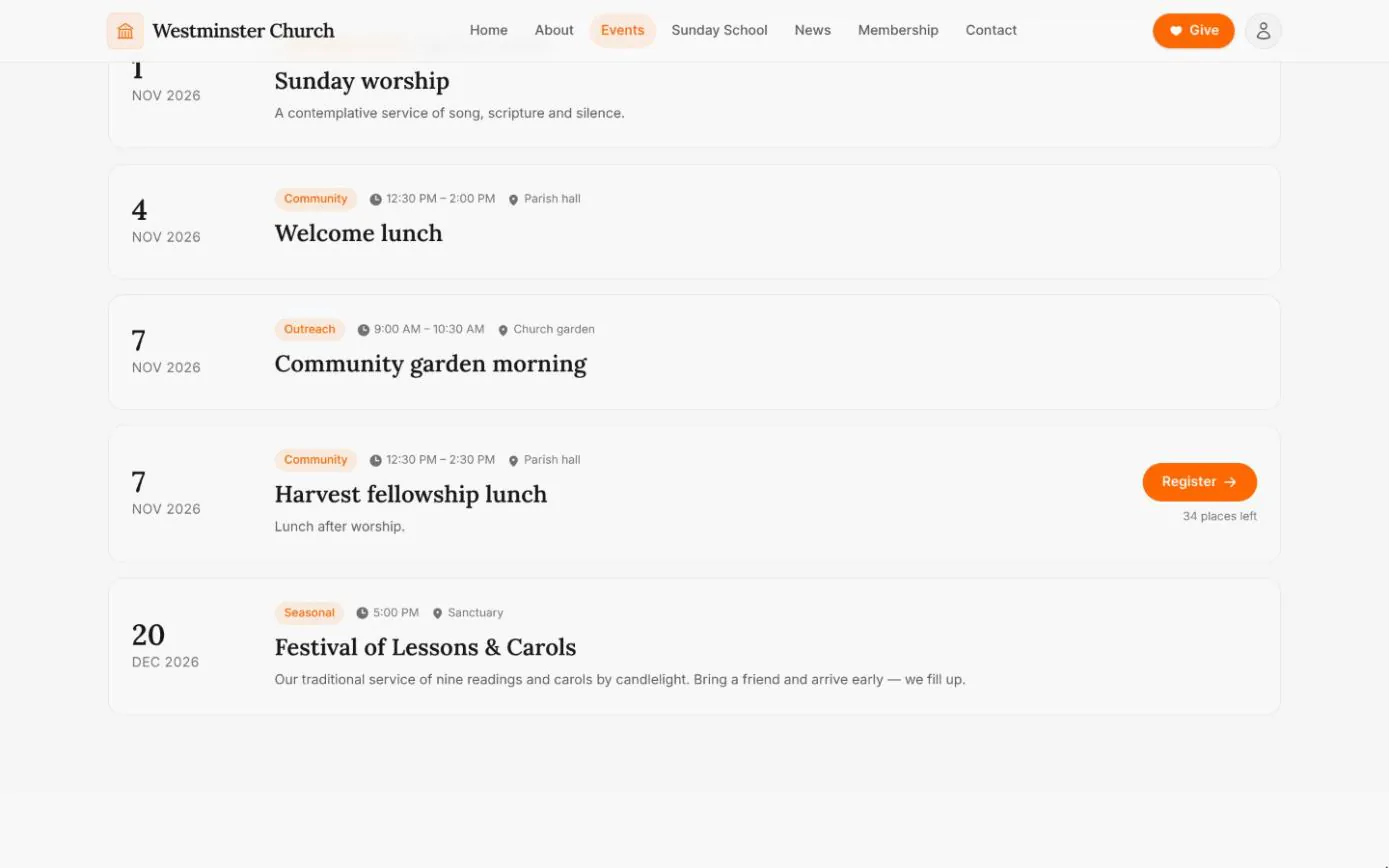
Events and visitor registration
The weekly rhythm and upcoming gatherings straight from the calendar, with registration for events that take sign-ups, open to visitors too.
See the feature arrow_forward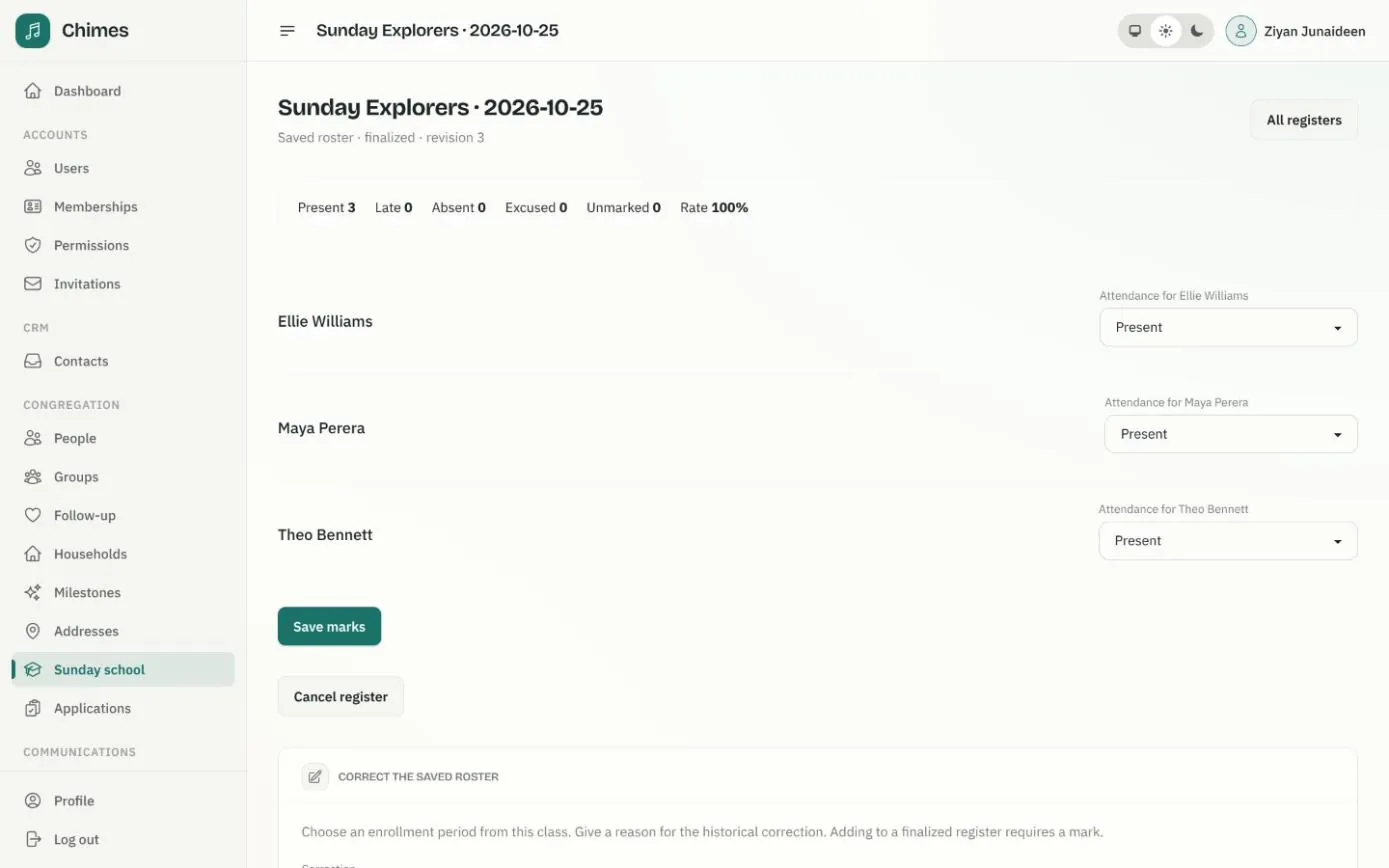
Sunday school
Classes with age ranges and teachers, enrollment requests from parents, and dated registers marked present, late, absent or excused.
See the feature arrow_forwardSee Chimes with your own congregation in mind.
Tell me how your church keeps its records today and where you would like Chimes hosted. I will come back with a deployment plan and a straight answer on what it will take.