admin.
Volunteer rosters and event sign-ups
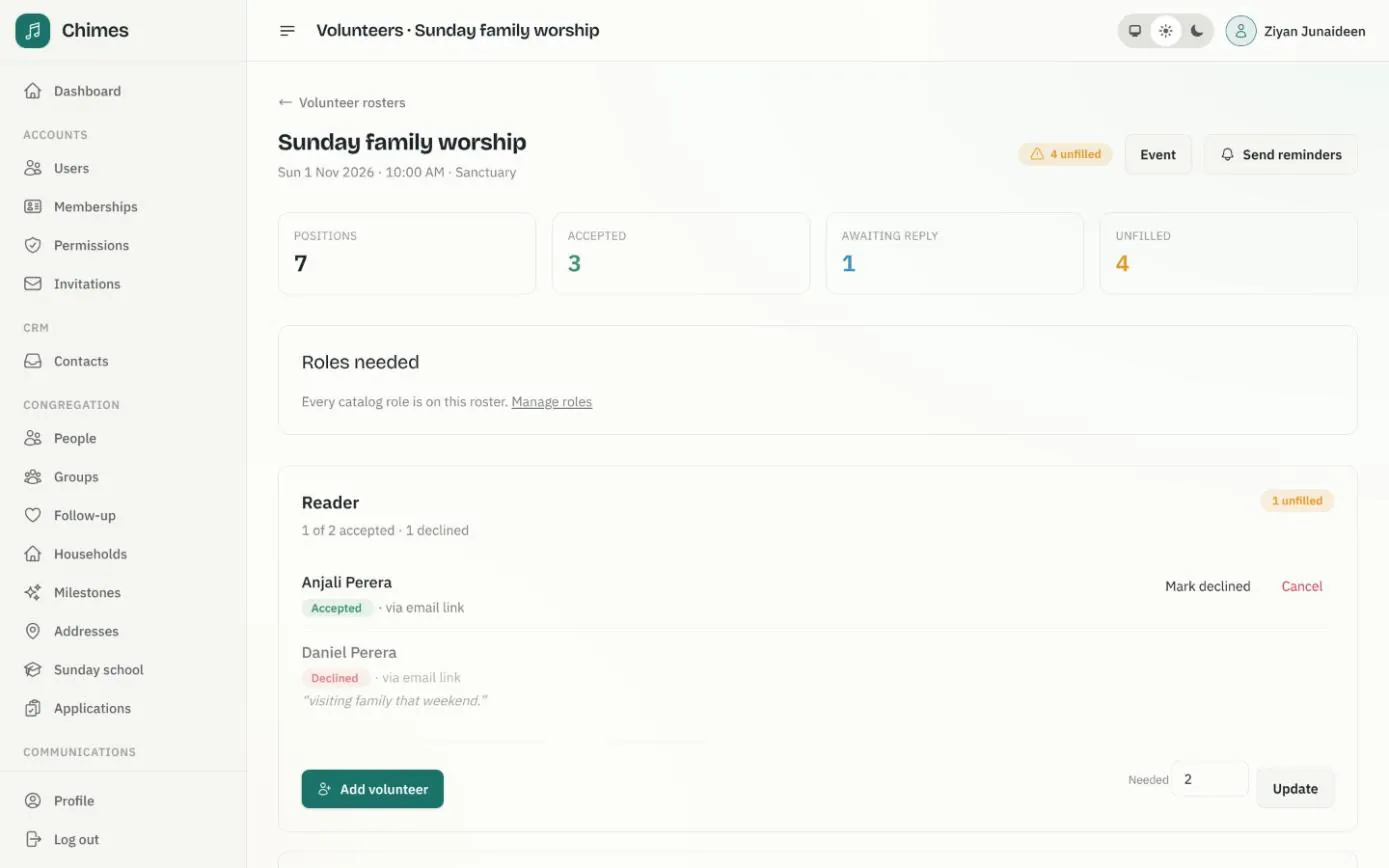
Every service needs readers, ushers, musicians and someone on the welcome table. Coordinators say how many people each role needs, invite them from the ministry group that usually serves, and see at a glance whether Sunday is fully staffed or still has places to fill.
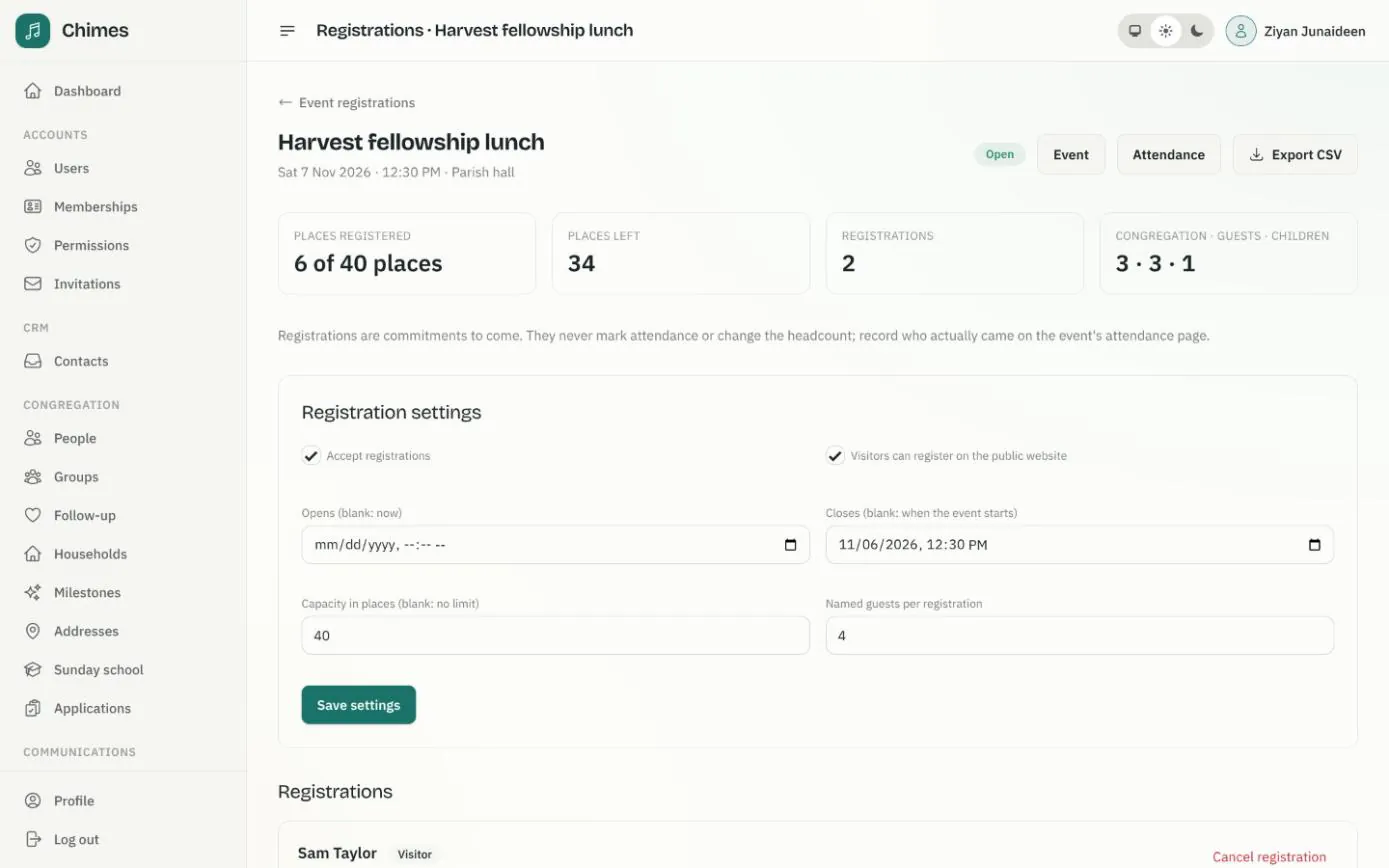
For lunches, retreats and other events, the office opens registration with a capacity and a guest limit, so it knows who is coming before the day. Registrations are kept apart from attendance: a sign-up is a promise to come, not a mark in the register.
In short
Replies from an email link
Most volunteers have no account. Each invitation carries a personal link to accept or decline, and members can answer in the app too.
Conflicts flagged before you ask
The volunteer picker shows the dates someone is away and any assignment that overlaps, so nobody is double-booked by accident.
Reminders without the chasing
A set number of days before the service, accepted volunteers get a reminder and those who have not replied get a nudge.
Scheduling church volunteers, role by role
The rosters page lists the next eight weeks of gatherings, each marked fully staffed, with the number of places still unfilled, or with no roles yet.
A role is never asked of more people than it needs, even when two coordinators are working on the same Sunday at once.
-
01
Set up your roles
Readers, ushers, musicians, hospitality or anything else your church needs, each with the ministry group that usually fills it.
-
02
Say how many each gathering needs
Add roles to a service with the number of people needed, or copy them from the last time a weekly service met.
-
03
Invite or assign
Choose from the role's group or search the congregation. Invite asks the person; Assign records someone who has already agreed. Both send them an email.
-
04
Volunteers reply
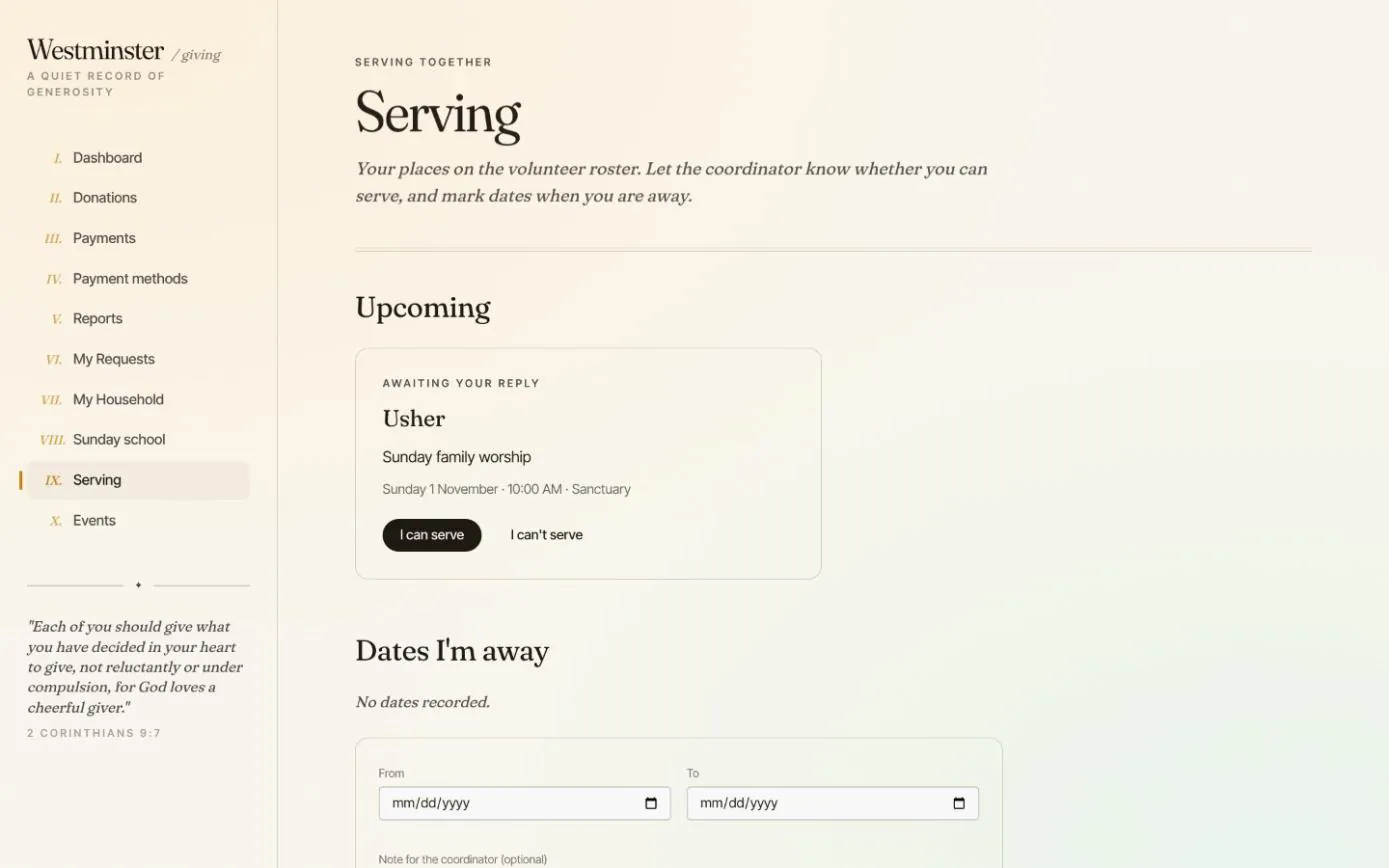
They press I can serve or I can't serve from the email or the member app, and can leave a message for the coordinator.
-
05
Fill the gaps
A decline reopens the place for someone else. Record answers given in person or by phone, and send reminders before the day.
Volunteers reply from the member app or an email link
Members see their upcoming roster places under Serving, with the same I can serve and I can't serve buttons as the invitation email, and add the dates they will be away. Coordinators see those dates in the volunteer picker before scheduling anyone.
Volunteers without an account use the personal link in their email. Opening it changes nothing until they press a button, and it stops working once the service starts or the coordinator cancels the assignment.
- check Accept or decline, with an optional message for the coordinator
- check Someone who accepted can later say they can no longer serve
- check Coordinators see names and conflicts, not volunteers' contact details
Church event registration with capacity and guest limits
Open registration on any event and choose when it opens and closes, the capacity in places, how many named guests each registration may bring, and whether visitors can register on the public website or only members in the app.
The registrations page counts places taken against capacity and splits them between congregation, guests and children. Export the attendee list as a CSV for the kitchen team or the retreat house.
- check Registration closes when the event starts, and capacity is never overbooked
- check Confirmation and cancellation emails, sent once to each registrant
- check The public website shows places left, never who has registered
Related features
Events and serving
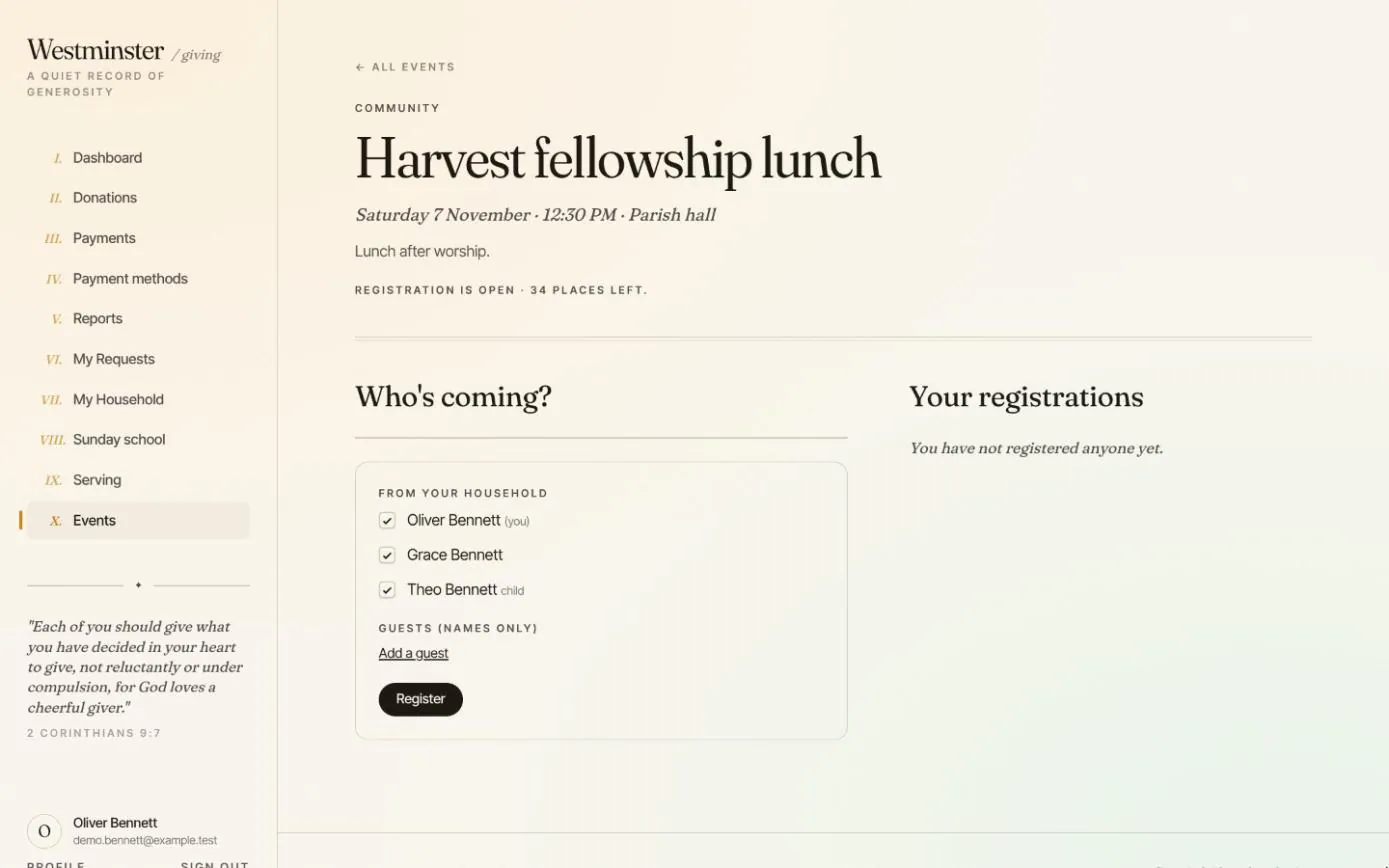
Members register their household and guests for church events, and accept or decline their places on the volunteer roster.
See the feature arrow_forward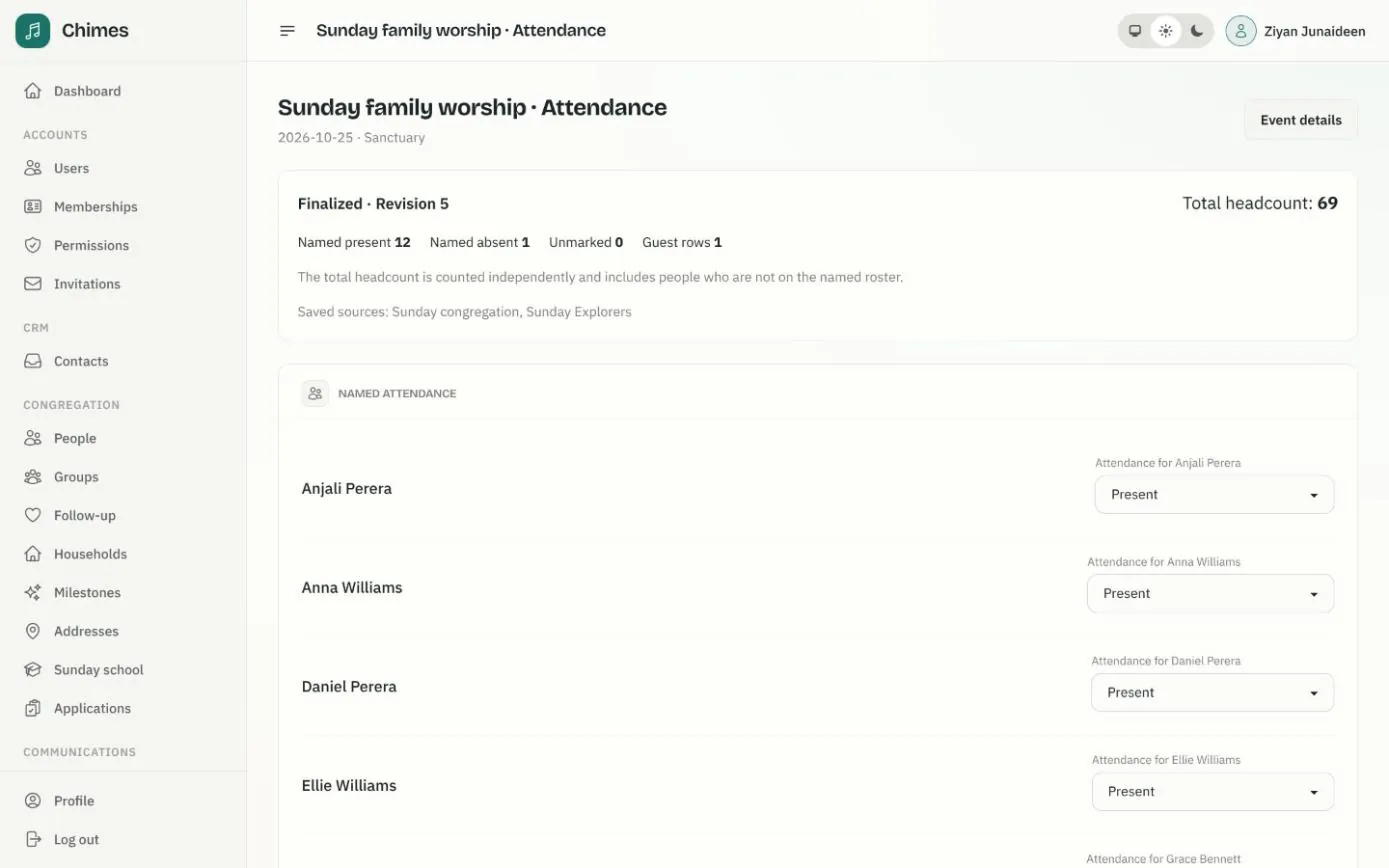
Gatherings and attendance
Weekly services that fill the calendar on their own, one-off events, and attendance registers with named marks, guests and a separate headcount.
See the feature arrow_forward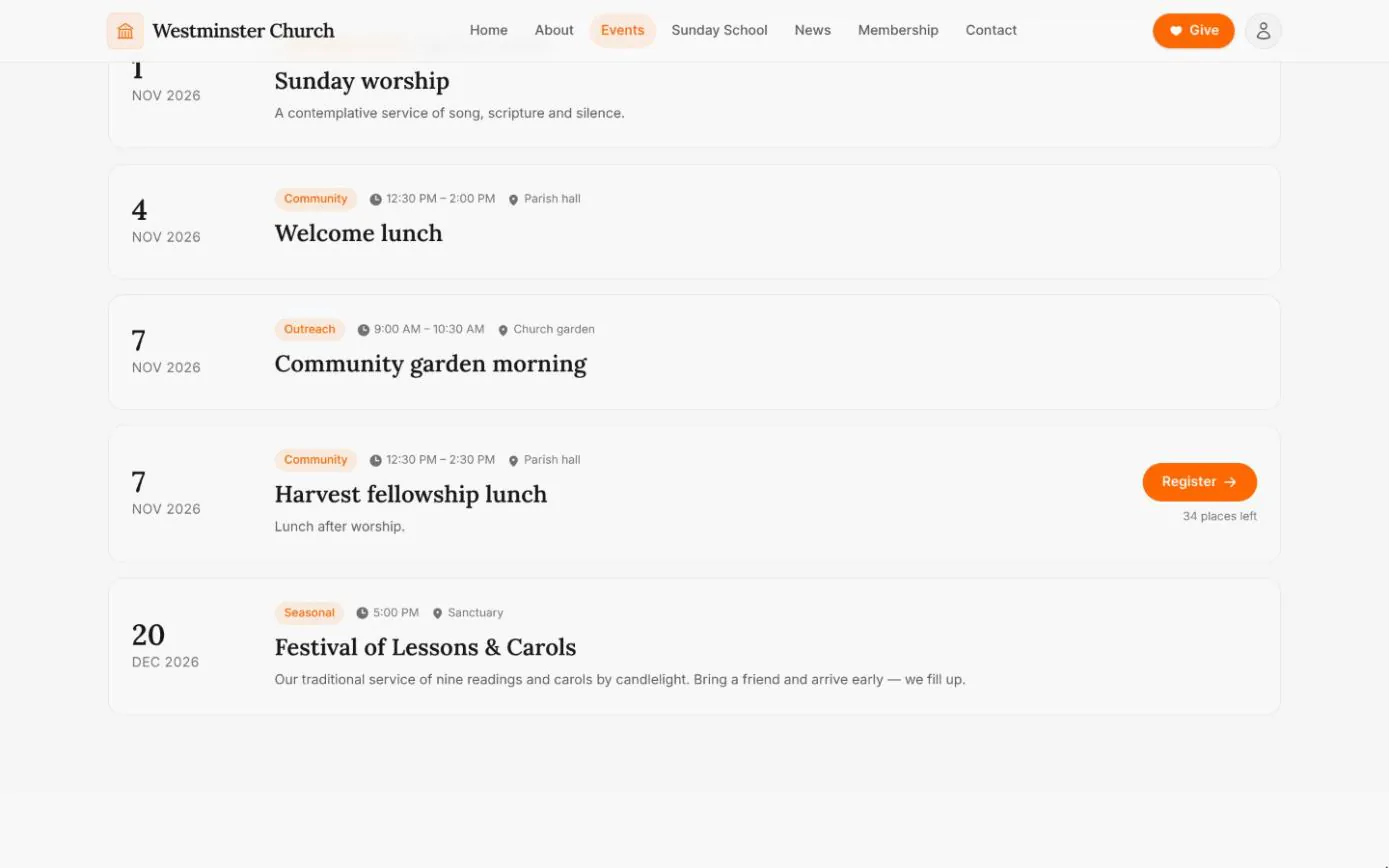
Events and visitor registration
The weekly rhythm and upcoming gatherings straight from the calendar, with registration for events that take sign-ups, open to visitors too.
See the feature arrow_forwardSee Chimes with your own congregation in mind.
Tell me how your church keeps its records today and where you would like Chimes hosted. I will come back with a deployment plan and a straight answer on what it will take.