app.
Online giving
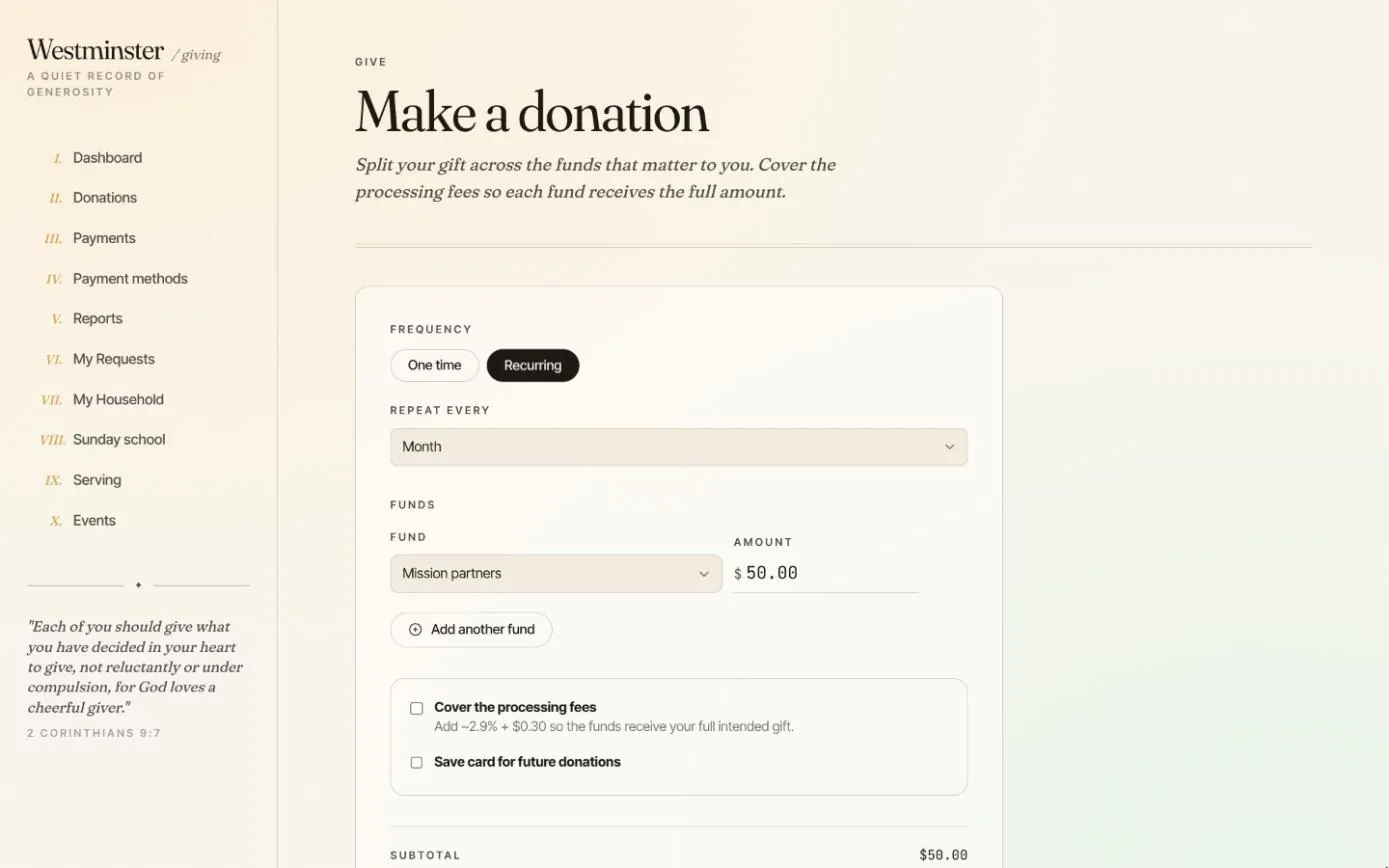
Members give from the member app whenever they like: a single gift after a special service, or a tithe that repeats every month without anyone thinking about it again. One gift can be divided between several funds, and the donor can choose to cover the card fee so each fund receives the whole amount.
Payments run through your church's own Stripe account, so money settles in your bank and no platform takes a share of the offering.
In short
Split one gift across funds
Give $50 to mission partners and $25 to community care in a single payment, and each fund's total updates.
Cover the processing fee
A donor can add the card fee to their gift so the funds receive the full amount they meant to give.
Your own Stripe account
Gifts settle in the church's bank account. There is no platform fee and no third party holding the money.
A quiet record of what each member has given
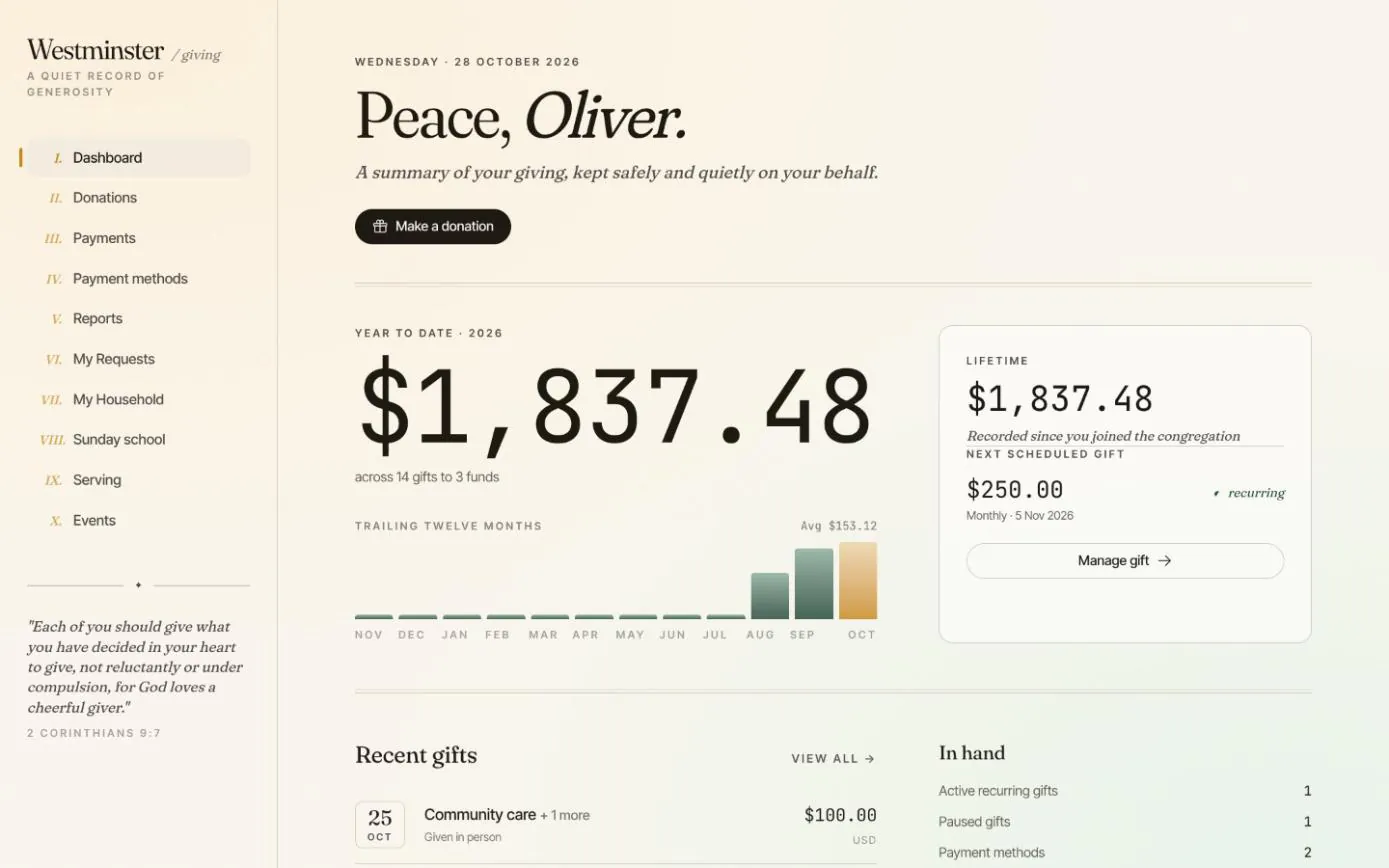
The first page a member sees after signing in sums up their giving: the year to date, the lifetime total, a chart of the last twelve months and the next scheduled gift.
Cash and check gifts the office records from the Sunday offering appear here too, so the total is the member's whole giving, not just what they gave online.
- check Year-to-date and lifetime totals, gift count and the funds they went to
- check The next recurring charge, with a shortcut to manage it
- check Recent gifts, whether given online or in person
Set a tithe once, and stay in control of it
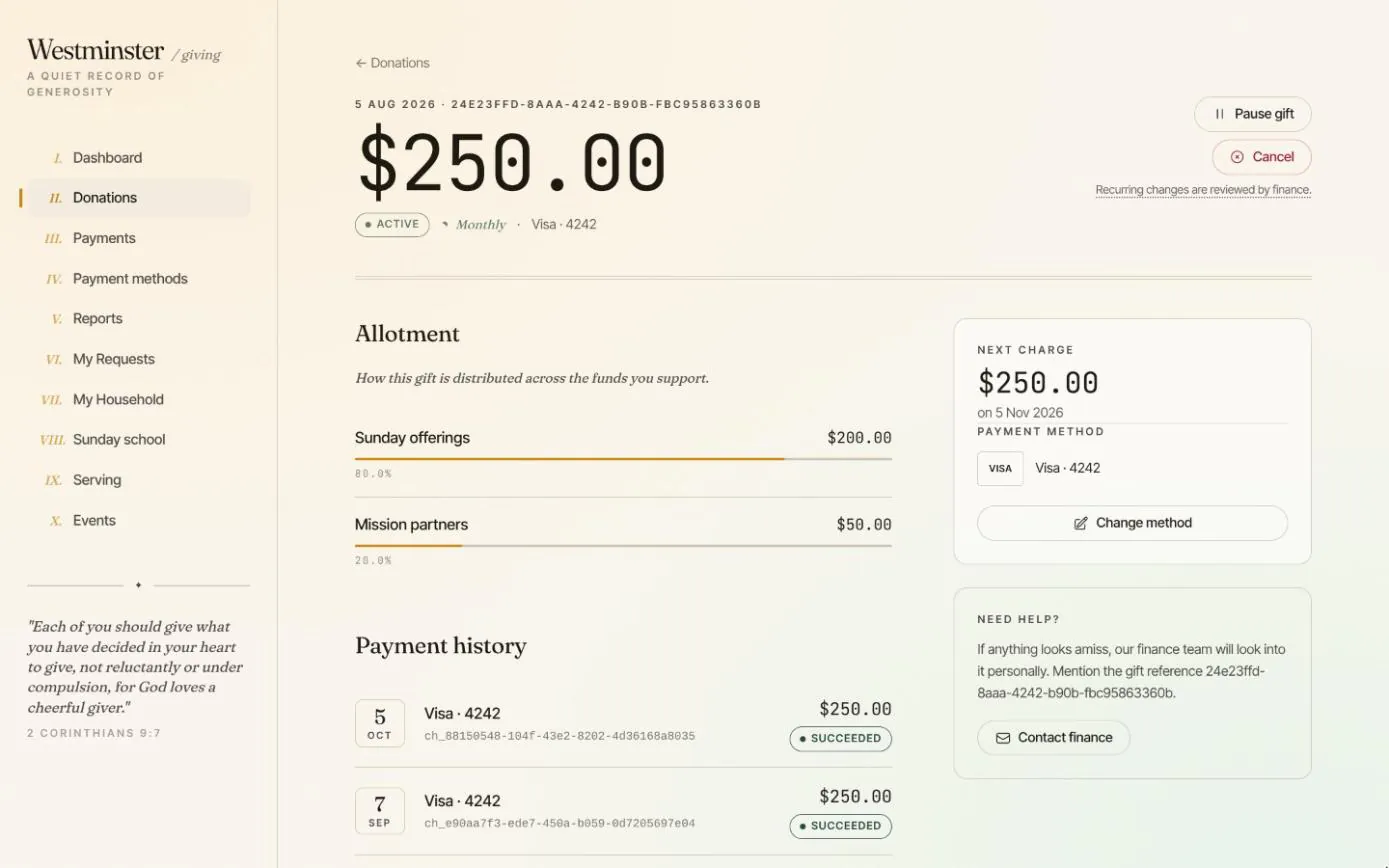
Recurring gifts can repeat daily, weekly, every two weeks, monthly or annually. Each gift page shows how the amount is allotted across funds, the next charge, the card that pays for it and every payment it has made.
Members can pause a gift while they are between jobs, resume it later or stop it altogether. If a charge needs to be returned, they request a refund from the payment itself and your finance team reviews it.
- check Pause, resume or stop a recurring gift from the gift page
- check Declined charges retried, and past-due states tracked automatically
- check Refund requests sent to staff for review rather than issued blindly
From the app to your bank
Giving takes a minute and needs nothing more than a card or a US bank account. The member never leaves your church's app.
Visitors without an account can still give once from the public website.
-
01
Choose one time or recurring
For a recurring gift, pick how often it repeats: from daily to once a year.
-
02
Choose the funds
Pick a fund and an amount, and add another fund to split the gift. Open-ended funds, capped appeals and dated campaigns all appear here.
-
03
Cover the fee, if they like
Ticking the box adds the processing fee to the total, shown before anything is charged.
-
04
Pay with Stripe
A saved or new card, or a US bank account. The member can keep the card for future gifts.
-
05
See it in their history
The gift appears in the member's donations and payments, and on their next giving statement.
Cards and bank accounts, kept by the processor
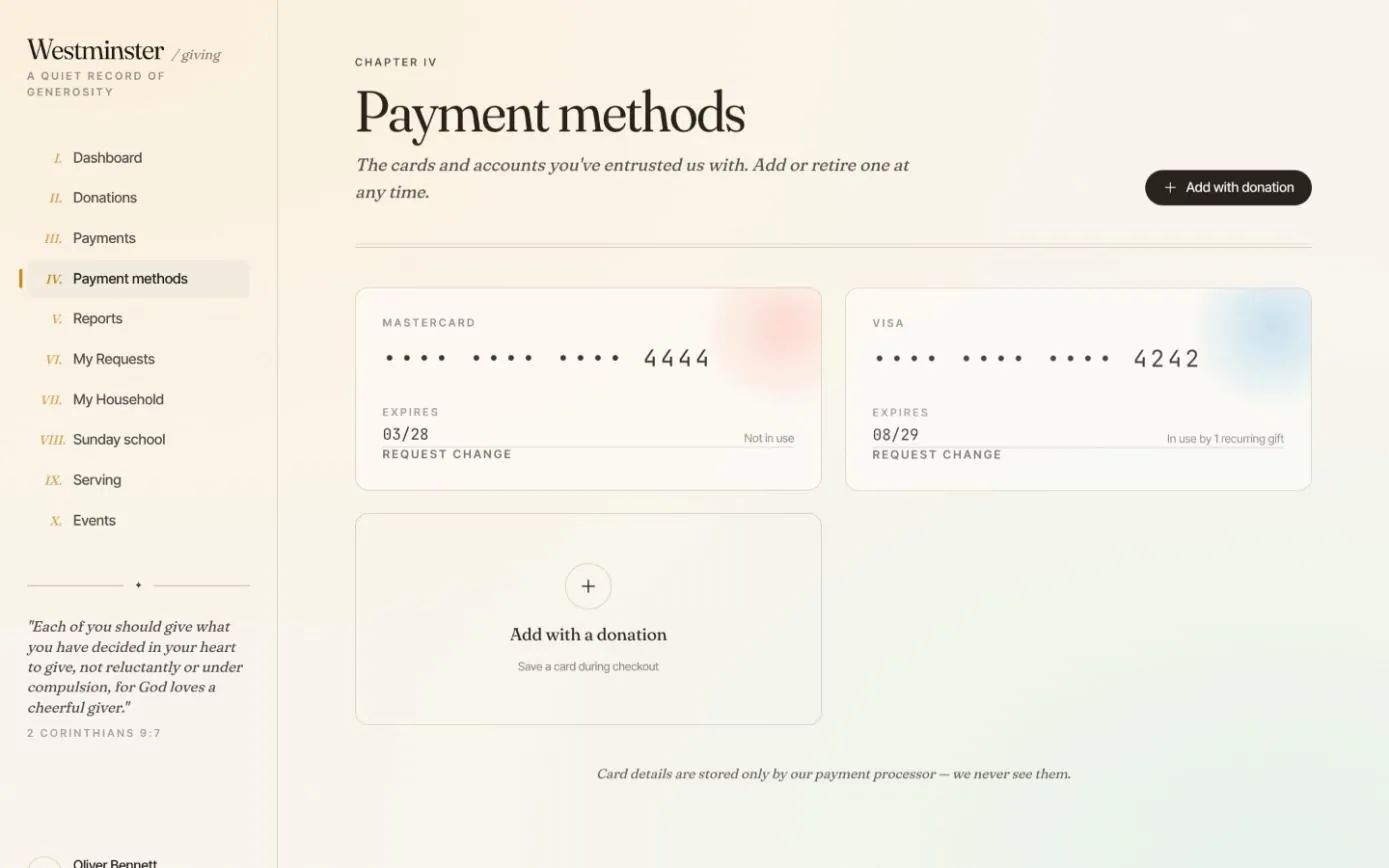
A member can save a card or a US bank account while giving and reuse it next time. The payment methods page shows which one pays for each recurring gift and when each card expires.
Card details are stored by Stripe, never by Chimes or your church, so there is no card data on your server to protect.
Related features
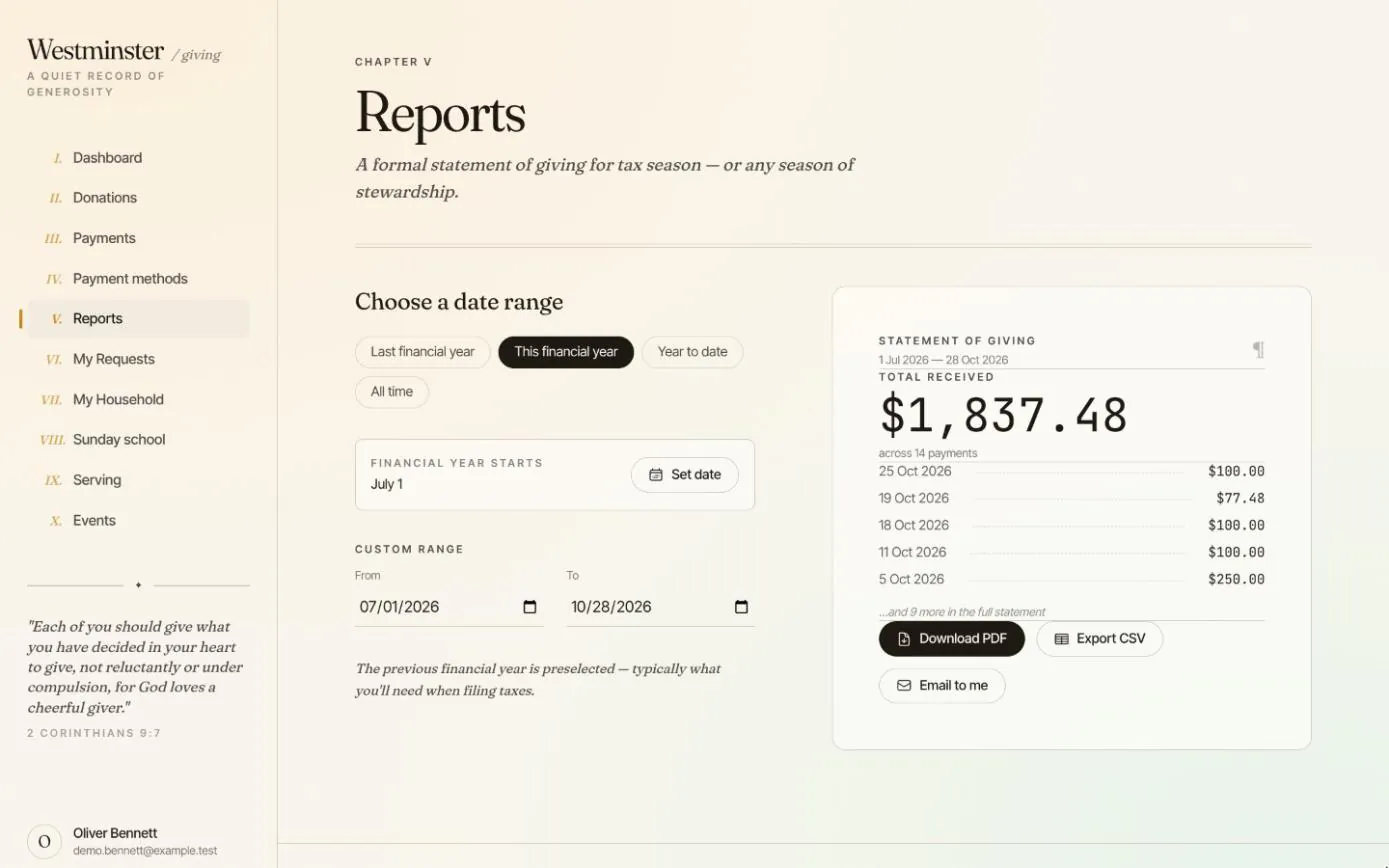
Giving history and statements
Every gift and payment in one ledger, including cash and checks the office records, and a statement for any financial year as a PDF or CSV.
See the feature arrow_forward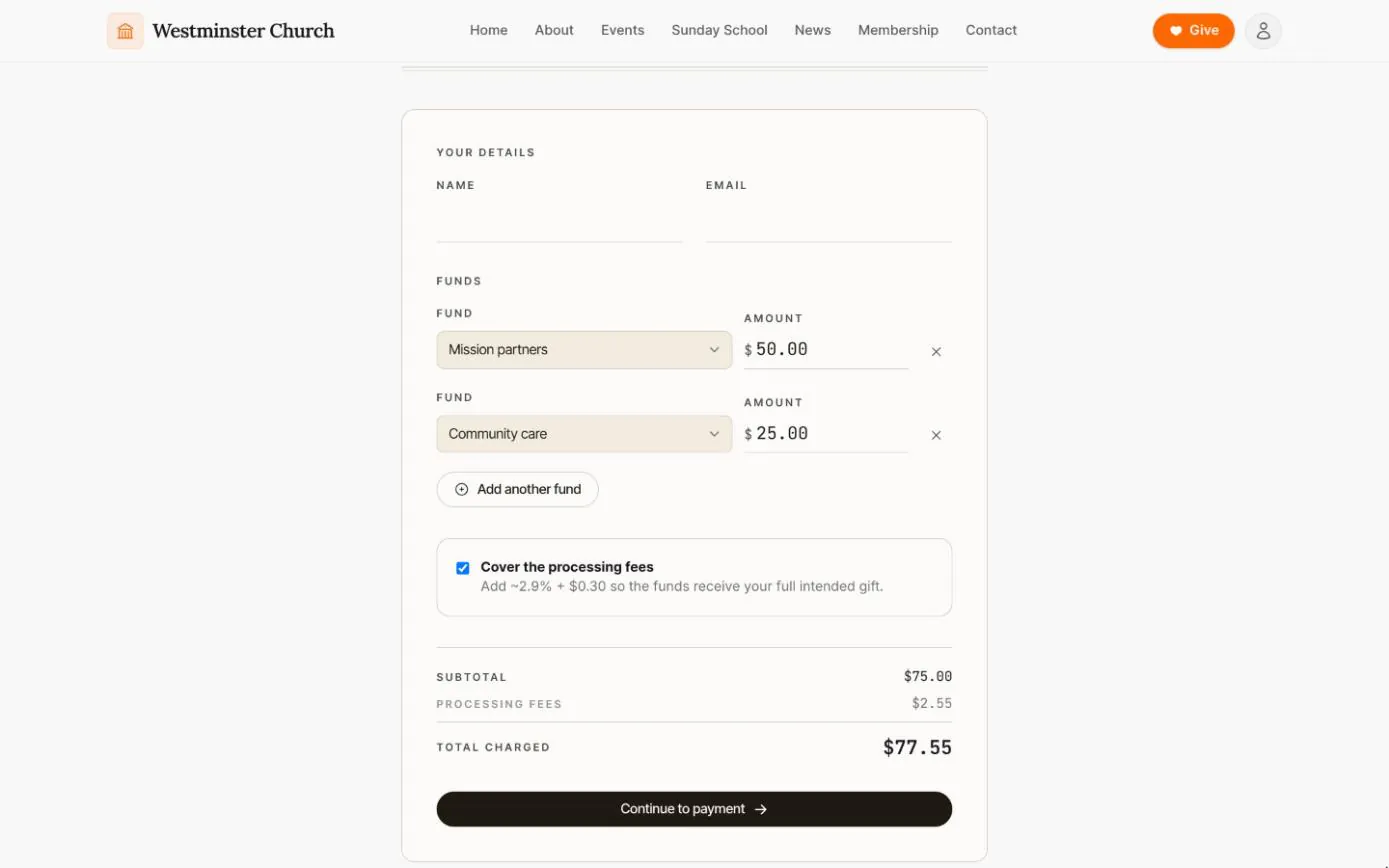
Giving without an account
A public giving page where anyone can split a one-time gift across funds and cover the processing fee, without creating an account.
See the feature arrow_forward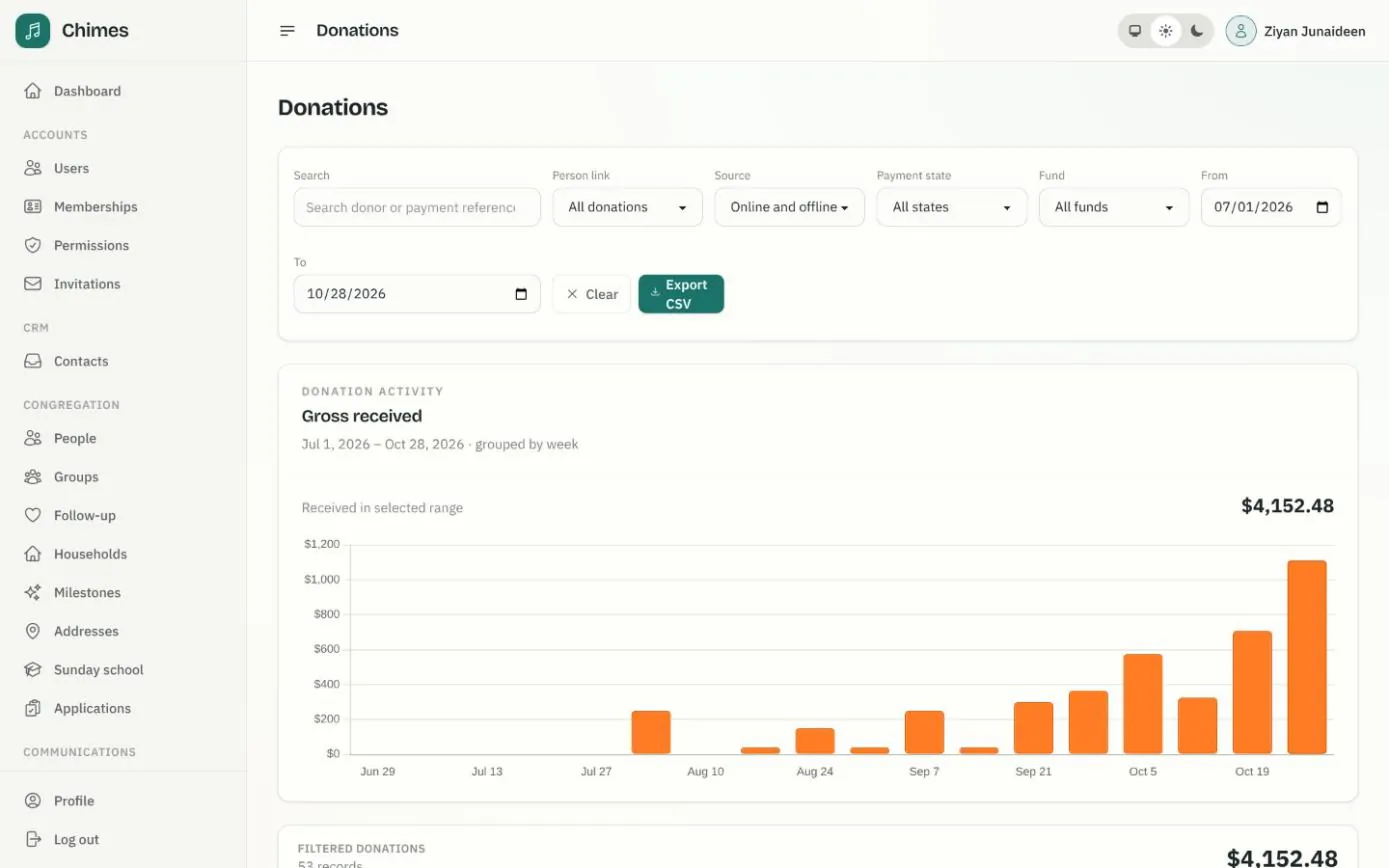
Funds, gifts and offerings
Funds with goals or date ranges, every online and offline gift with its fund split, and keyboard-first batches for counting the Sunday offering.
See the feature arrow_forwardSee Chimes with your own congregation in mind.
Tell me how your church keeps its records today and where you would like Chimes hosted. I will come back with a deployment plan and a straight answer on what it will take.