app.
Household and Sunday school
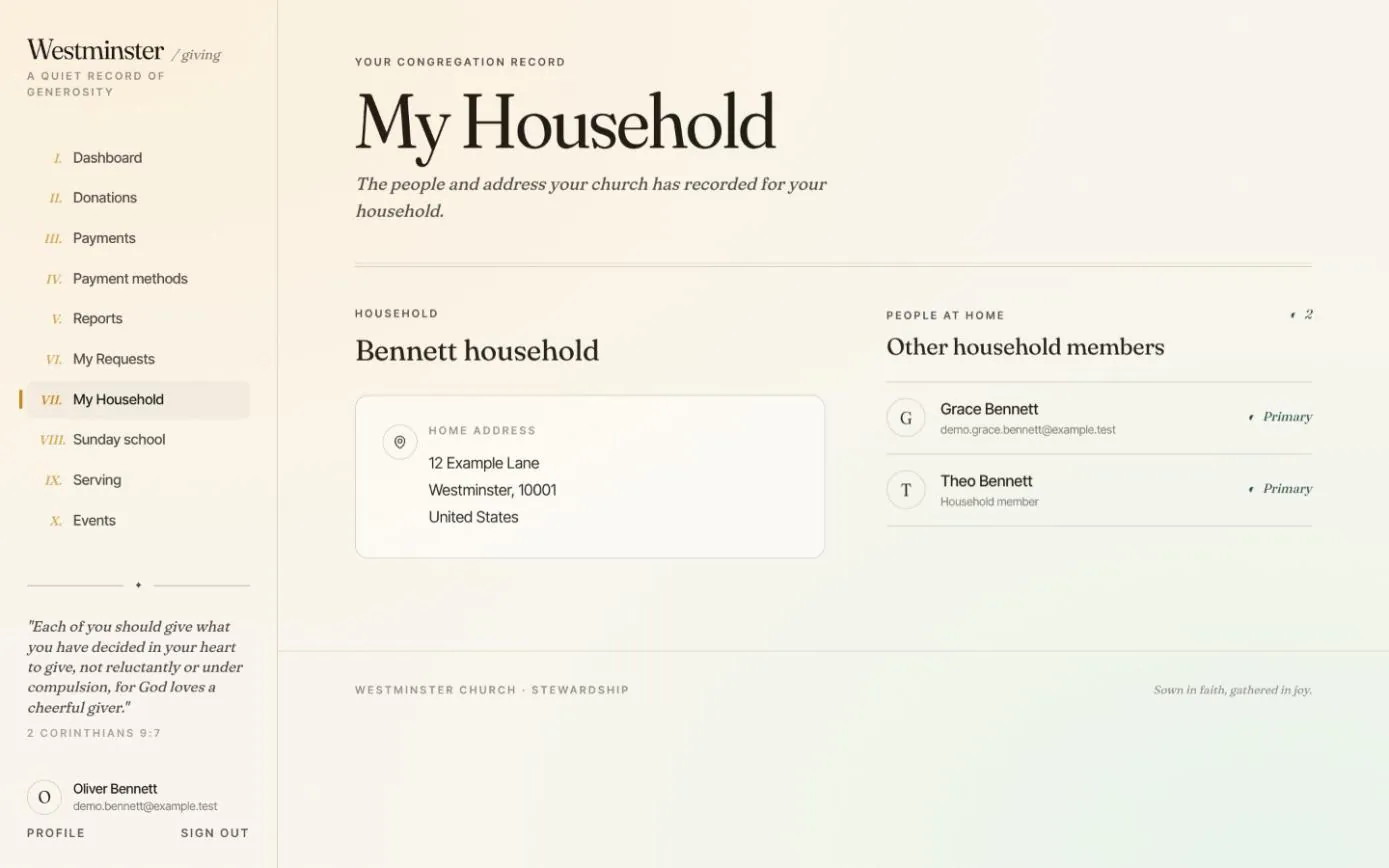
My Household shows a member the household your church has on record: its name, the home address and the other people who live there, with the email or phone the office holds for each. Changes go through the church office, so the directory stays the one record everyone works from.
Parents use the same app for Sunday school. They ask for a place in a class for their child, read the church team's reply, and see the attendance for each class date once the teacher has finalized the register.
In short
The household as recorded
Its name, home address and the people at home, read from the same directory the office uses.
Parents, not housemates
A parent sees a child only when the office has recorded them as parent or guardian. Sharing an address or an email is never enough.
Finalized registers only
Families see attendance once the teacher finalizes the register, never a half-marked draft.
Online Sunday school enrollment requests for parents
The Sunday school page lists the classes your church has published, each with its age range, a description and, where you give them, its schedule and location. A parent chooses their child and asks for a place.
A request is not yet an enrollment: the church team approves or declines it, with a message the parent can read. Parents may ask for a class outside the suggested ages, and the team decides whether to make an exception.
- check Children under 18 whose parent or guardian link the office has recorded
- check A pending request can be withdrawn at any time
- check The website's Sunday school page sends parents here to sign in and ask

How a child joins a Sunday school class
Enrollment and registers are run by the office and the class teachers in the staff console. The member app shows parents each step that concerns them.
Children need neither an account nor formal church membership to take part.
-
01
The parent asks for a place
They choose a published class and their child. Only one request can be pending for a child in a class.
-
02
The church team reviews it
Staff check the class ages against the child's date of birth. Any age exception is their decision, not the parent's.
-
03
Approved or declined, with a message
Approval enrols the child from the start date the reviewer chooses. The parent sees the outcome under Your requests.
-
04
The teacher takes the register
Each child is marked present, late, absent or excused, and the register finalized.
-
05
The family sees it
The class date appears in the child's attendance history in the member app.
Sunday school attendance for each child, in one place
Attendance history covers a parent's children, and the member themselves if they attend a class. Choose a person, narrow it to one class or a range of dates, and see the totals with every dated mark below.
Present and late count toward the attendance rate, excused sessions do not, and dates follow the church's time zone. When a teacher corrects a finalized register, Refresh shows the change.
- check Present, late, absent and excused counts, with an attendance rate
- check History stays after an enrollment ends or a class is retired
- check Guardian access ends at 18; a young adult with a linked account keeps their own history

Related features
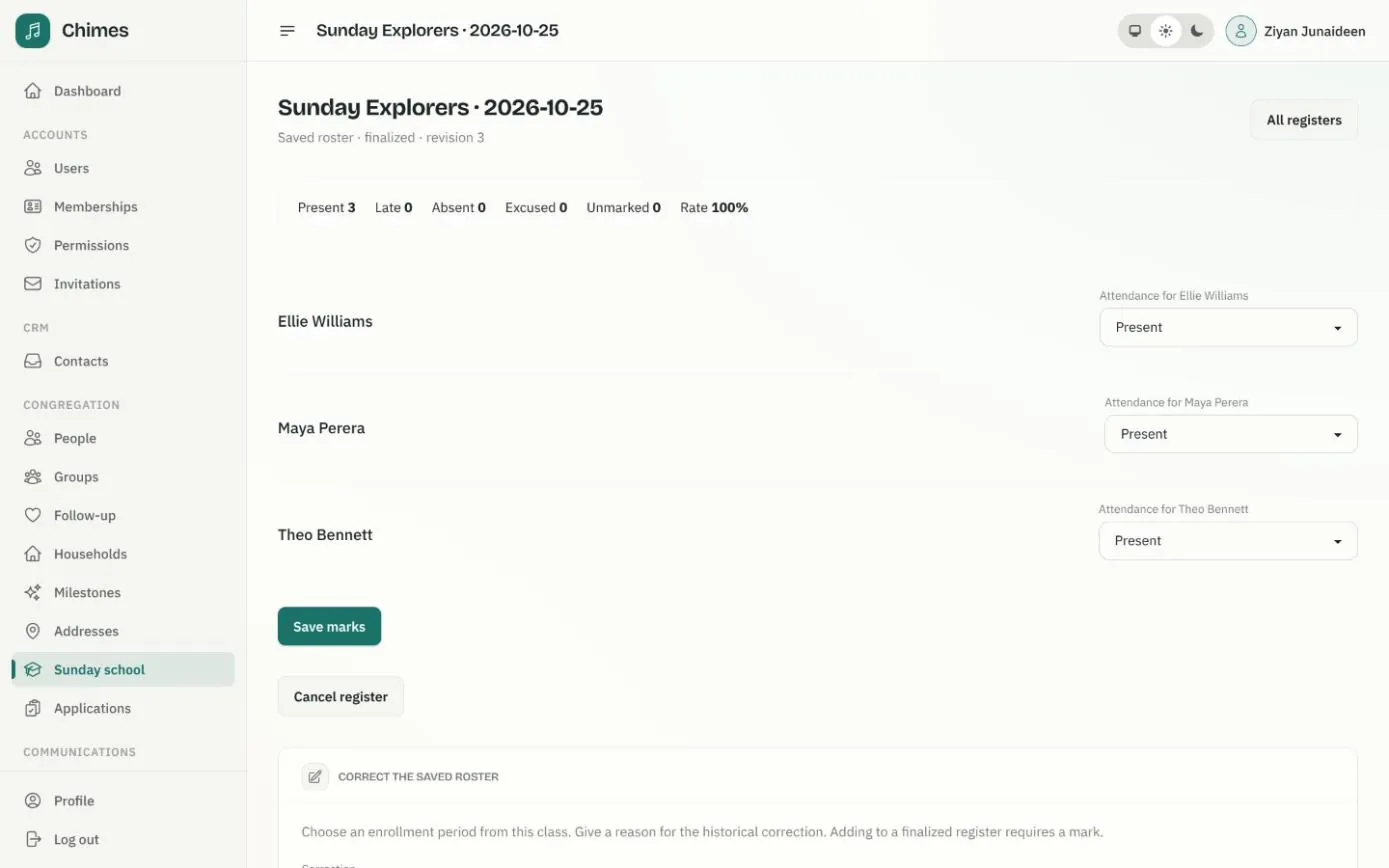
Sunday school
Classes with age ranges and teachers, enrollment requests from parents, and dated registers marked present, late, absent or excused.
See the feature arrow_forward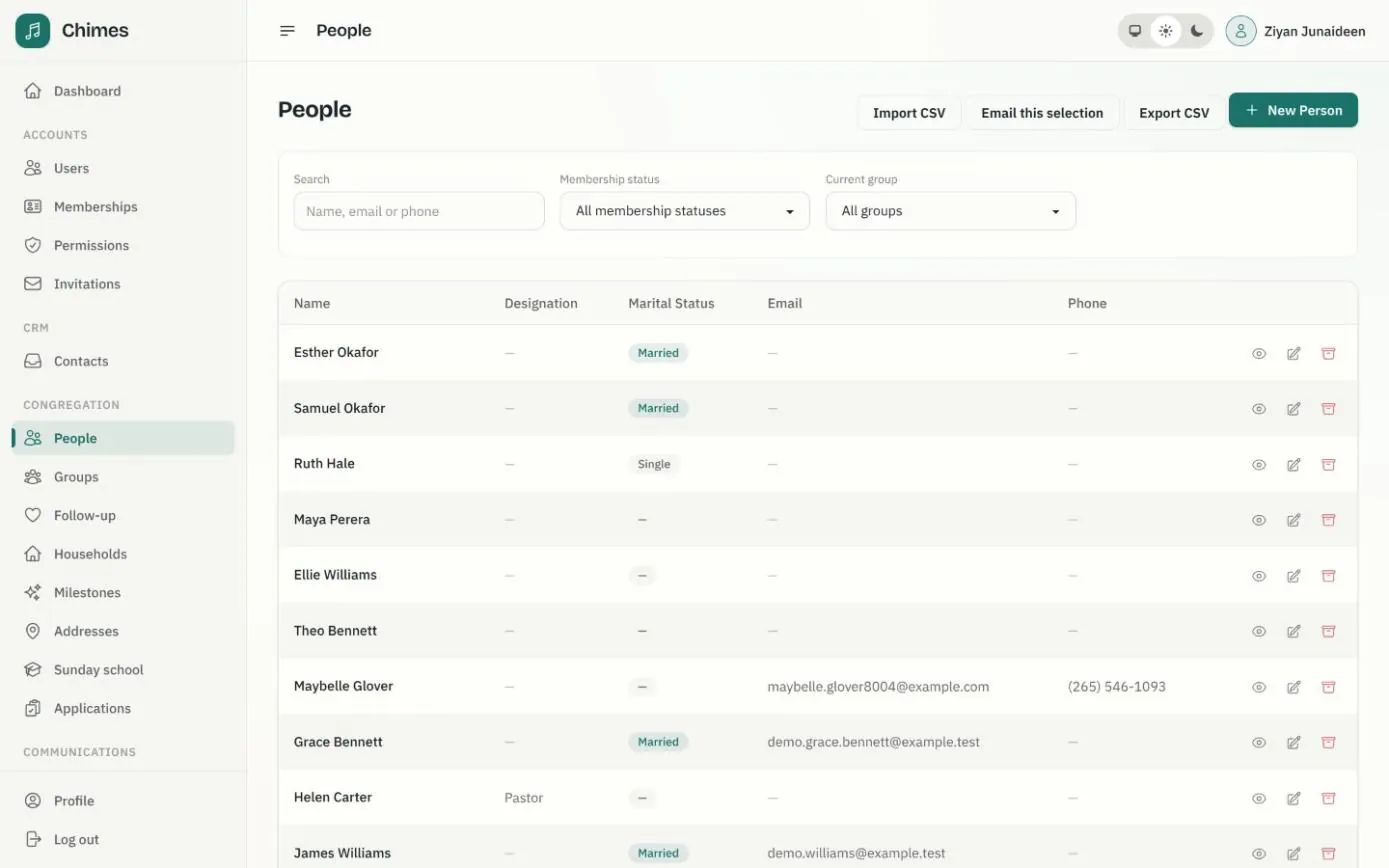
People and households
A directory of people and households with family relationships, milestones, ministry groups, membership status, and CSV import and export.
See the feature arrow_forward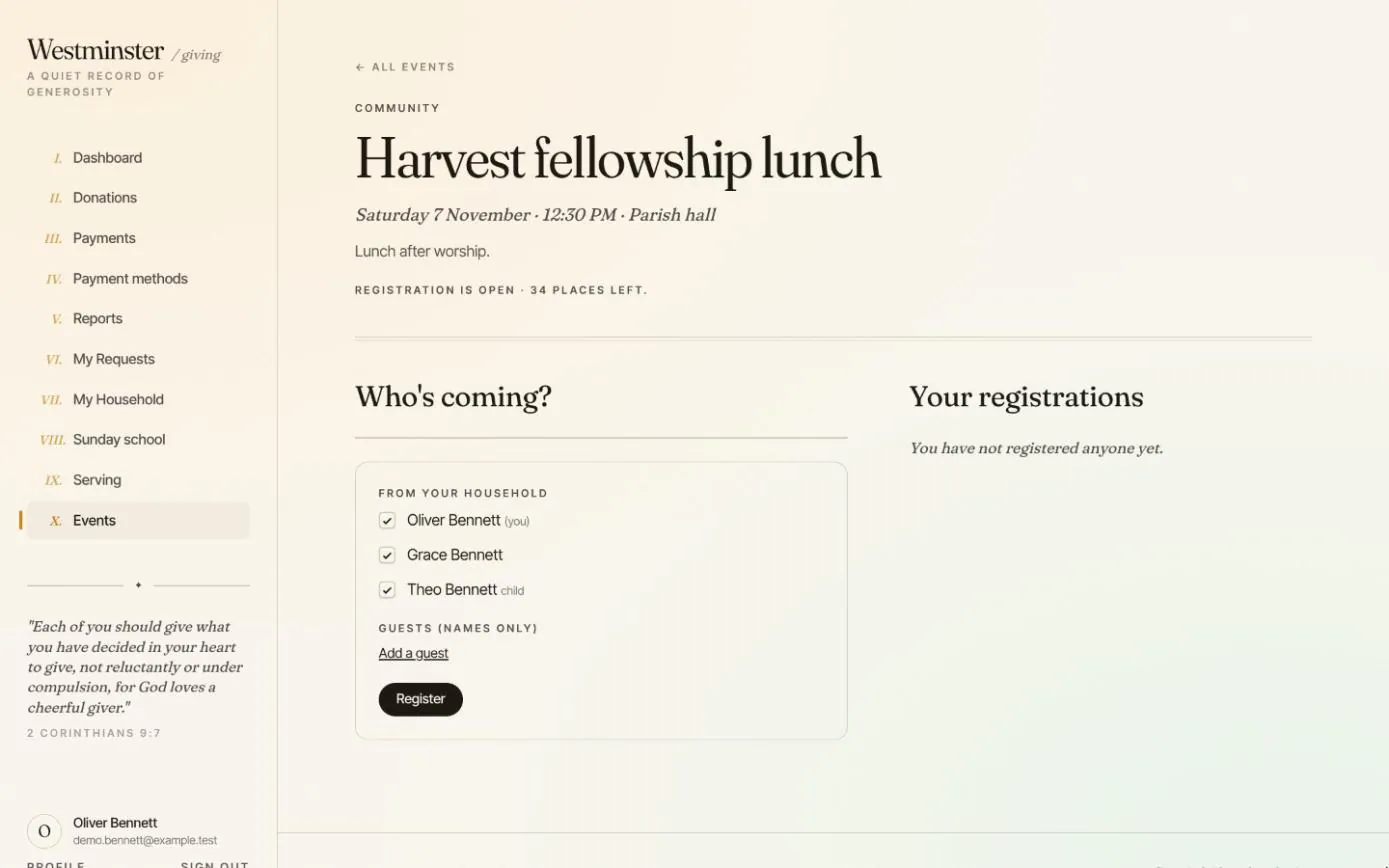
Events and serving
Members register their household and guests for church events, and accept or decline their places on the volunteer roster.
See the feature arrow_forwardSee Chimes with your own congregation in mind.
Tell me how your church keeps its records today and where you would like Chimes hosted. I will come back with a deployment plan and a straight answer on what it will take.