admin.
People and households
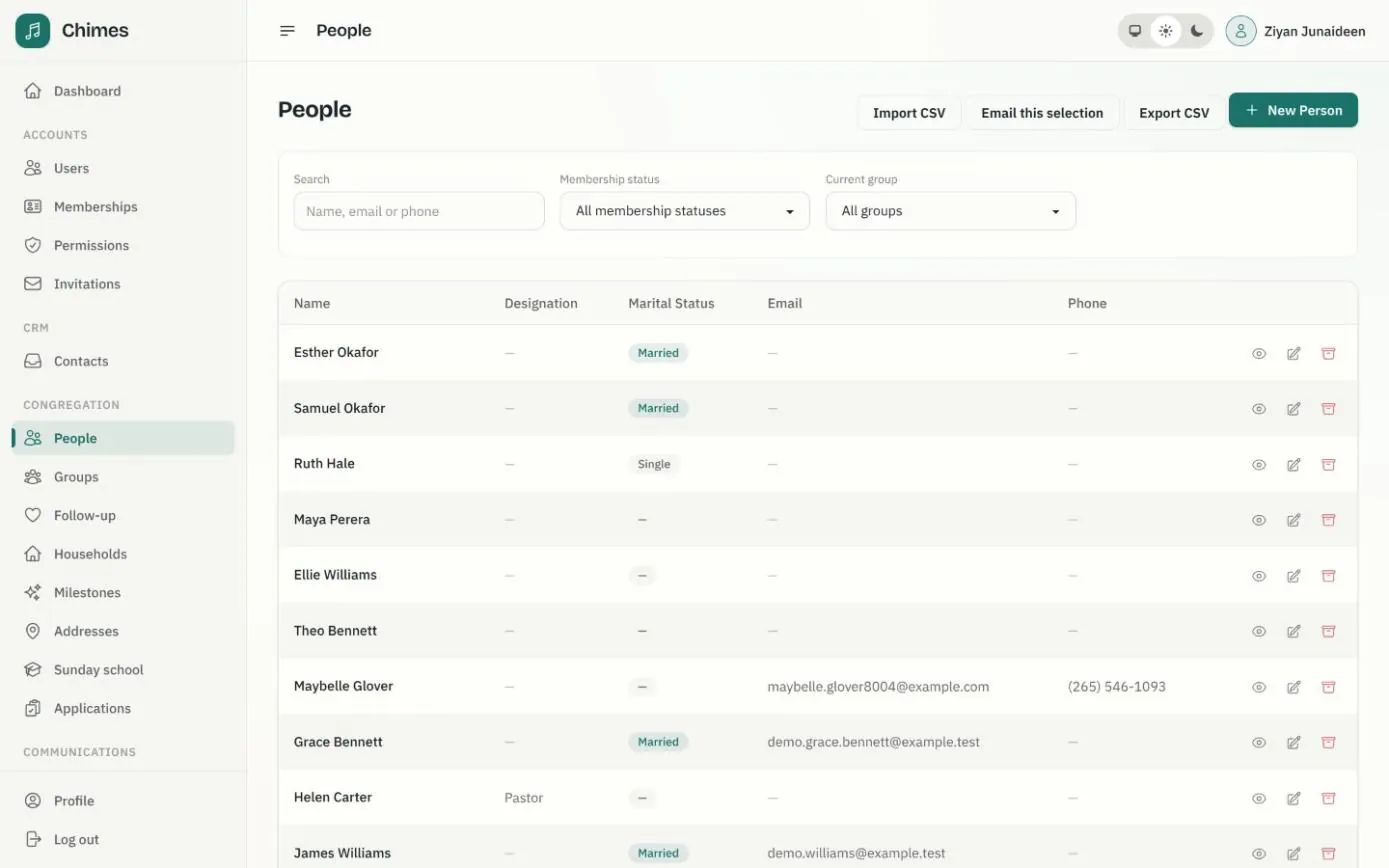
The church office keeps one directory of everyone connected to the congregation: members, regular attenders, children and people still finding their way in. Each person has their contact details, membership status and dates, their family and the households they belong to, and staff can find anyone by name, email or phone.
Records are archived rather than deleted, and every change is written to the audit log, so the directory is still one you can trust years from now.
In short
Families, not just names
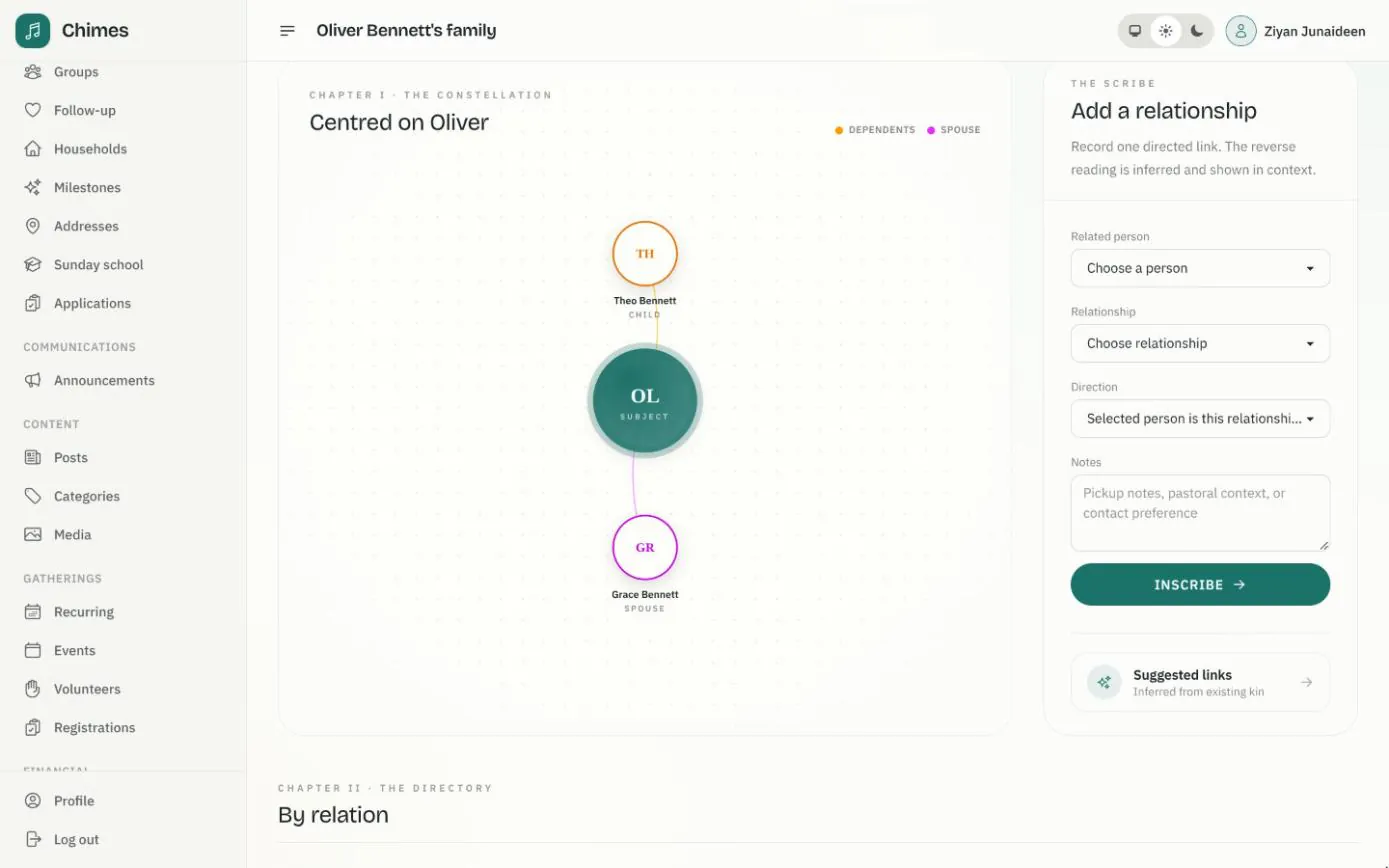
Record spouses, parents, children and guardians, and see each person's family drawn around them.
Spreadsheets in and out
Import people and households from CSV with a review of every row, and export any filtered selection.
Nothing quietly lost
Archived records stay on file, and the audit log shows who changed each record and when.
A church membership record for every person
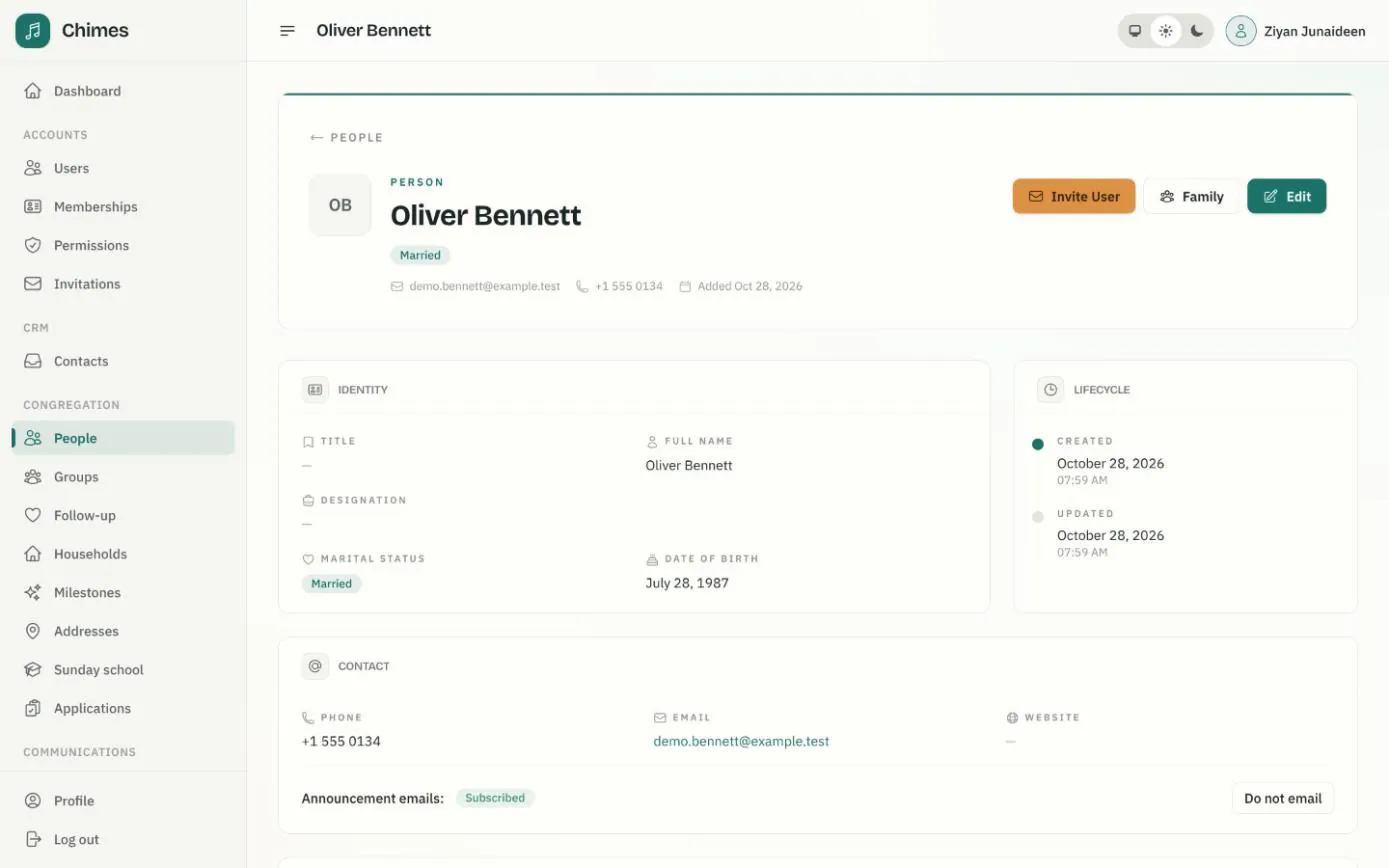
Each person's page holds their title, designation and marital status, phone and email, and the dates that matter to a church: birth, baptism, confirmation and membership. It records their membership status, from attender or applicant to member, inactive or transferred out, and how they were received.
From the same page the office can invite the person to create a member app account. The invitation carries their record with it, so the new account is linked to the right person the moment they accept, with no guessing from email addresses.
- check Dated milestones: baptism, first communion, marriage, ordination and more
- check Every household the person belongs to, with their primary one marked
- check An announcement email preference staff can switch off when asked
Family relationships, drawn around each person
Staff record one relationship at a time, such as parent, spouse, sibling, guardian, grandparent or in-law, with a note if it helps. Chimes reads the reverse direction for itself and draws the family around the person, so anyone in the office can see who belongs to whom.
Chimes also suggests the links that follow from the ones already recorded, such as a parent's spouse as the child's other parent, and staff can add each one with a click.
- check Fathers, mothers, guardians, spouses, siblings, grandparents and in-laws
- check Notes on a relationship, such as pickup arrangements or pastoral context
- check Suggested links inferred from the family already on record
Bring your existing register into Chimes
Most churches arrive with a spreadsheet. Chimes imports people and households from CSV, but nothing reaches the directory until someone has looked at every row.
If an import is interrupted, reopen the batch and resume it: rows already imported are never applied twice.
-
01
Upload the files
Start from the people and household templates, or your own columns. Each file can hold up to 2,000 records.
-
02
Map the columns
Match each spreadsheet header to a Chimes field, and ignore the ones you don't need.
-
03
Validate and preview
Chimes checks every row and saves a review batch without changing the directory, showing errors and possible matches by name, email or phone.
-
04
Decide each row
Create a new record, update the existing one you select, or skip it. A shared family email is never taken as proof that two people are the same.
-
05
Import the reviewed rows
People first, then households, then the links between them. The results count what was created, updated, linked, skipped or failed.
Household records with a shared address and primary contact
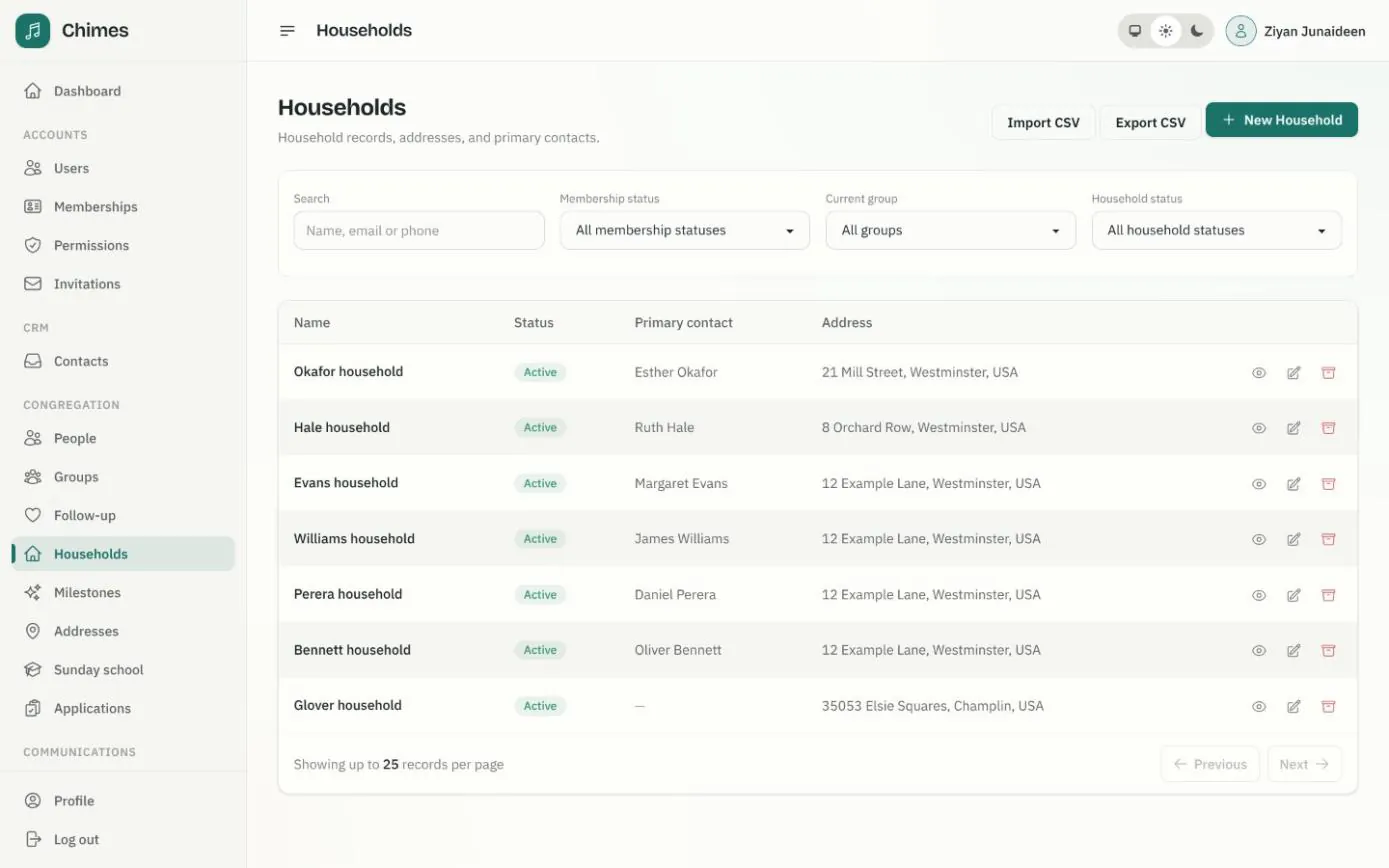
A household brings together the people who live at one address, with one of them as the primary contact. Its status shows whether the family is active, inactive or has moved away, and its page lists everyone in it, what the household has given and the offering envelope number it uses on Sundays.
Search by name, or by any member's email or phone, and narrow the list by membership status, ministry group or household status. Export CSV downloads every matching record, not just the page on screen.
- check The primary contact and address that household giving statements go to
- check Offering envelope numbers assigned and retired from a given date
- check Exported cells made safe to open in a spreadsheet
Ministry groups with a dated membership history
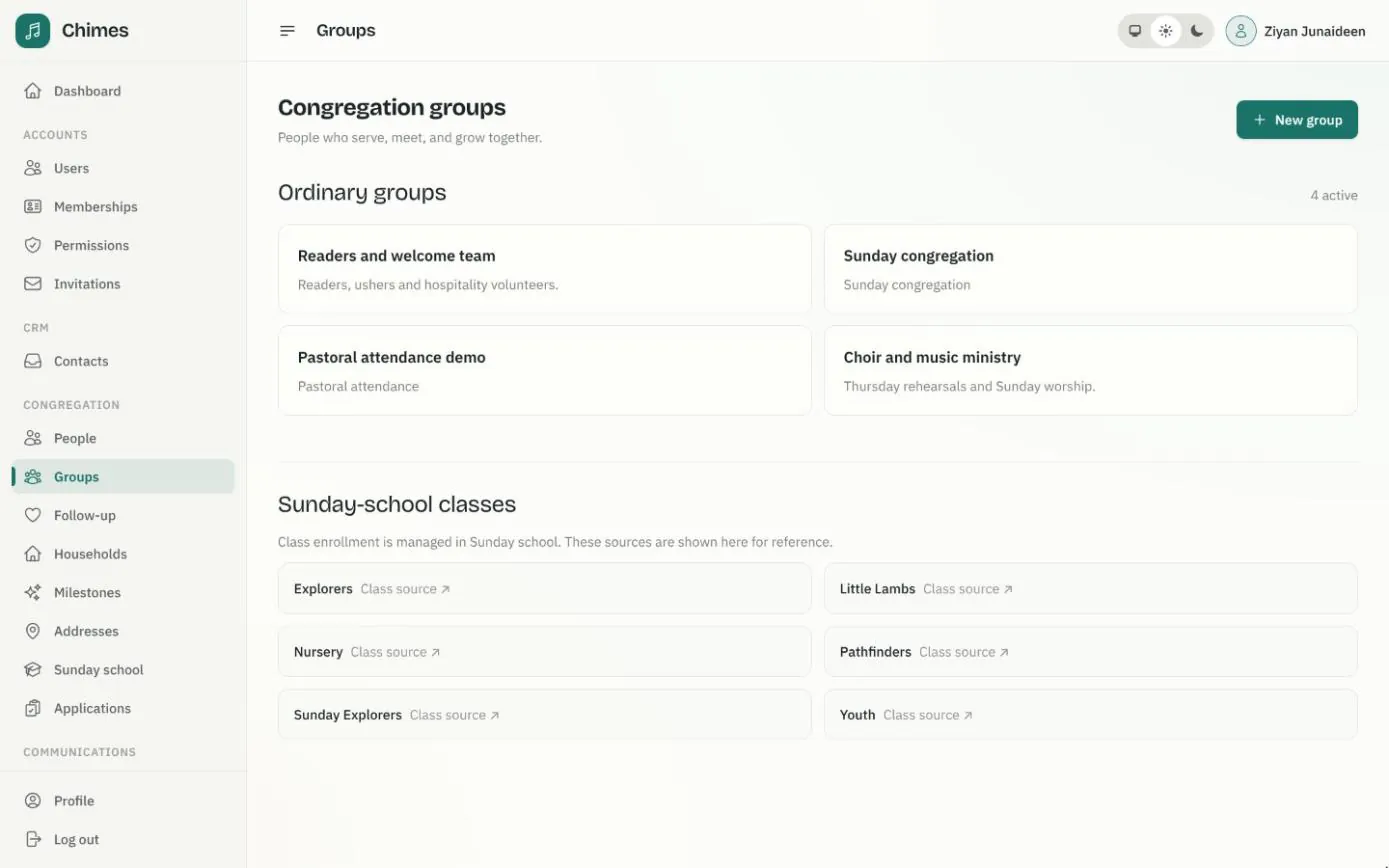
Groups hold the people who serve, meet or worship together: the choir, the welcome team, the Sunday congregation. Each membership has a start date and, when someone steps down, an end date, so the group's history is kept rather than overwritten.
The same groups filter the directory, receive email announcements and supply the names for an attendance register. Sunday school classes are listed beside them for reference and managed from Sunday school.
- check Add a person to a group, or end their membership, from a given date
- check Filter people and households by their current group
- check Email a group, or use it as the roster for a service's attendance
Related features
Membership workflow
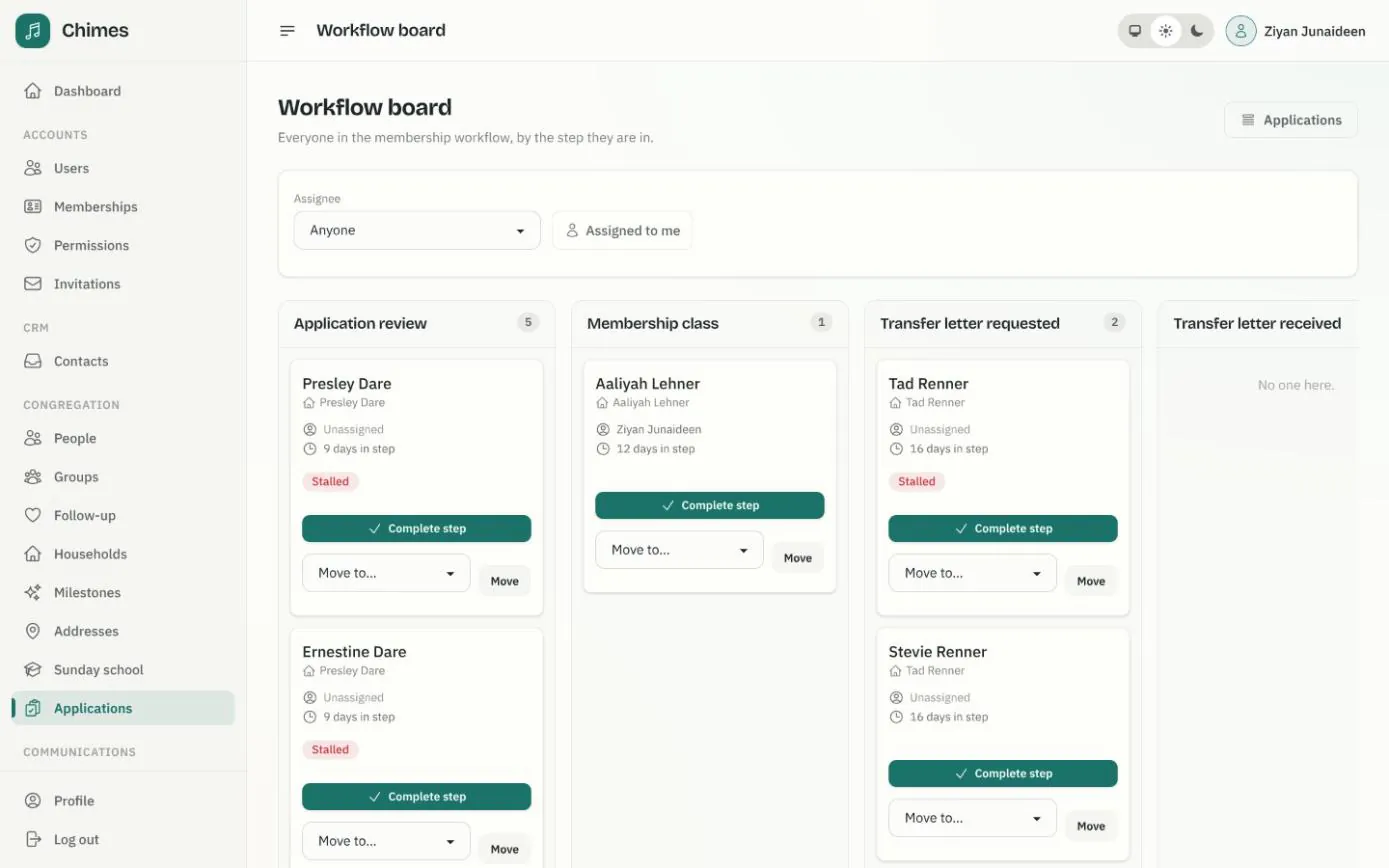
Applications on a board, a card per person moving through the steps you define, with assignees, stall reminders and approval that creates or links the member.
See the feature arrow_forward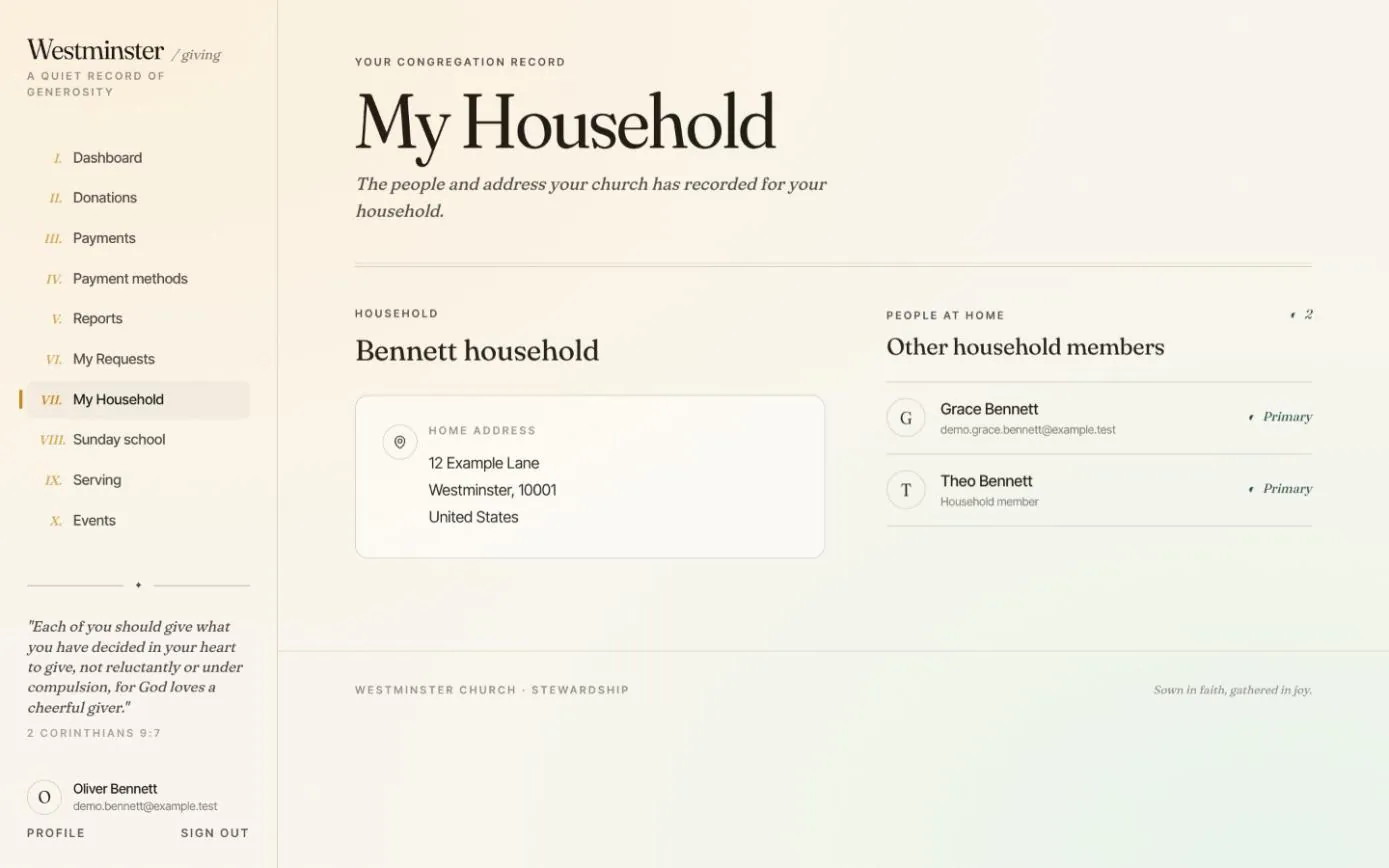
Household and Sunday school
Families see the household the church has on record, ask to enrol a child in a Sunday school class, and follow each child's attendance.
See the feature arrow_forward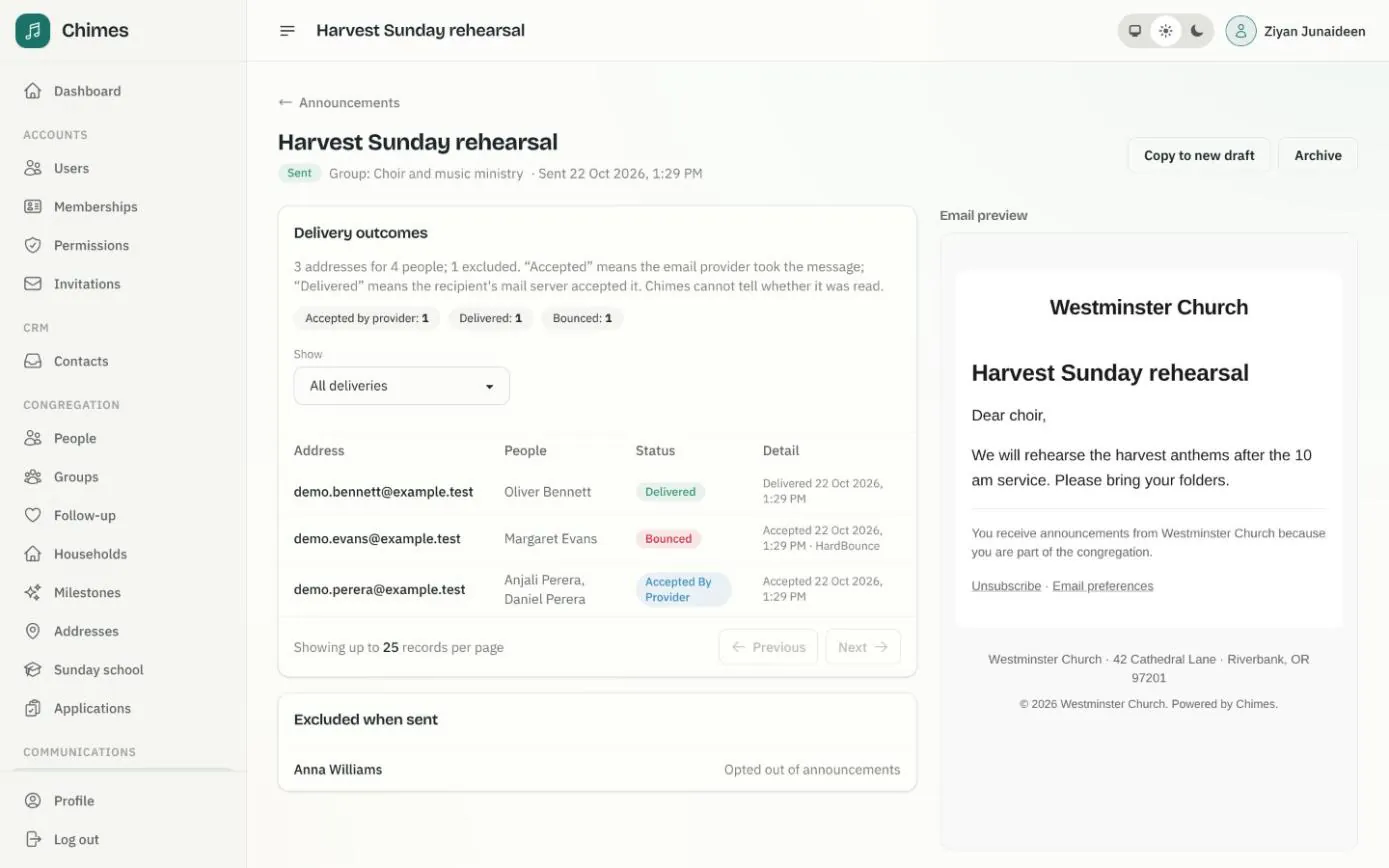
Email announcements
Email a ministry group or a directory selection, preview who will receive it, send a test, schedule it, and see what was delivered or bounced.
See the feature arrow_forwardSee Chimes with your own congregation in mind.
Tell me how your church keeps its records today and where you would like Chimes hosted. I will come back with a deployment plan and a straight answer on what it will take.