app.
Pastoral and office requests
When someone is in hospital, a family would like to talk about a baptism or the hall is needed for a community meal, members ask the church from the member app. They choose the kind of help they need, write a few lines, and the request goes to the church office rather than to someone's personal inbox.
Each request keeps its status and the church's response in one place, and the member is emailed as it moves along, so nobody is left wondering whether the message arrived.
In short
Ten kinds of request
Prayer, hospital visits, counselling, baptisms, marriages, funerals, membership transfers, records, facility bookings and donation statements.
Replies on the request
The church's response is written on the request itself, and the member is emailed when it is completed or cancelled.
Between member and staff
Members see only their own requests, and the church's notification inbox gets the type and a link, never the message.
Request a pastoral visit, prayer or a church record online
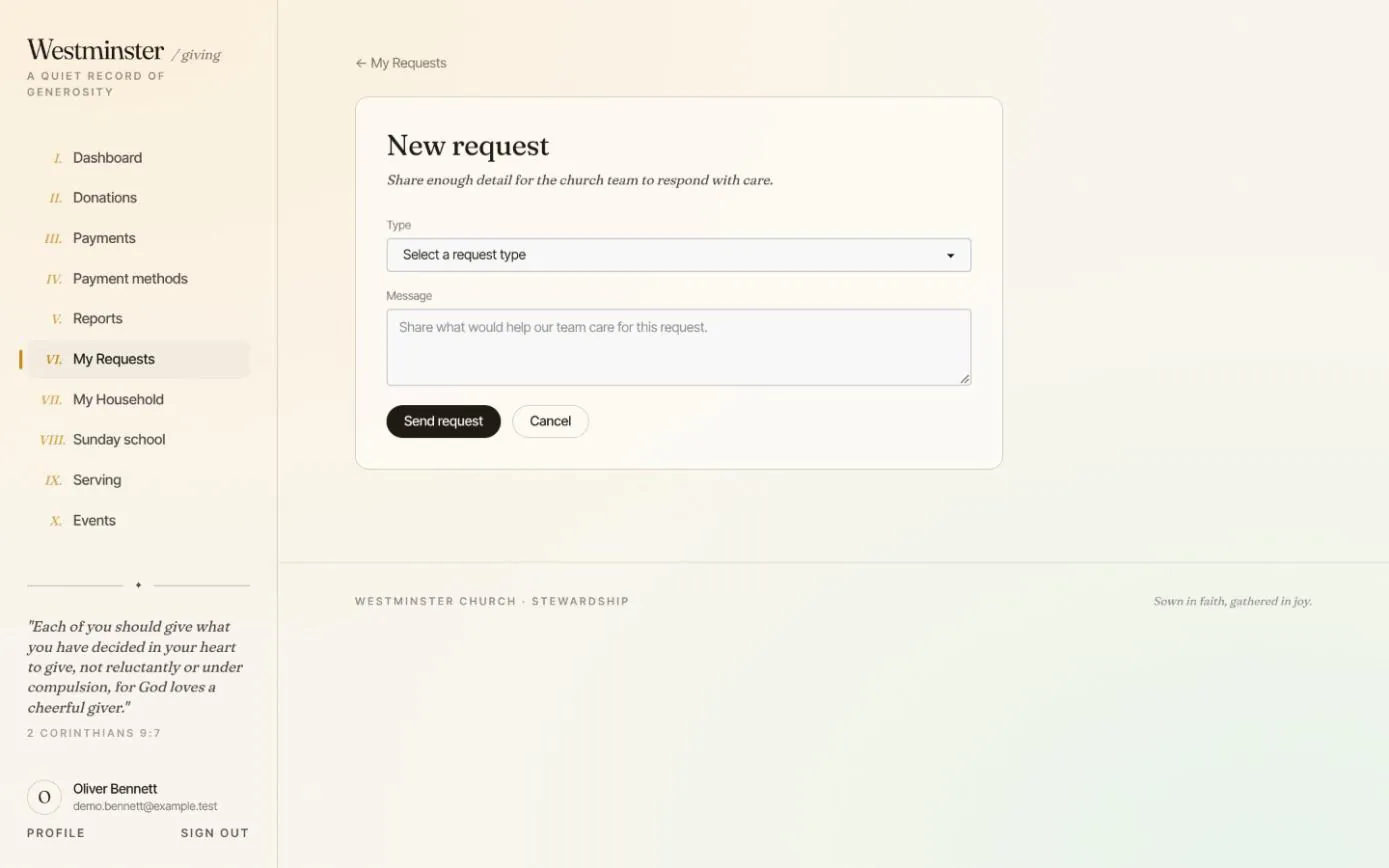
A new request needs only a type and a message. The form asks the member to share enough for the church team to respond with care, and nothing more.
As soon as it is sent, the member receives a receipt with a link back to the request, and the office can be notified at a shared address you choose in settings.
- check Sent from the member's own account, linked to their congregation record
- check The receipt links to the request instead of repeating what was written
- check Arrives in the staff console as pending, ready for review
Follow every request until the church responds
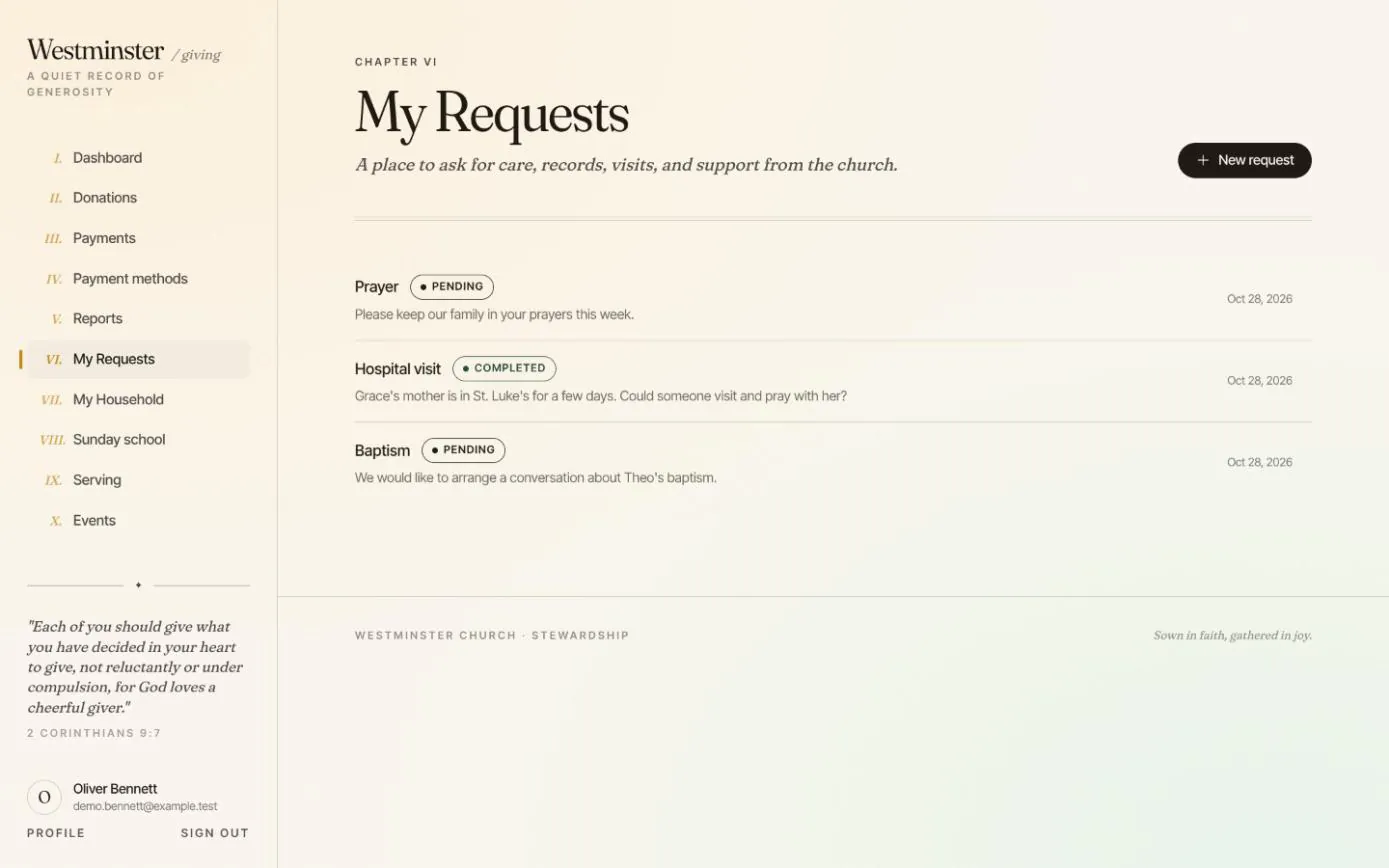
My Requests lists everything the member has asked for, newest first, with its type, the start of the message, the date and a status: pending, processing, completed or cancelled.
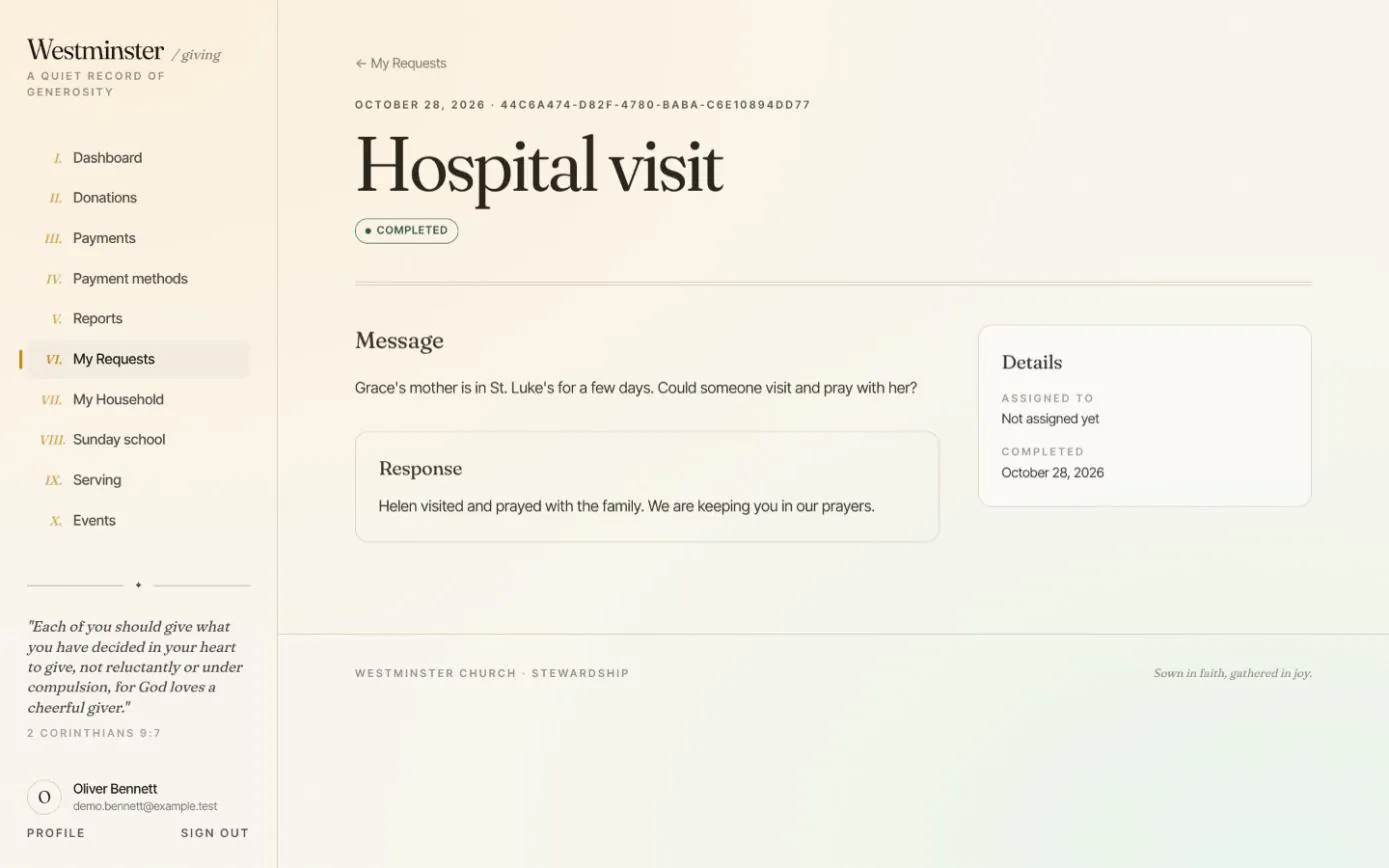
Opening a request shows the full message, the church's response, who it is assigned to and when it was completed.
- check An email when the request is in progress, naming who will help
- check An email when it is completed or cancelled, with the church's response
- check A cancelled request always carries a reason for the member
How a request reaches the right person
Requests are handled in the staff console, where an administrator reviews each one and chooses who should take it.
The member sees the outcome, not the internal workings: assignment notes and the reasons someone declined stay with the team.
-
01
The member sends it
It arrives as pending, and the office's shared inbox can be told a new request is waiting.
-
02
An administrator approves and assigns it
They invite an owner, admin or staff member to handle it, with an optional internal note. The request moves to processing.
-
03
The assignee accepts or declines
If they decline, the request returns to pending and the office is told it needs someone else.
-
04
The team completes or cancels it
The response written for the member is shown on the request and sent in the email.
Private pastoral care notes, kept with the staff
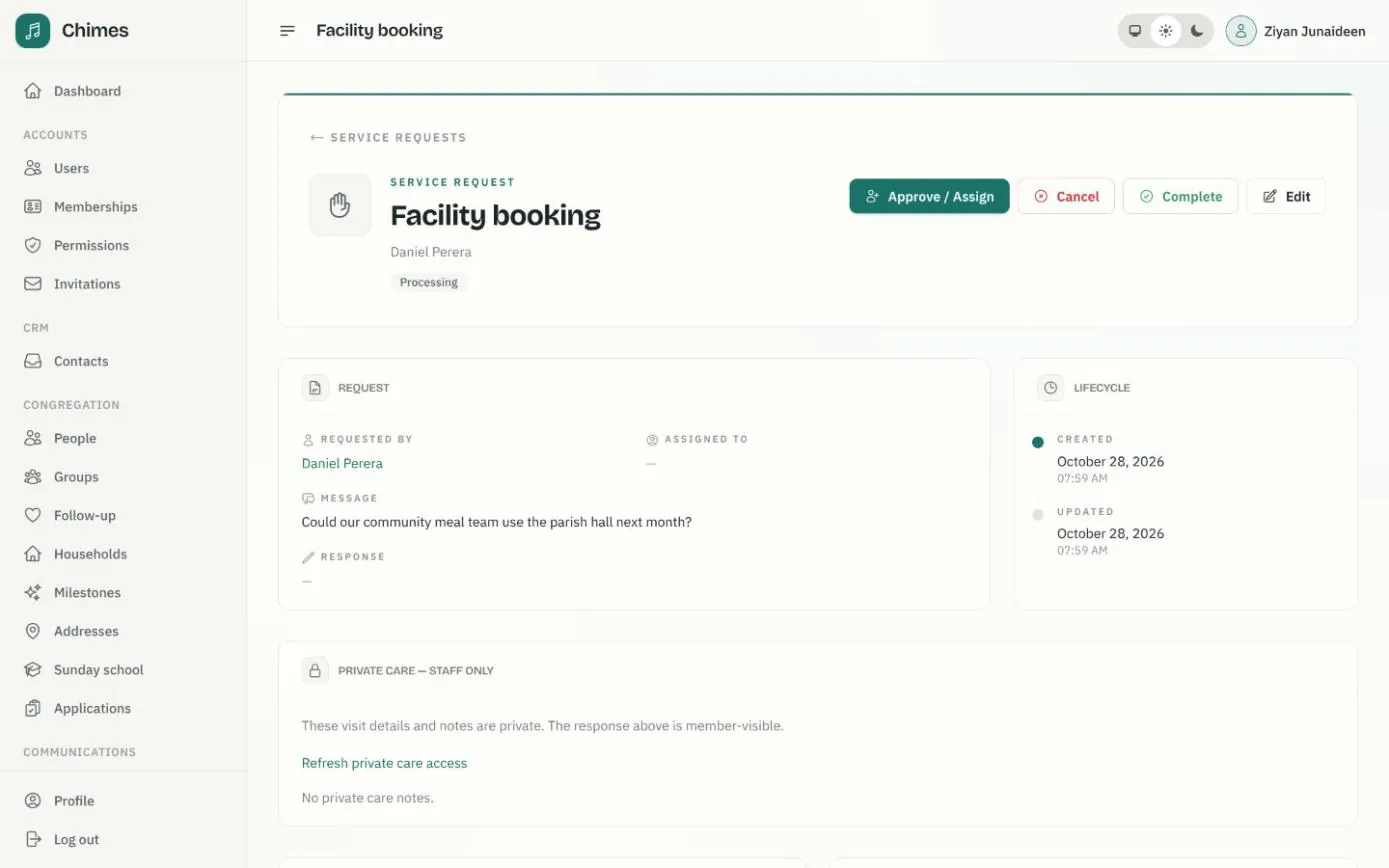
The staff page for a request shows who asked, the message and the response, with actions to approve and assign it, cancel it or mark it complete. Assignments, declines and status changes stay in the request's history.
Hospital and ward details, the preferred way to make contact and care notes go in a private section that only the people handling the request can see. The response is the only part the member reads.
- check A calendar of the requests assigned to each staff member
- check An email invitation to the person asked to handle it
- check Care notes that only their author can edit
Related features
Pastoral care and follow-up
Member requests triaged, assigned and completed with private care notes, plus visitor welcome tasks and suggestions when someone stops coming.
See the feature arrow_forward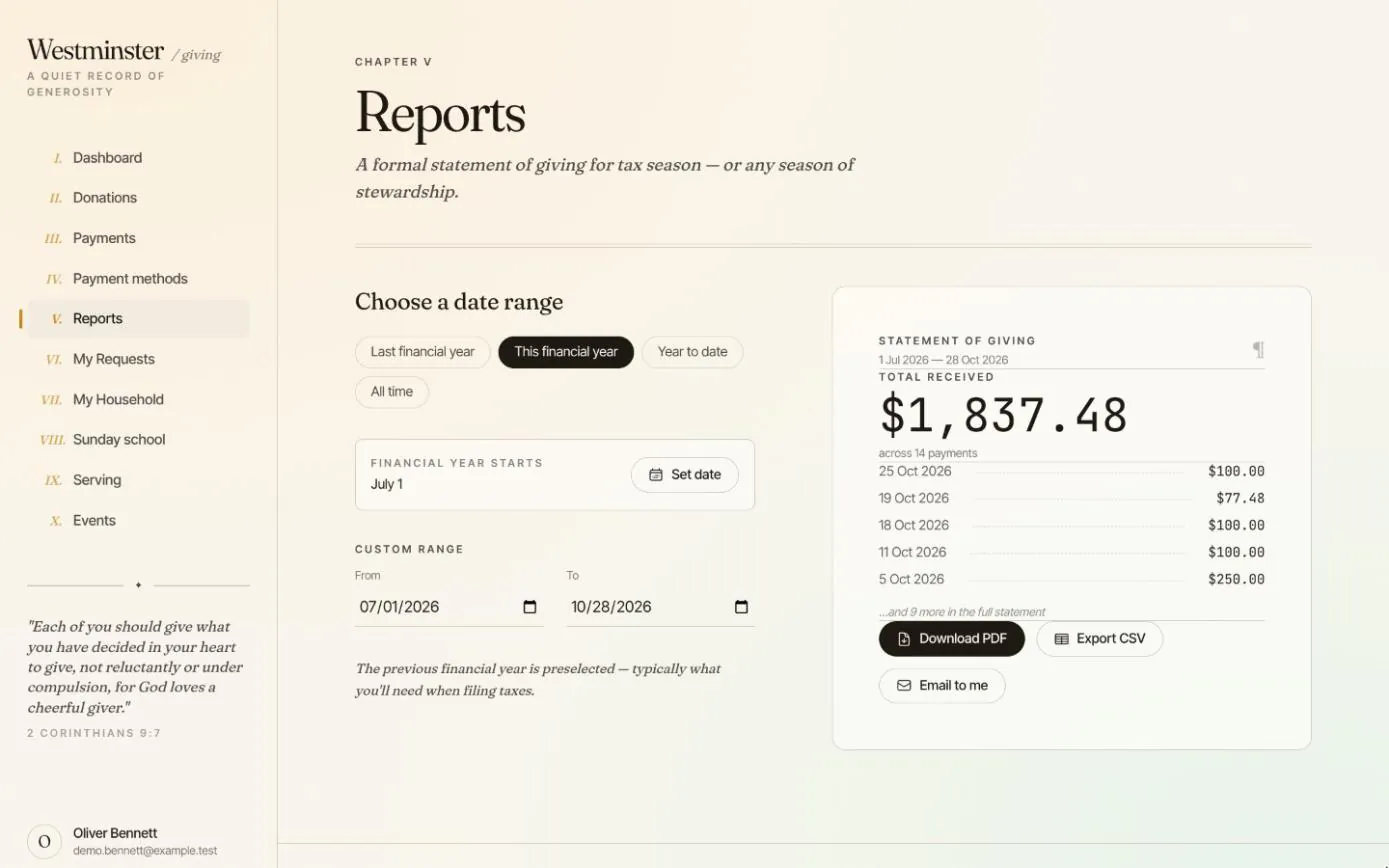
Giving history and statements
Every gift and payment in one ledger, including cash and checks the office records, and a statement for any financial year as a PDF or CSV.
See the feature arrow_forward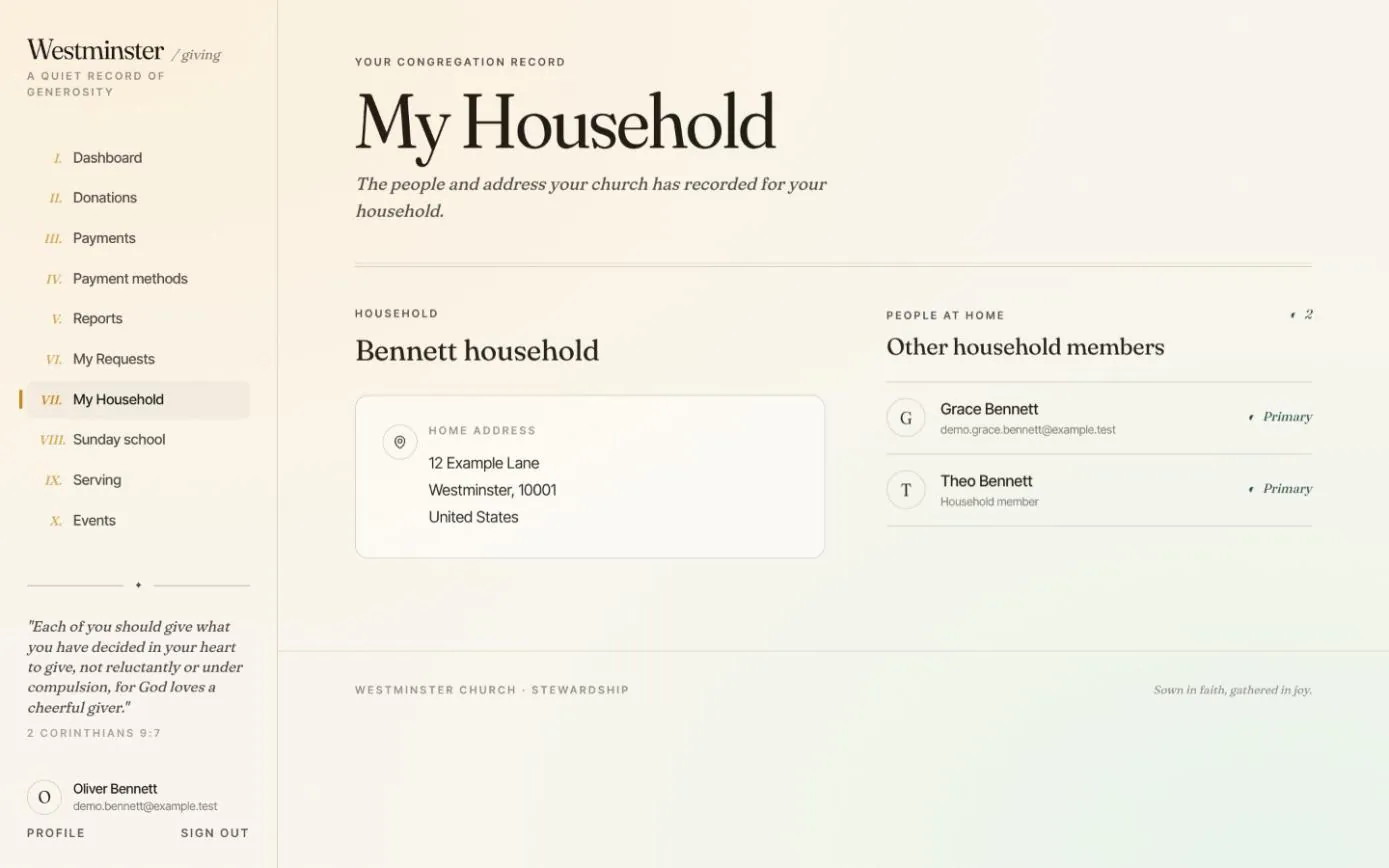
Household and Sunday school
Families see the household the church has on record, ask to enrol a child in a Sunday school class, and follow each child's attendance.
See the feature arrow_forwardSee Chimes with your own congregation in mind.
Tell me how your church keeps its records today and where you would like Chimes hosted. I will come back with a deployment plan and a straight answer on what it will take.