admin.
Email announcements
Write to the choir about a rehearsal change, or to every member about the garden morning, from the console that already holds your directory. Pick a ministry group or a filtered selection of people, check exactly who will receive it, send yourself a test, then send it now or schedule it.
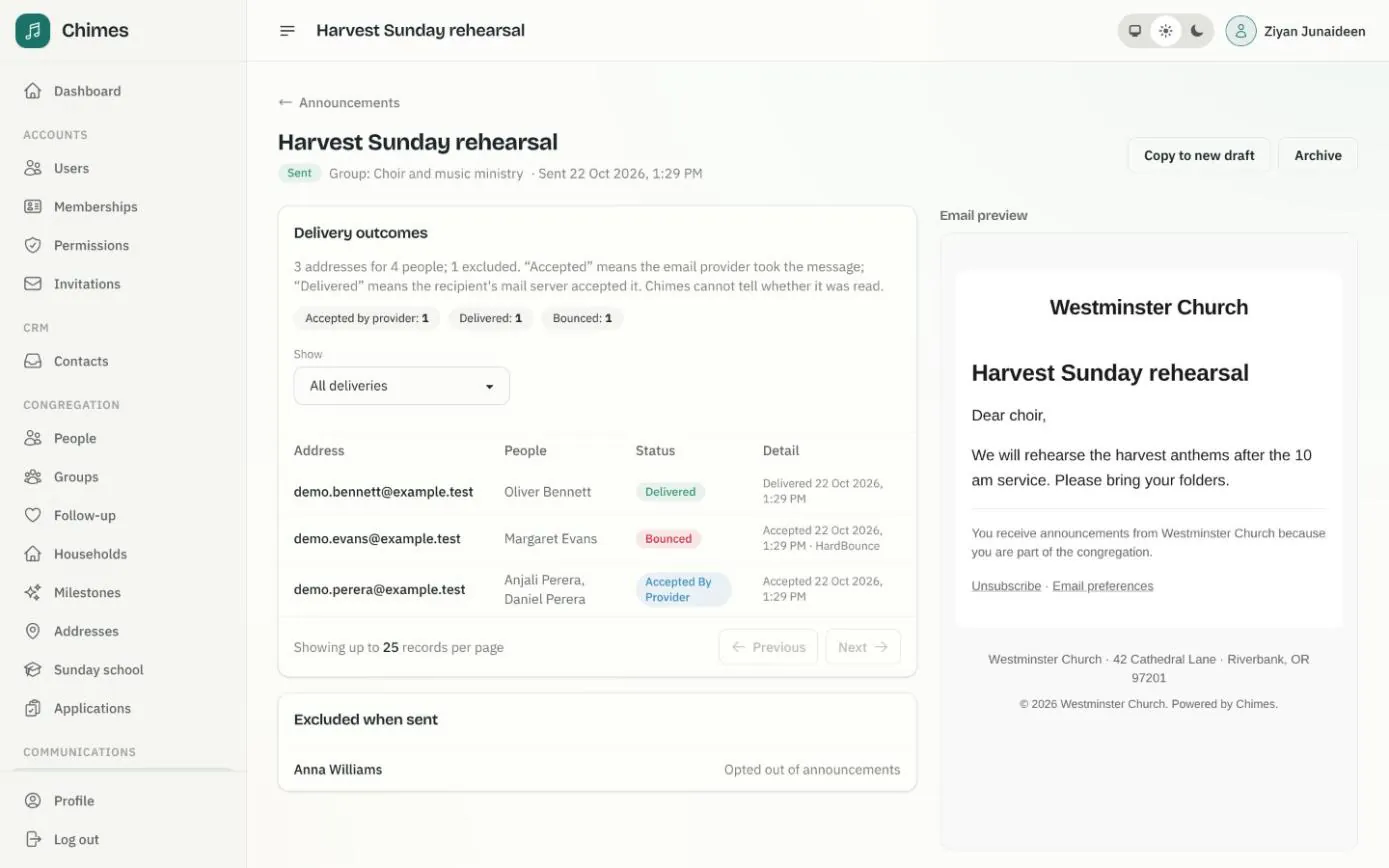
Each announcement keeps its history: which addresses it went to, who was left out and why, and whether each email was accepted, delivered or bounced. Mail goes out through Postmark, on a stream kept apart from receipts and sign-in links, so a large send never harms their delivery.
In short
Know who it will reach
A live preview lists every recipient and every person left out, with the reason, before anything is sent.
One email per shared inbox
A couple who share an address receive one copy, and the footer never names the other people who use it.
Opting out is respected
Every announcement carries a one-click unsubscribe, and members can turn announcements off in the app. Receipts and account emails are unaffected.
Preview the recipients of a church email, then send a test
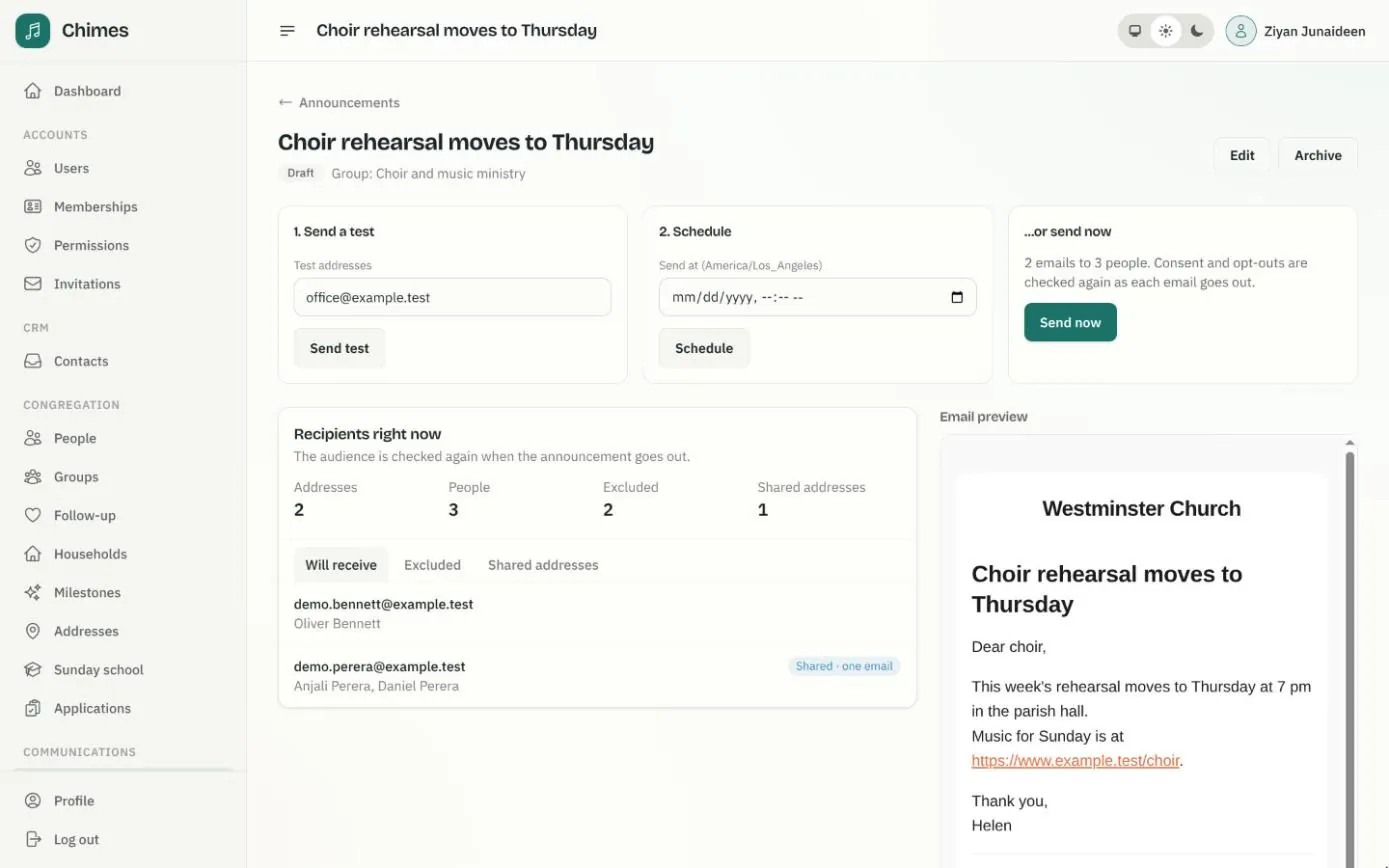
A saved draft shows the email as it will arrive, beside a live count of addresses, people, exclusions and shared inboxes. People are left out if they have no email address, are under 18, have opted out, or their address has bounced or unsubscribed.
Send a test copy to up to five addresses, then schedule the announcement in the church's time zone or send it now. Consent and opt-outs are checked again as each email goes out.
- check Will receive, Excluded and Shared addresses tabs on every draft
- check Plain text with clickable links, the same message for everyone
- check Unschedule an announcement to edit it again
How a church email announcement goes out
Staff can only email people they can already see in the directory, and every action checks the sender's permission again.
Chimes never sends the same email twice on its own. If a delivery's outcome is uncertain, it asks Postmark, and staff decide whether to resend.
-
01
Choose the audience
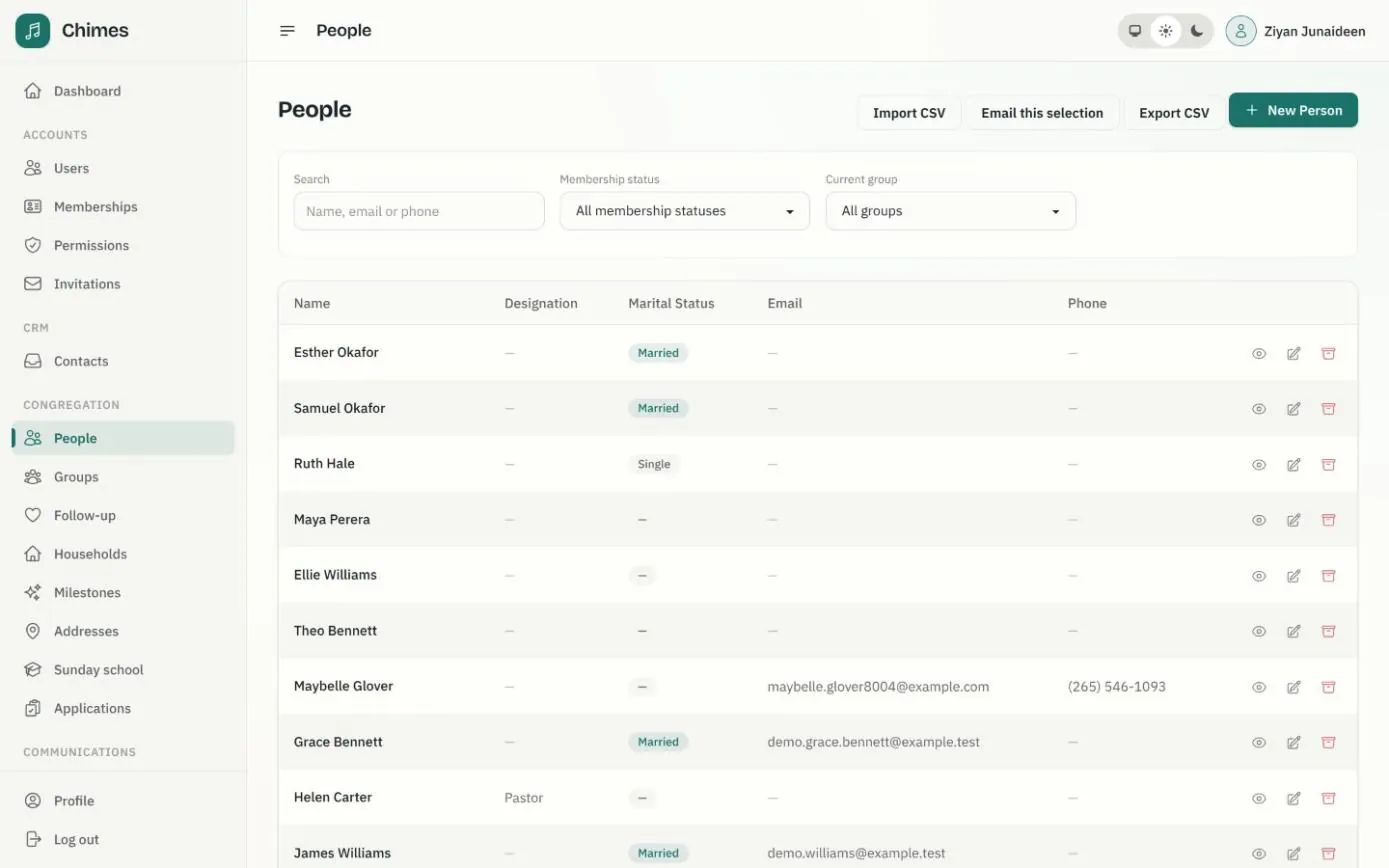
A ministry group, or the directory narrowed by membership status and a search. Email this selection on the People page starts one from its current filters.
-
02
Write the message
A subject and plain text. A blank line starts a paragraph and links become clickable. Write your own greeting, such as "Dear choir,".
-
03
Check and test
The draft lists who will receive it and who is excluded. A [Test] copy goes to your own address by default and is not counted as a delivery.
-
04
Send now or schedule
Pick a date and time in the church's time zone, or send straight away. The recipient list is fixed when sending starts.
-
05
Follow each delivery
Every address moves from queued to accepted, delivered or bounced. A hard bounce stops future announcements to that address.
Every draft, scheduled and sent announcement in one list
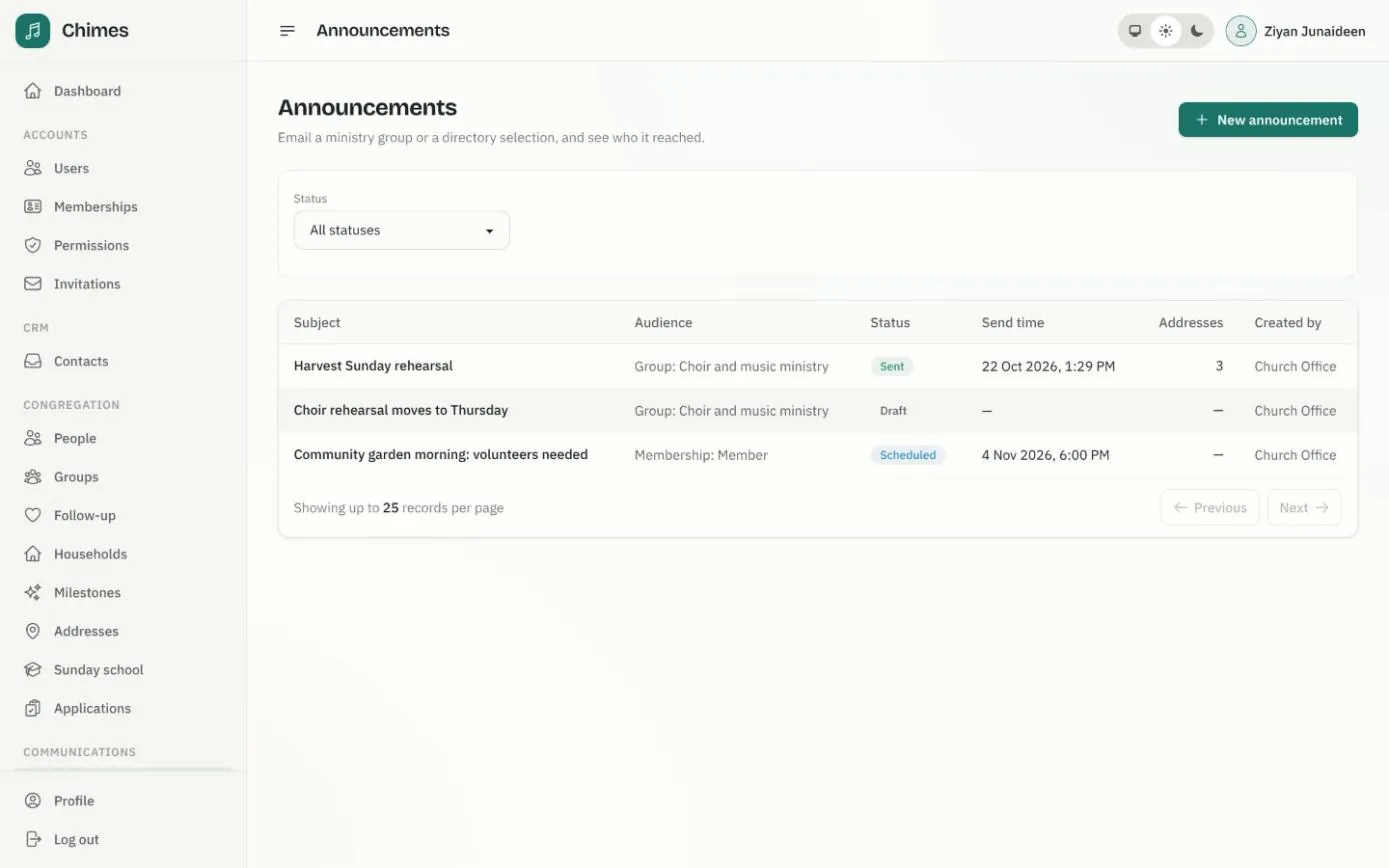
The announcements list shows each message's audience, status and send time, the number of addresses it went to and who created it. Filter by status to find what is still a draft or waiting to go out.
A scheduled announcement can be cancelled before it leaves, or stopped part-way with Cancel remaining. To send something similar again, copy it to a new draft.
- check Delivered means the recipient's mail server accepted it; opens and clicks are not tracked
- check Unsubscribing can be undone from the link in any announcement
- check Opt-outs and suppressions kept as history in the audit log
Related features
People and households
A directory of people and households with family relationships, milestones, ministry groups, membership status, and CSV import and export.
See the feature arrow_forward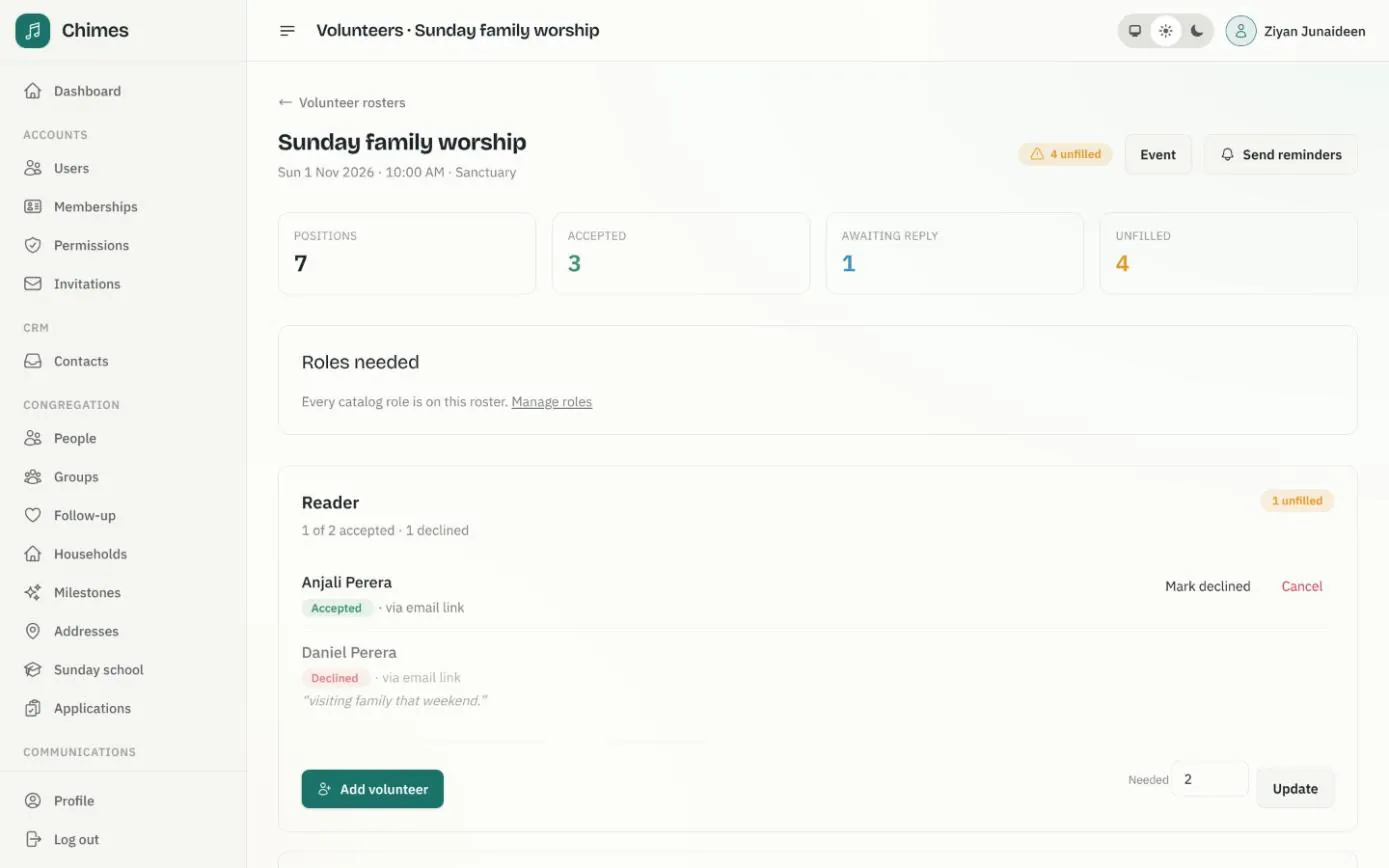
Volunteer rosters and event sign-ups
The roles each service needs, invitations answered by email or in the app, reminders, and event registration with capacity and guest limits.
See the feature arrow_forward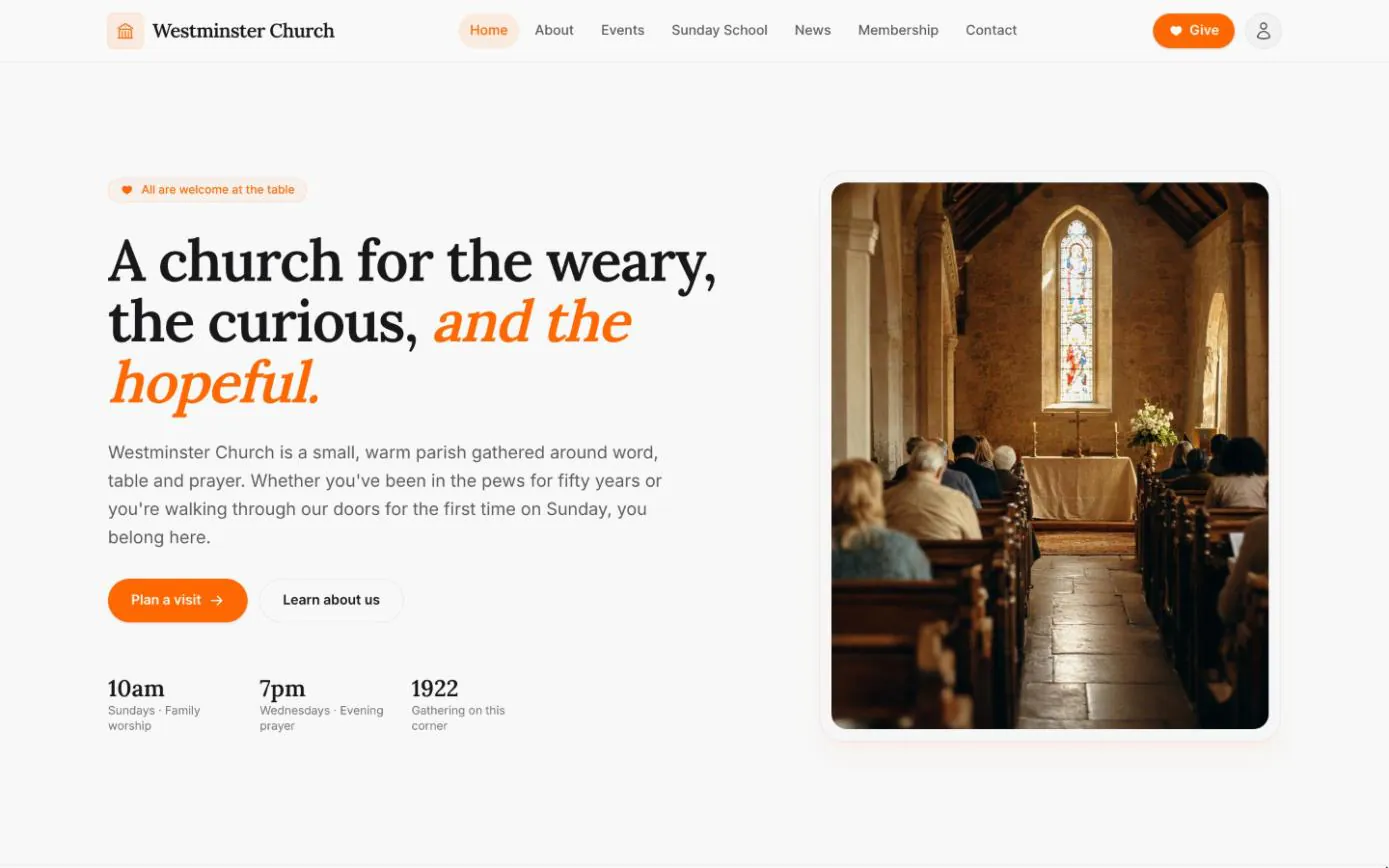
Your church website
Home, about, events, Sunday school, news and contact pages come with every deployment, filled from the settings, calendar and news kept in the staff console.
See the feature arrow_forwardSee Chimes with your own congregation in mind.
Tell me how your church keeps its records today and where you would like Chimes hosted. I will come back with a deployment plan and a straight answer on what it will take.