admin.
Roles, permissions and audit
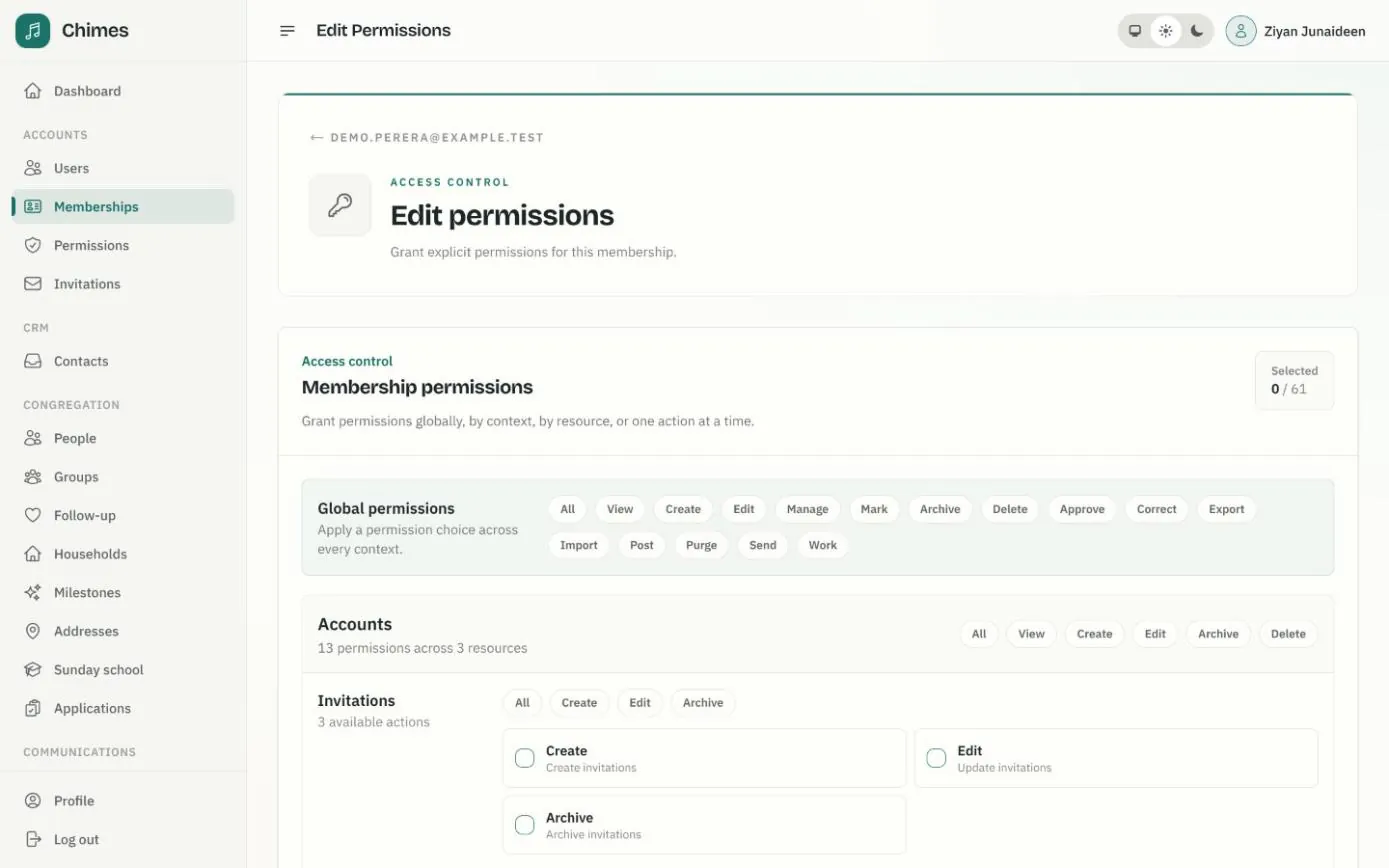
Everyone who signs in to Chimes holds a membership with one of six roles: owner, admin, staff, volunteer, member or congregation. The role is a sensible starting point, and individual permissions can be granted on top, so a Sunday school teacher can mark a register without browsing the directory.
The church's name, logo, service times and financial year are changed in the console, without a deploy. Every create, update and archive goes into an audit log, and webhooks and a JSON:API connect Chimes to the other systems your church uses.
In short
Six roles, finer grants
Start from a role, then grant permissions for every area at once, by area or resource, or one action at a time.
Settings without a deploy
Change the church's name, logo, service times or financial year in the console, and the website and emails follow.
A record of every change
The audit log keeps each create, update and archive, with a snapshot of the record as it stood.
Church software permissions, set person by person
Each membership also records a job title and a service period, so it is clear who holds which role and since when.
Some access is never given by role alone. Pastoral follow-up, for example, goes only to the coordinators and workers you name.
-
01
Invite them with a role
Send an invitation with the role they will hold: admin, staff, volunteer, member or congregation. They join from the link in the email.
-
02
Start from the role's defaults
The owner holds everything. Admins receive the day-to-day permissions by role, staff a smaller set and the other roles very little.
-
03
Grant what their work needs
On the membership's permissions page, choose permissions across every area, for one area or resource, or one action at a time.
-
04
Keep system tools close
Organization settings, the audit log, webhooks and the job dashboard are owner-only by default, and only an owner can grant them.
-
05
Remove access when things change
Ending a membership or removing a grant applies from the next page load, and areas such as announcements, rosters and Sunday school check again on every click.
An audit log of every change to church records
An offering entered, a prayer request filed, a volunteer's dates away, an attendance mark: each change is listed with the kind of record, the action and when it happened. Each entry also keeps a snapshot of the record at that moment.
Viewing the log is a permission of its own, held by the owner unless granted. Areas that handle pastoral or contact details, such as follow-up and volunteer rosters, keep those details out of their audit entries.
- check People, giving, gatherings, Sunday school, requests and settings in one log
- check Workflow steps too, such as attendance marks and confirmation emails

Change church settings without a deploy
The church's name, logo, icon, contact details, service times, email sender name, giving statement wording, time zone, currency and financial year start all live on one settings page. Settings are not cached, so a change appears on the next page and in the next email.
Owners hold the settings by default and can grant them to someone else. Every save is recorded in the audit log.
- check A logo for the website, emails and statement letterhead, and a browser icon
- check Membership stall reminders and the volunteer reminder lead time
- check A shared inbox to notify of new service requests

Church software integrations with webhooks and a JSON:API
Add a webhook with an endpoint URL and the events it should receive: everything, or chosen groups such as accounts, congregation, giving or gatherings. Chimes shows a signing secret once when the webhook is created and signs every delivery with it, so the receiving system can check the request came from your church.
The JSON:API covers people, memberships, funds, donations, payments, service requests and Sunday school, described by an OpenAPI specification. Each API token belongs to a membership and can do only what that membership may.
- check Failed deliveries retried with increasing delays
- check A delivery log with each response status
- check An OpenAPI specification published on the API host

Related features
People and households
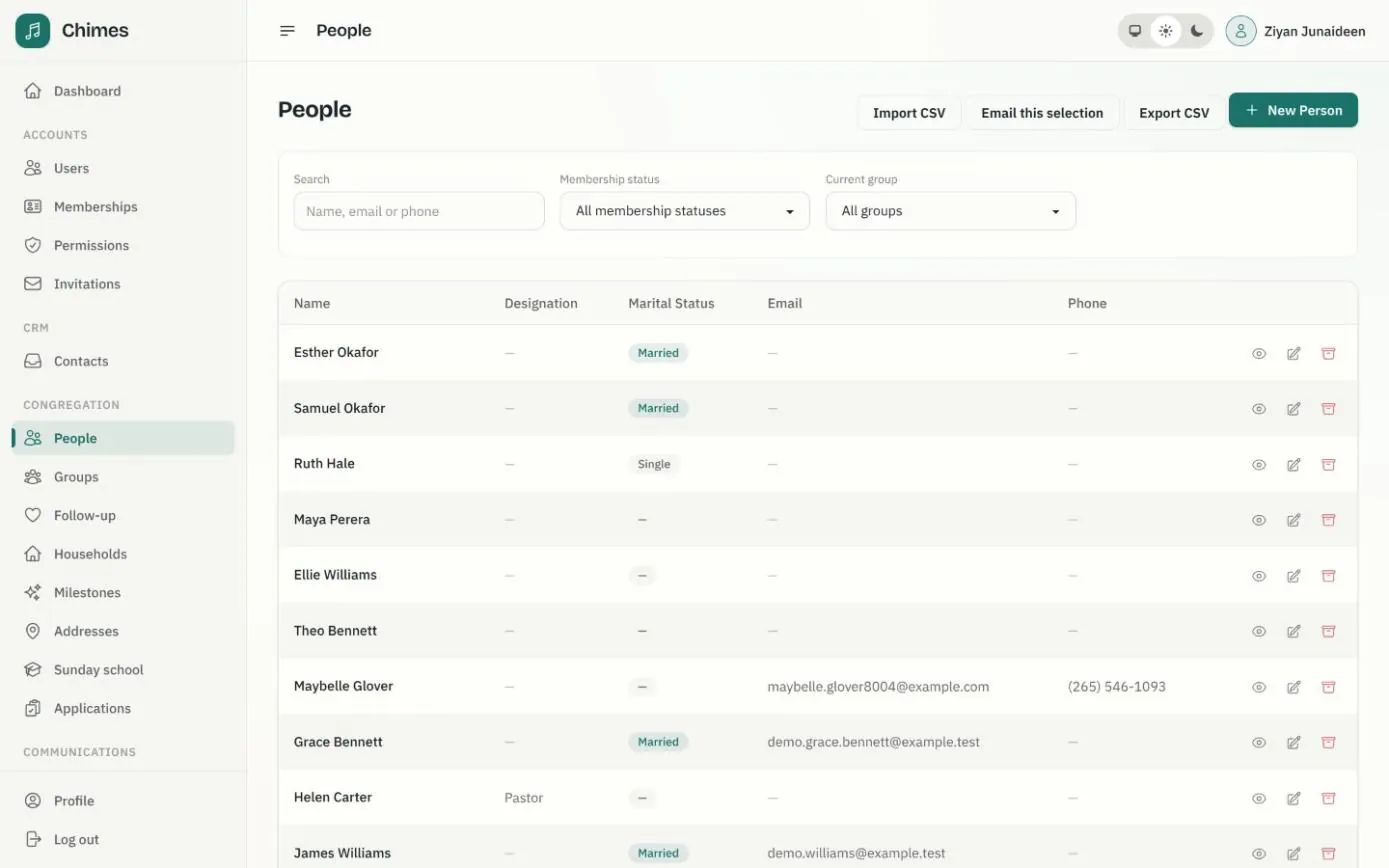
A directory of people and households with family relationships, milestones, ministry groups, membership status, and CSV import and export.
See the feature arrow_forward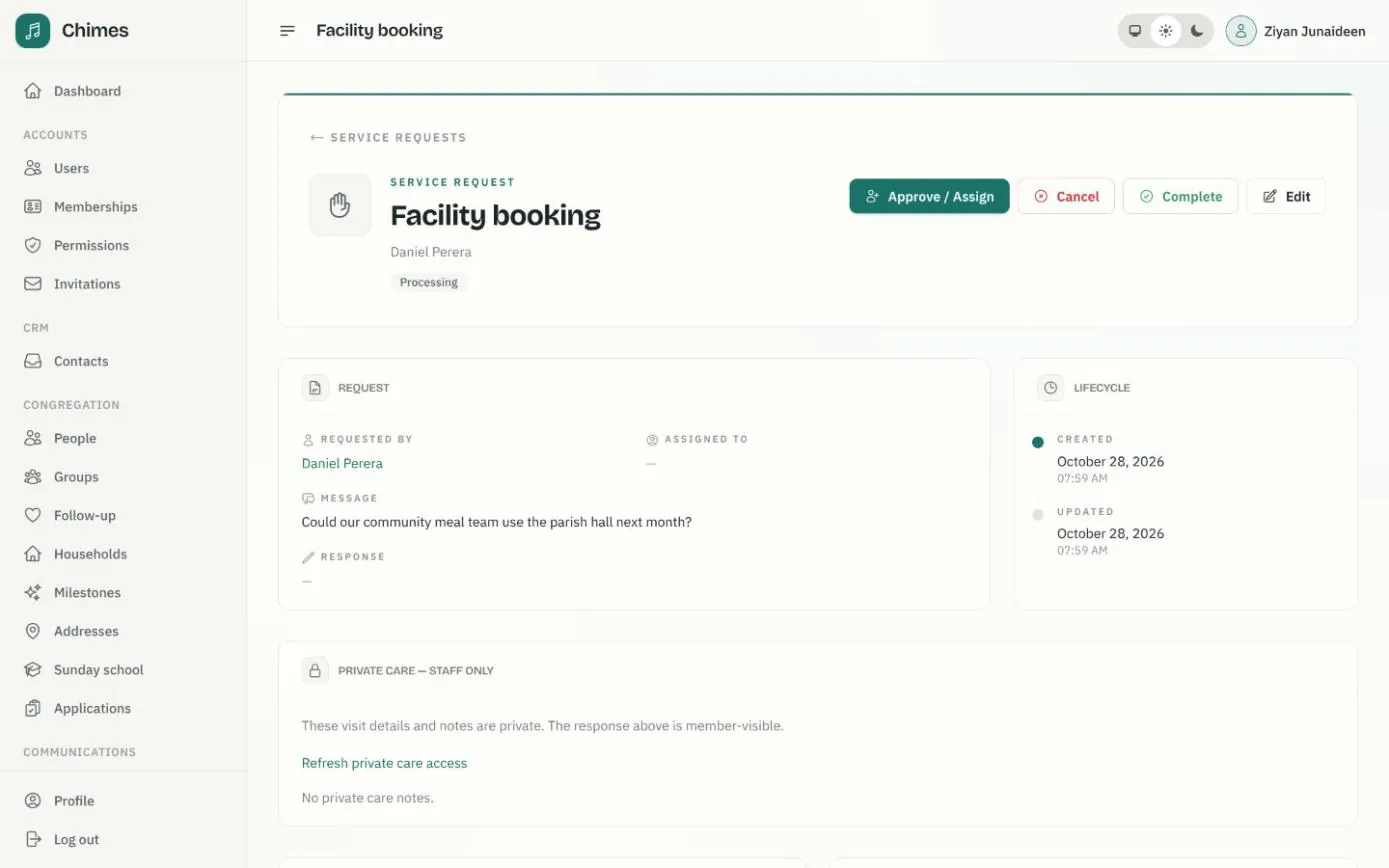
Pastoral care and follow-up
Member requests triaged, assigned and completed with private care notes, plus visitor welcome tasks and suggestions when someone stops coming.
See the feature arrow_forward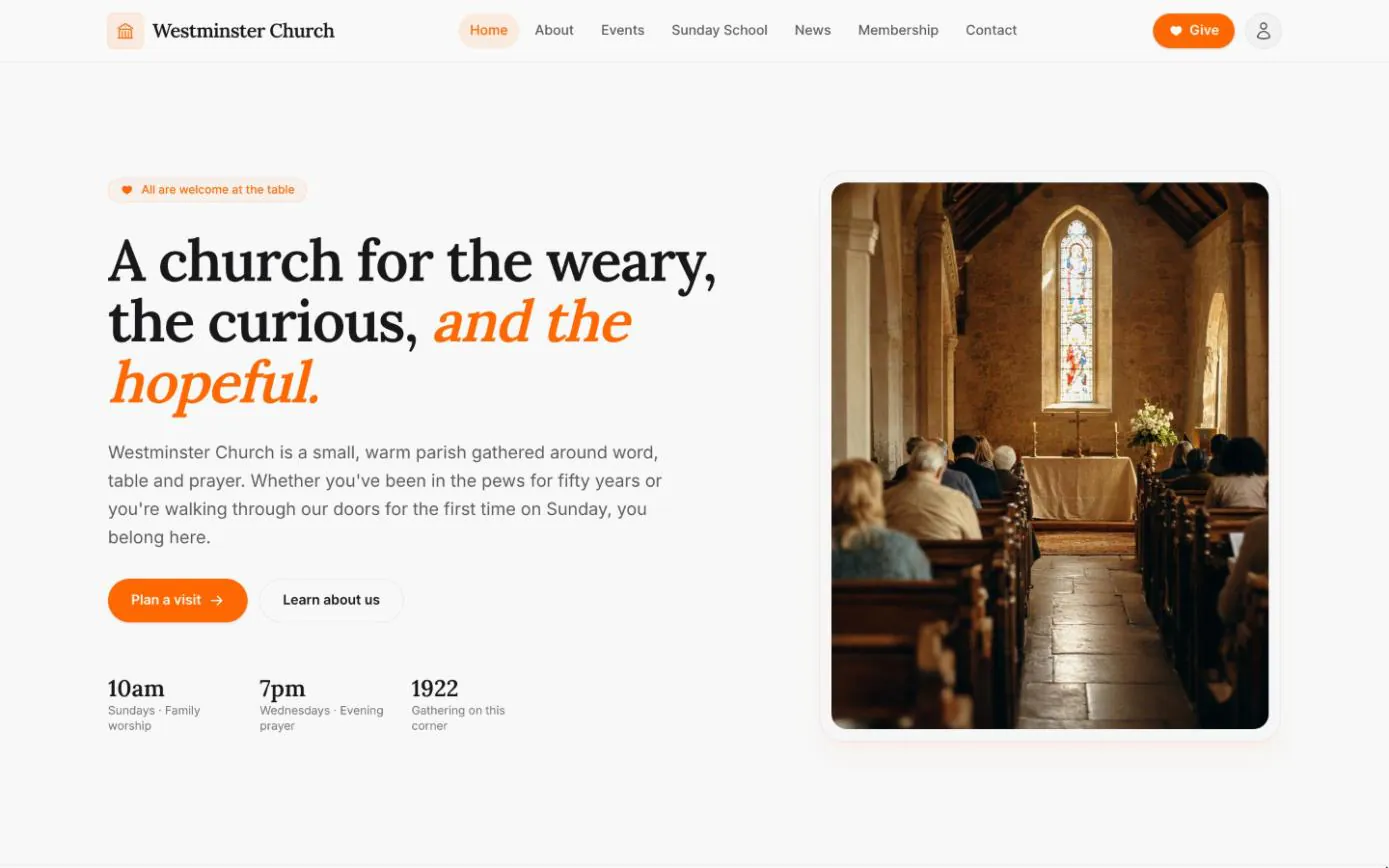
Your church website
Home, about, events, Sunday school, news and contact pages come with every deployment, filled from the settings, calendar and news kept in the staff console.
See the feature arrow_forwardSee Chimes with your own congregation in mind.
Tell me how your church keeps its records today and where you would like Chimes hosted. I will come back with a deployment plan and a straight answer on what it will take.